# QuickStart: iOS App
# Install App
[](https://manual.ivaluate.de/uploads/images/gallery/2022-02/QR_Appstore.png)
Scan this QR-Code with your iPhone and the App Store will open, so you can install the app "IVA" from Teamware Solutions GmbH for free. Install and start the app.# Sharing of the analysis data of your Apple device
[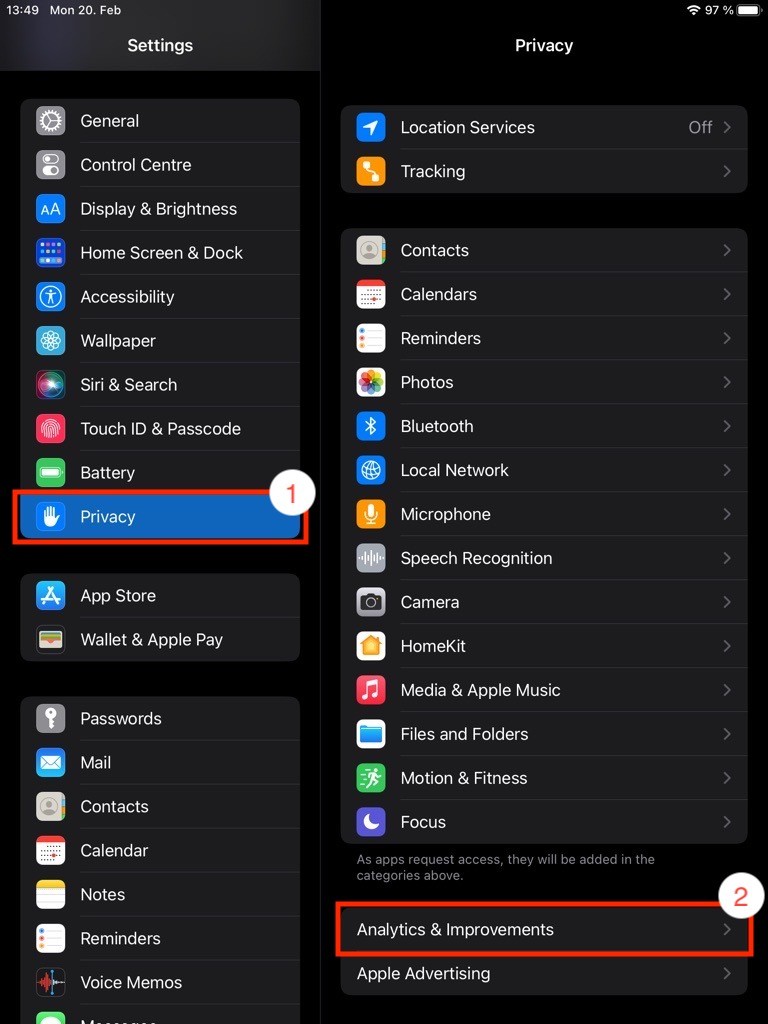 ](https://manual.ivaluate.de/uploads/images/gallery/2023-02/en-analysedaten-ipad-schritt1und2.jpeg)[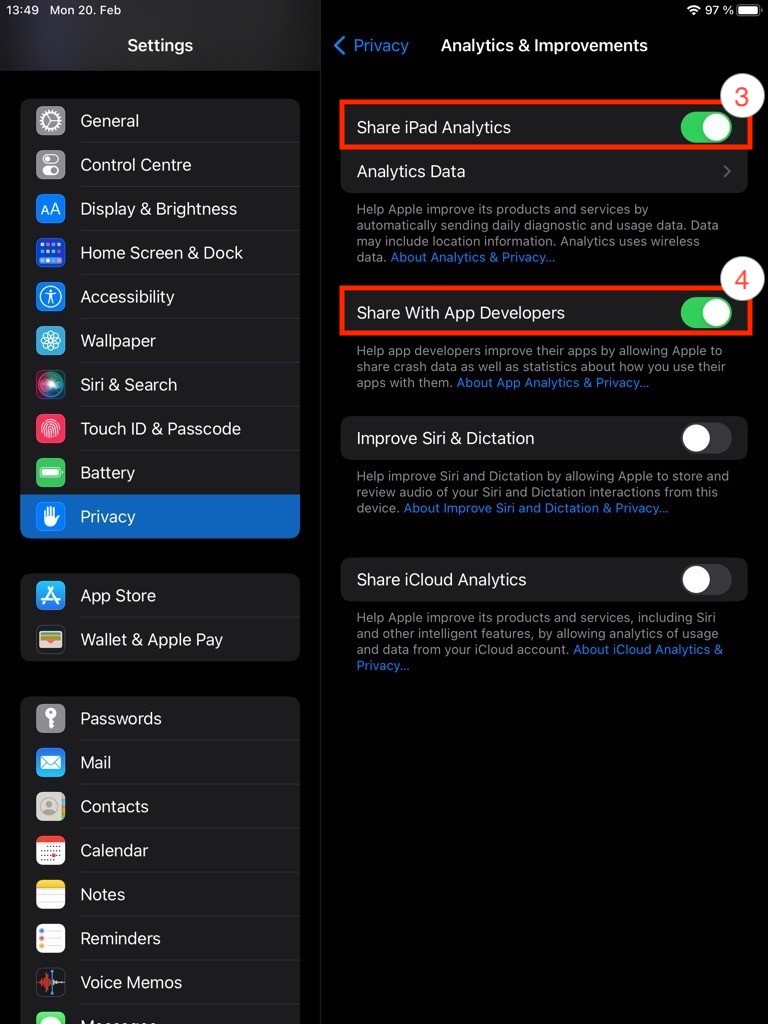](https://manual.ivaluate.de/uploads/images/gallery/2023-02/en-analysedaten-ipad-schritt3und4.jpeg)
With the help of the analysis data from your device, for example information on system errors, we can constantly improve IVA and identify explicit incorrect behavior of the app. To share your device's analytics data with us, first open your Apple device's settings.
1. Tap on "Privacy" in the left column
2. Tap on "Analytics & Improvements" in the right column
3. Activate the toggle "Share iPad Analytics" in the right column
4. Activate the toggle "Share With App Developers" in the right column# Login with QR code
[](https://manual.ivaluate.de/uploads/images/gallery/2022-02/Login.png)
Select "Scan QR code. After scanning the code with your iPhone, a new window will appear.
Please enter your personal access data (e-mail and password) there.# First Steps
# Choosing your vehicle
[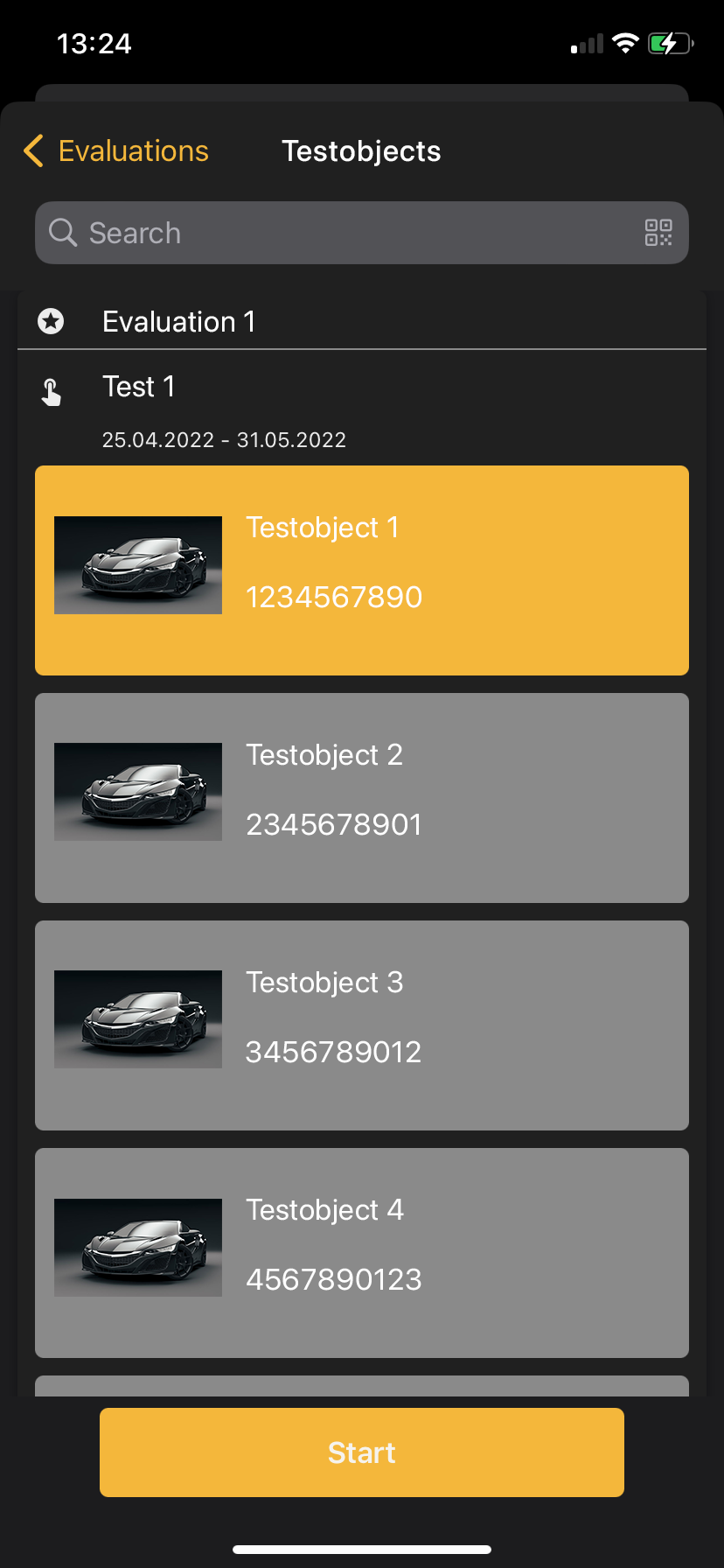 ](https://manual.ivaluate.de/uploads/images/gallery/2023-04/image-1680629234624.png)[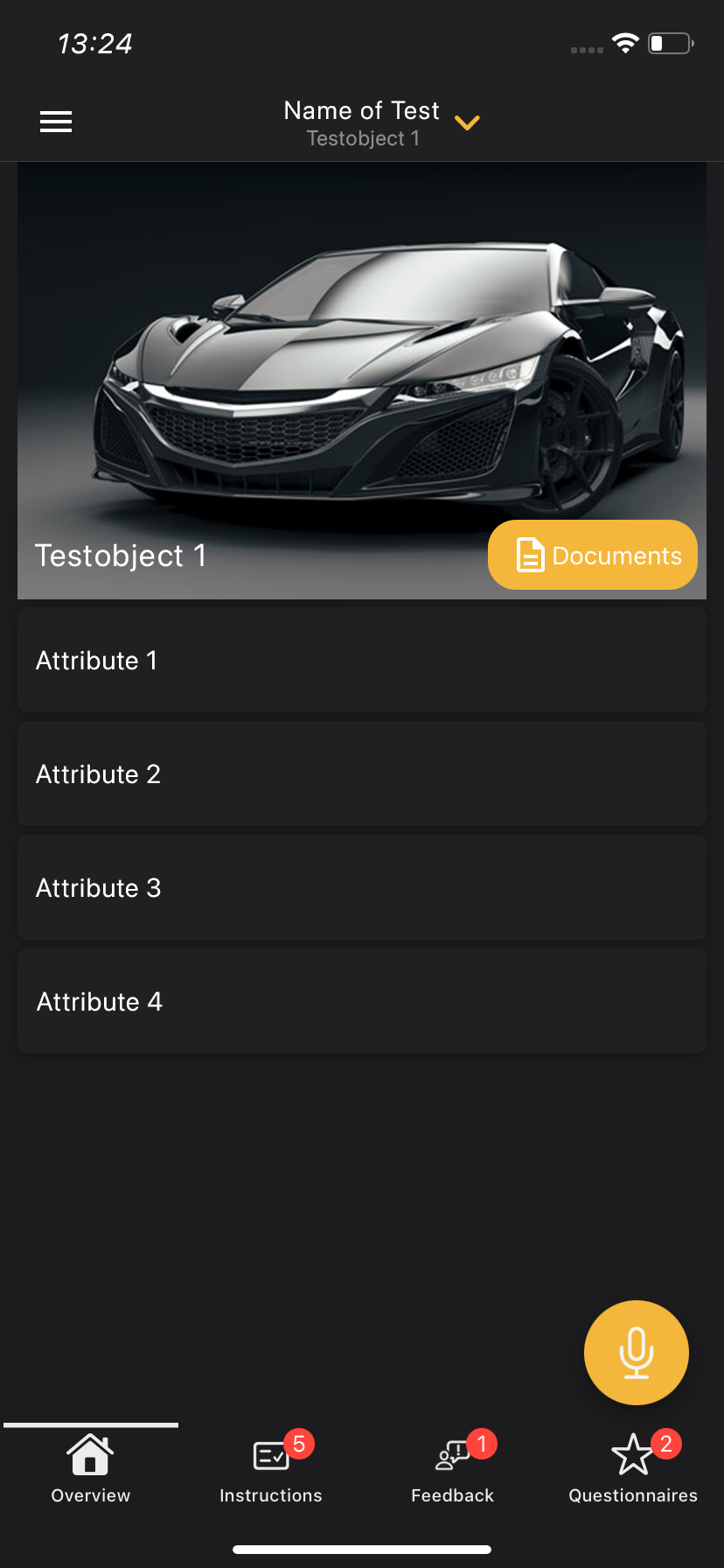](https://manual.ivaluate.de/uploads/images/gallery/2023-04/image-1681942069655.png)
Choose your vehicle and tap on "start".
You will see an overview of the chosen vehicle.
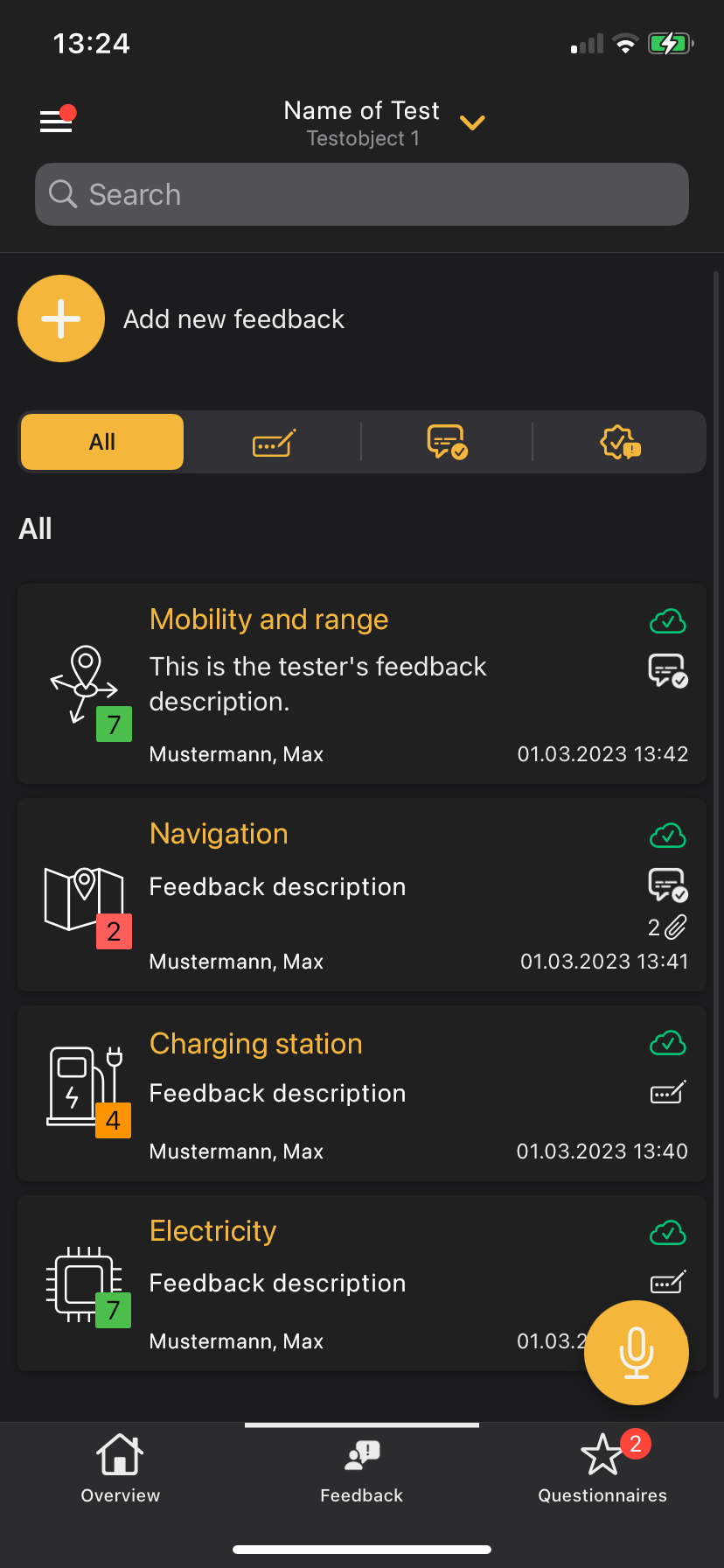
You can use the micophone button to easily create feedback via voice recording. You will find your feedback at the bottom in the "feedback" tab.
# Create Feedback
[ ](https://manual.ivaluate.de/uploads/images/gallery/2023-04/image-1681942212681.png)[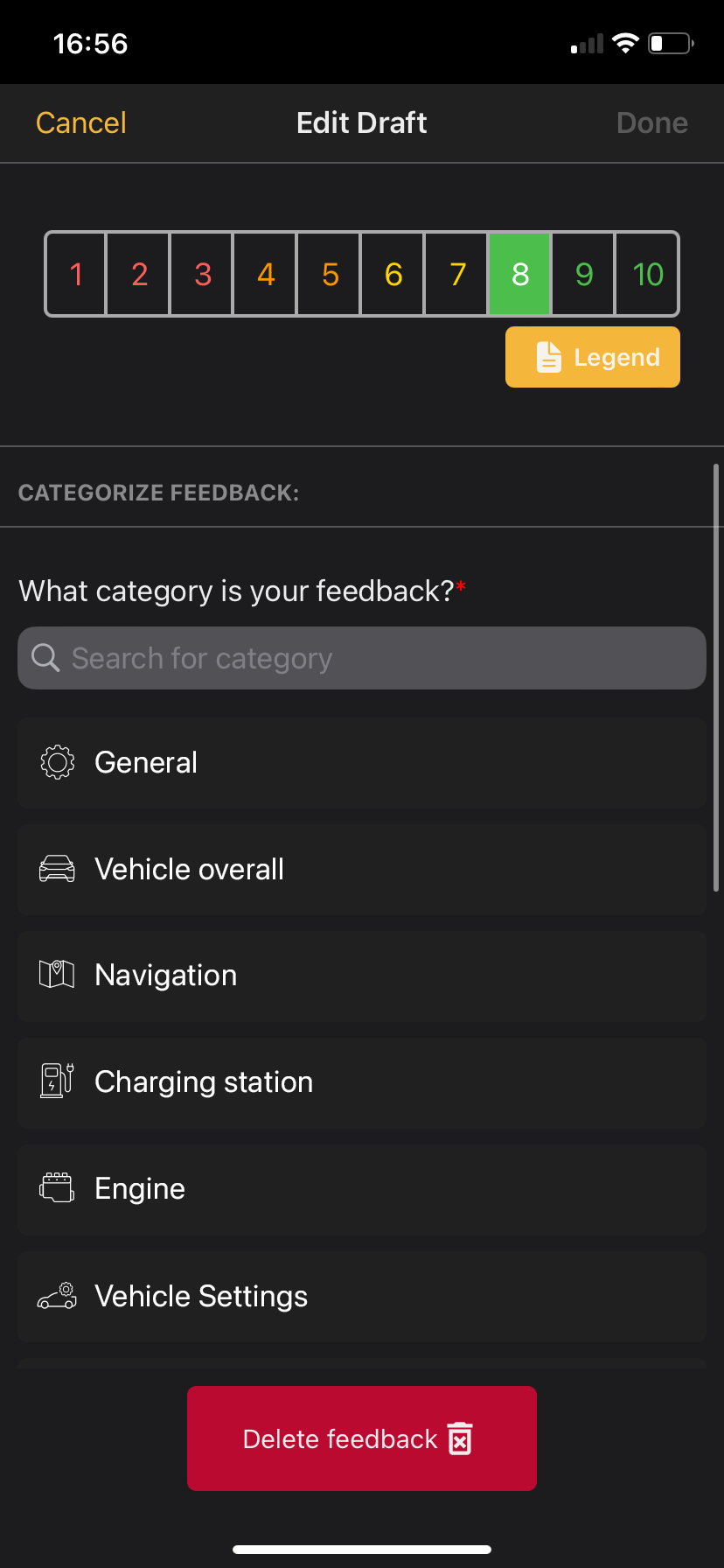](https://manual.ivaluate.de/uploads/images/gallery/2023-04/image-1681942227003.png)
You can also create complaints and feedback using the "+" button. To do this, enter your feedback in the "comment" field and select an appropriate category. Rate your complaints. Photo, video or audio recordings can be attached via the camera and the microphone button. You can use the "+" button to add additional extras to your feedback.
# Feedback Overview
[](https://manual.ivaluate.de/uploads/images/gallery/2023-04/image-1681942314282.png)
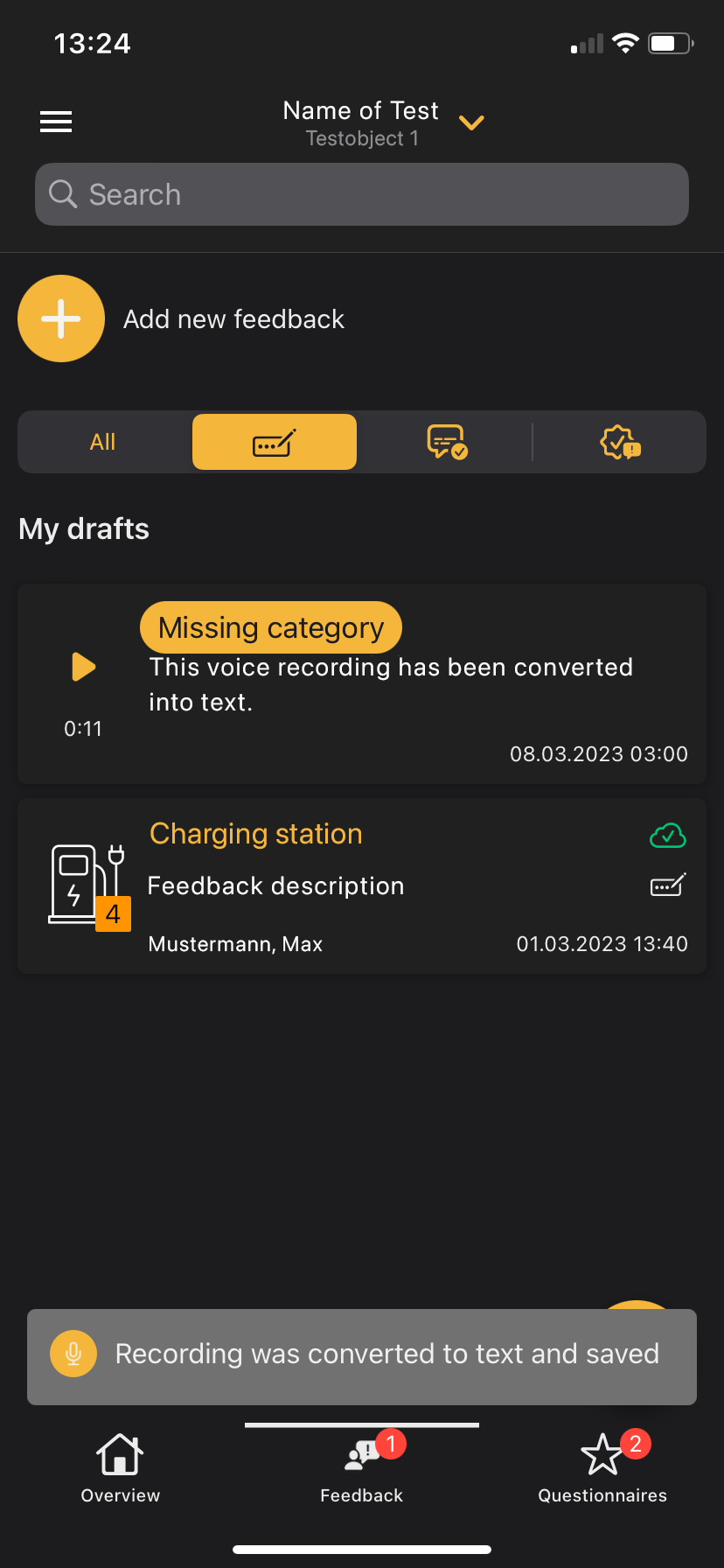
Your voice recordings appear in the feedback overview. These still have to be evaluated in order to be able to save and transfer them to the backend. To do this, tap on the “Category is missing”.
You can also easily edit your feedback entries in the web application on your laptop.