# IVA Tester (Web)
# Version 2.6-2024
Tester Version 1.14.0-362
# 1.0 Additional fields for testers
The planner has the option of defining additional fields that are available to the tester in the web app for a more detailed description of the feedback.
These fields (attributes) are displayed when creating and editing feedback and can be assigned a value by the tester via the corresponding input field.
[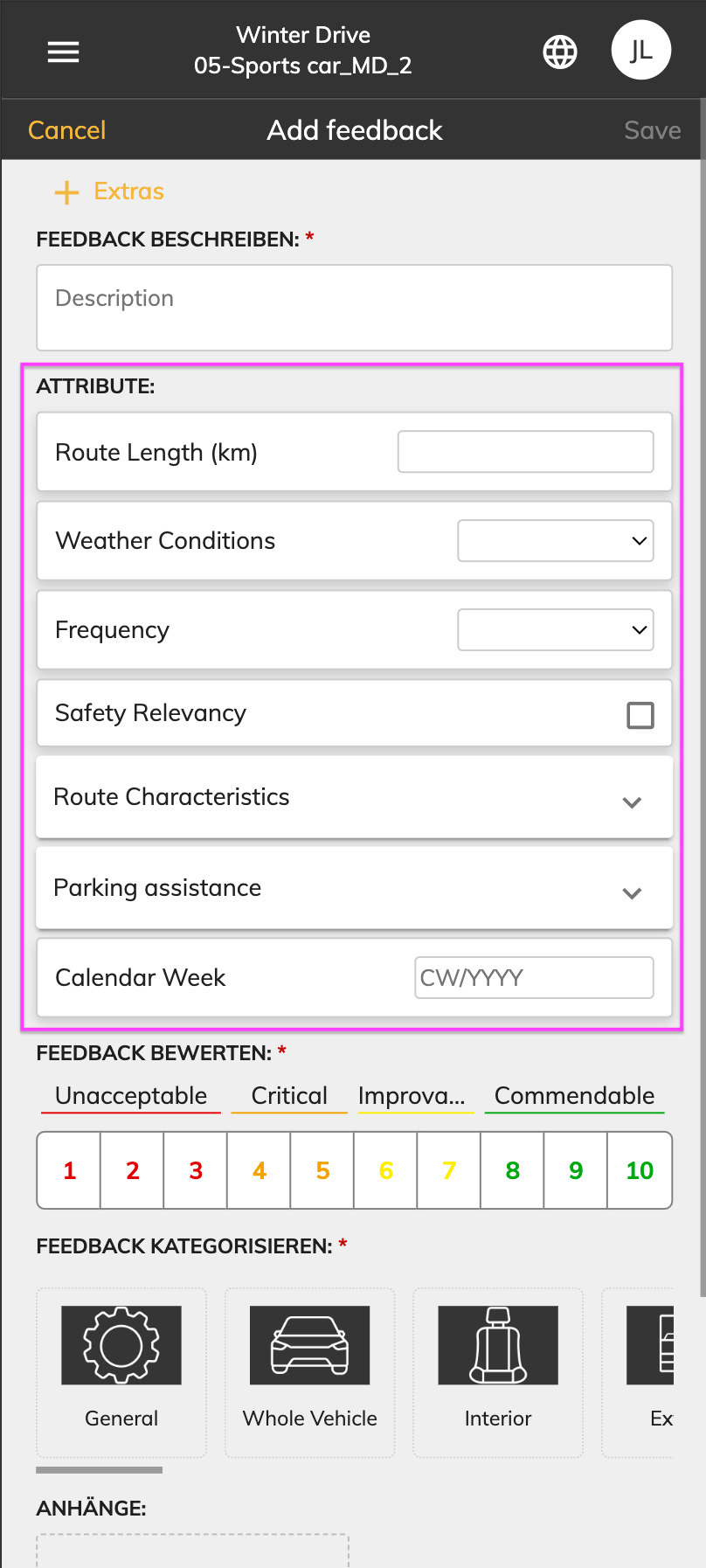. ](https://manual.ivaluate.de/uploads/images/gallery/2024-11/iva-web-tester-ui-zusatzfelder-leer.png)[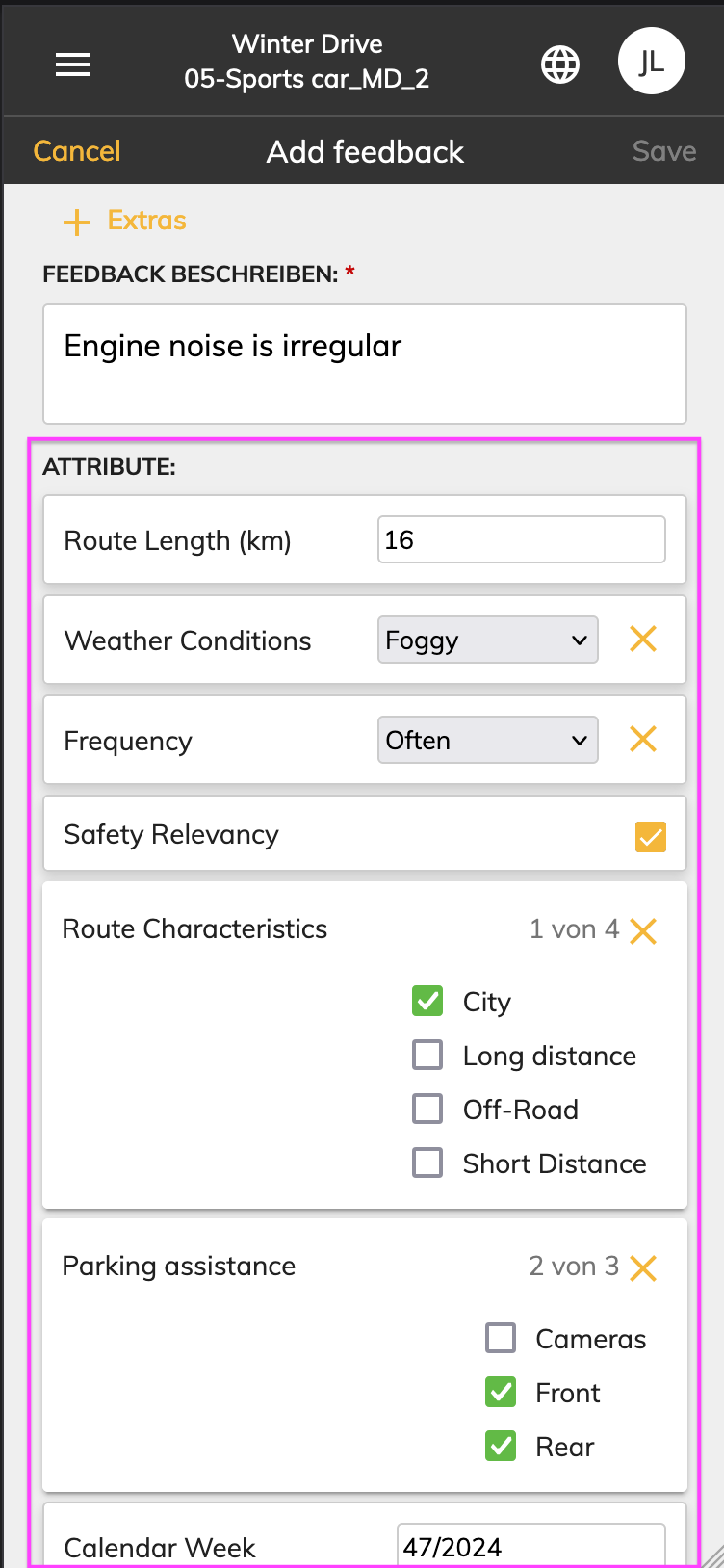](https://manual.ivaluate.de/uploads/images/gallery/2024-11/iva-web-tester-zusatzfelder-ausgefuellt.png)
There are the following types of additional fields (attributes):
- Text
- Number
- Date
- Calendar week
- Selection list / drop-down list
- Value list
- Active / Inactive (Toogle)
[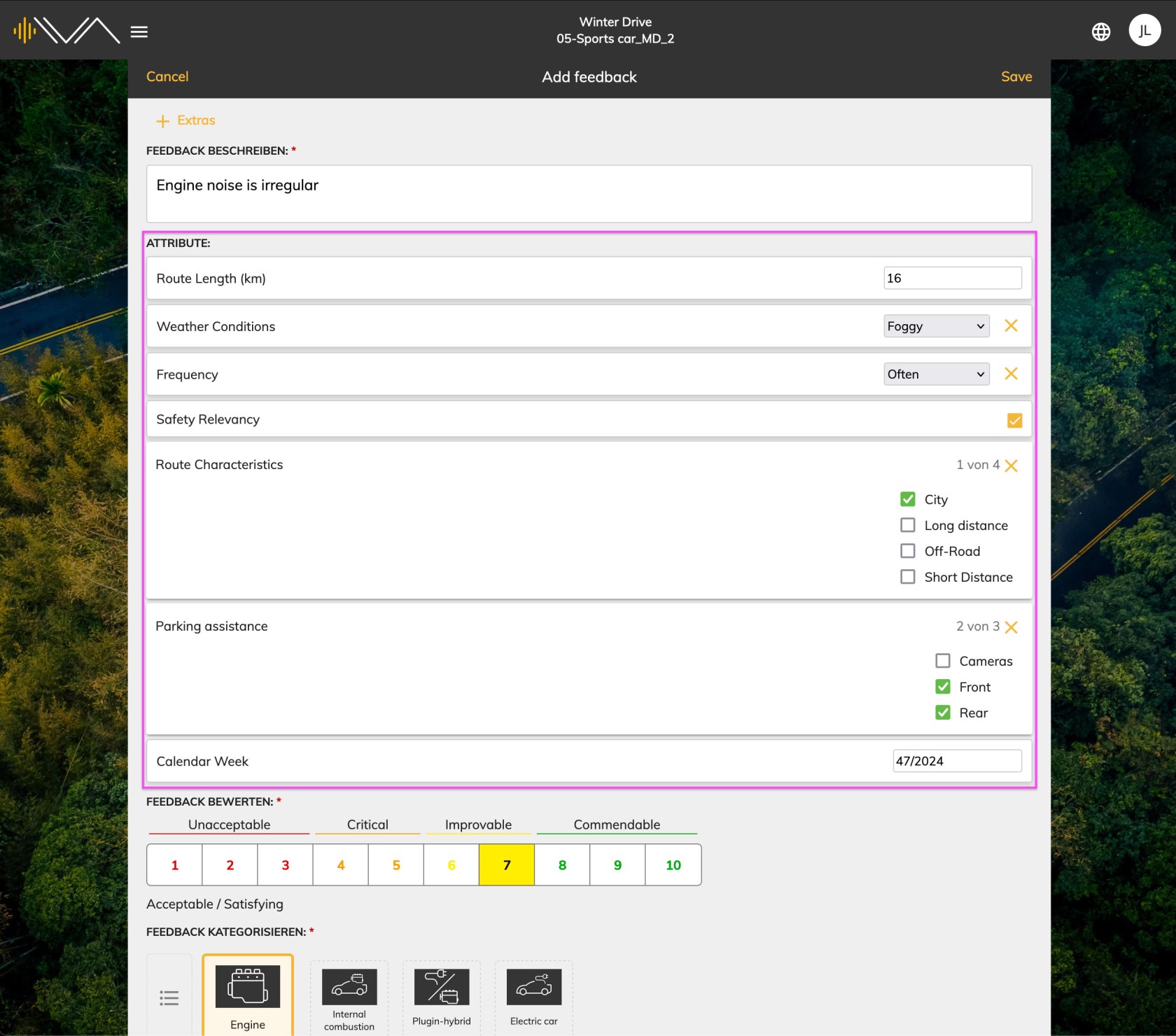](https://manual.ivaluate.de/uploads/images/gallery/2024-11/iva-web-tester-zusatzfelder-dashboard.jpg)
# Version 1.12-2022
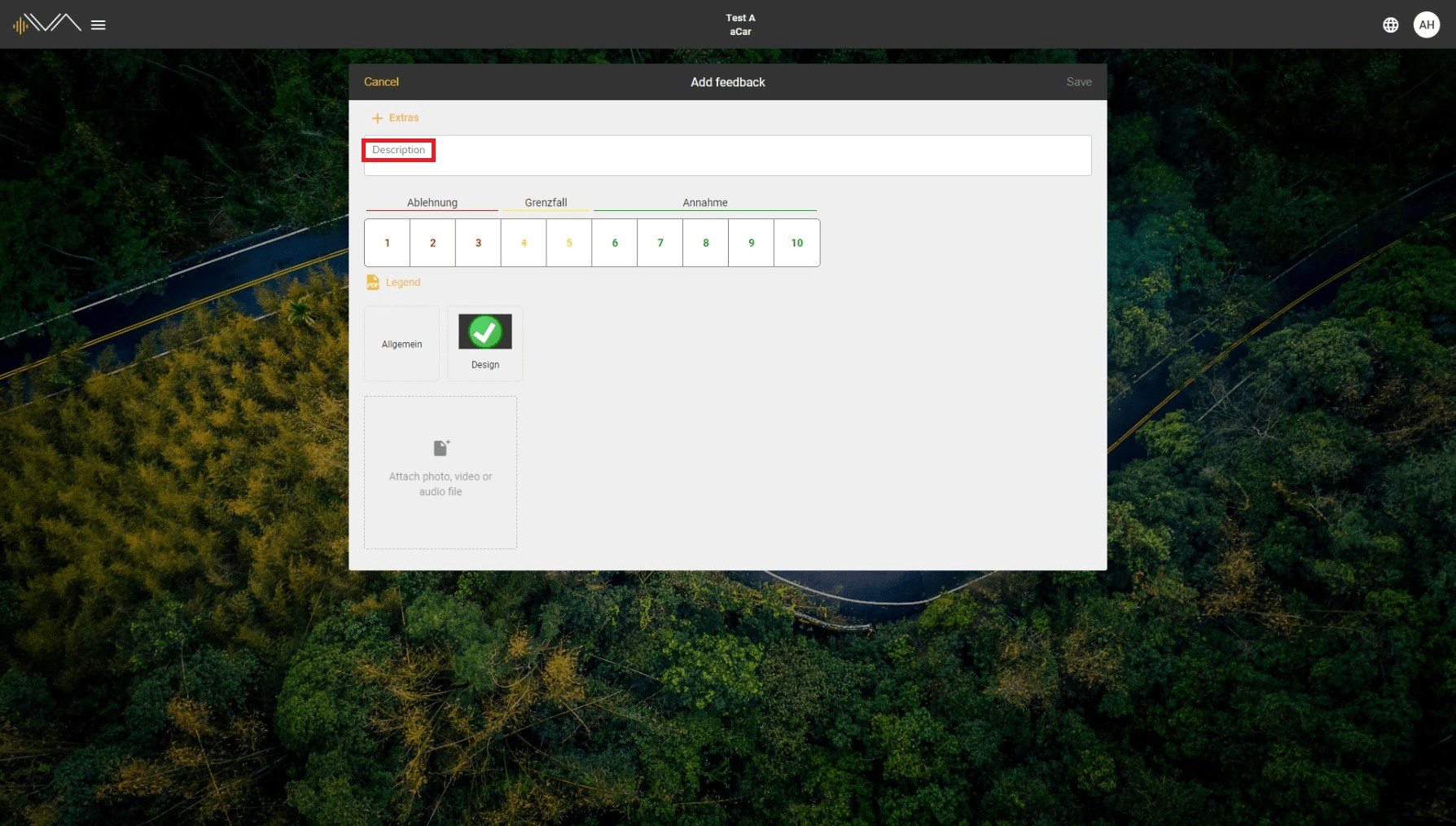
# Renamed "Comment" to "Description"
[](https://manual.ivaluate.de/uploads/images/gallery/2022-07/test-description-min.png)
Comments in Feedback have been renamed to "description".
# Fixed Bugs
**FIRE-901 Assignment of a new password**
- Bug: If you have forgotten your password, an empty page appears after assigning a new password.
- Solution: After assigning a new password, you will be forwarded directly to the test overview.
# Version 1.10-2022
# Rating in the feedback overview
[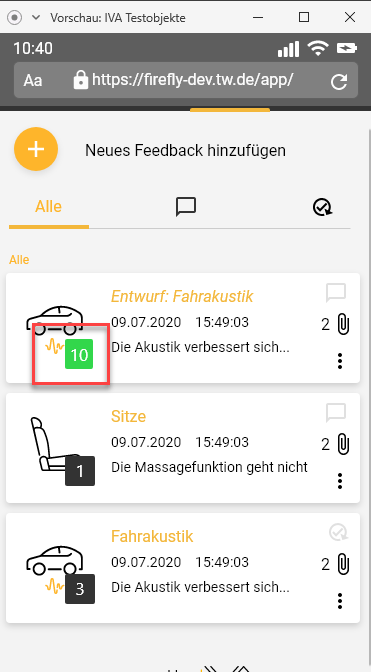](https://manual.ivaluate.de/uploads/images/gallery/2022-02/JQ6Notenbewertung-TesterUI.png)
In the feedback overview of the mobile web application, you can directly see the rating you’ve given for a feedback.