# IVA iOS App
# Version iOS 3.0.2-2024
# 1.0 Getting Started with the iOS App Using a QR Code
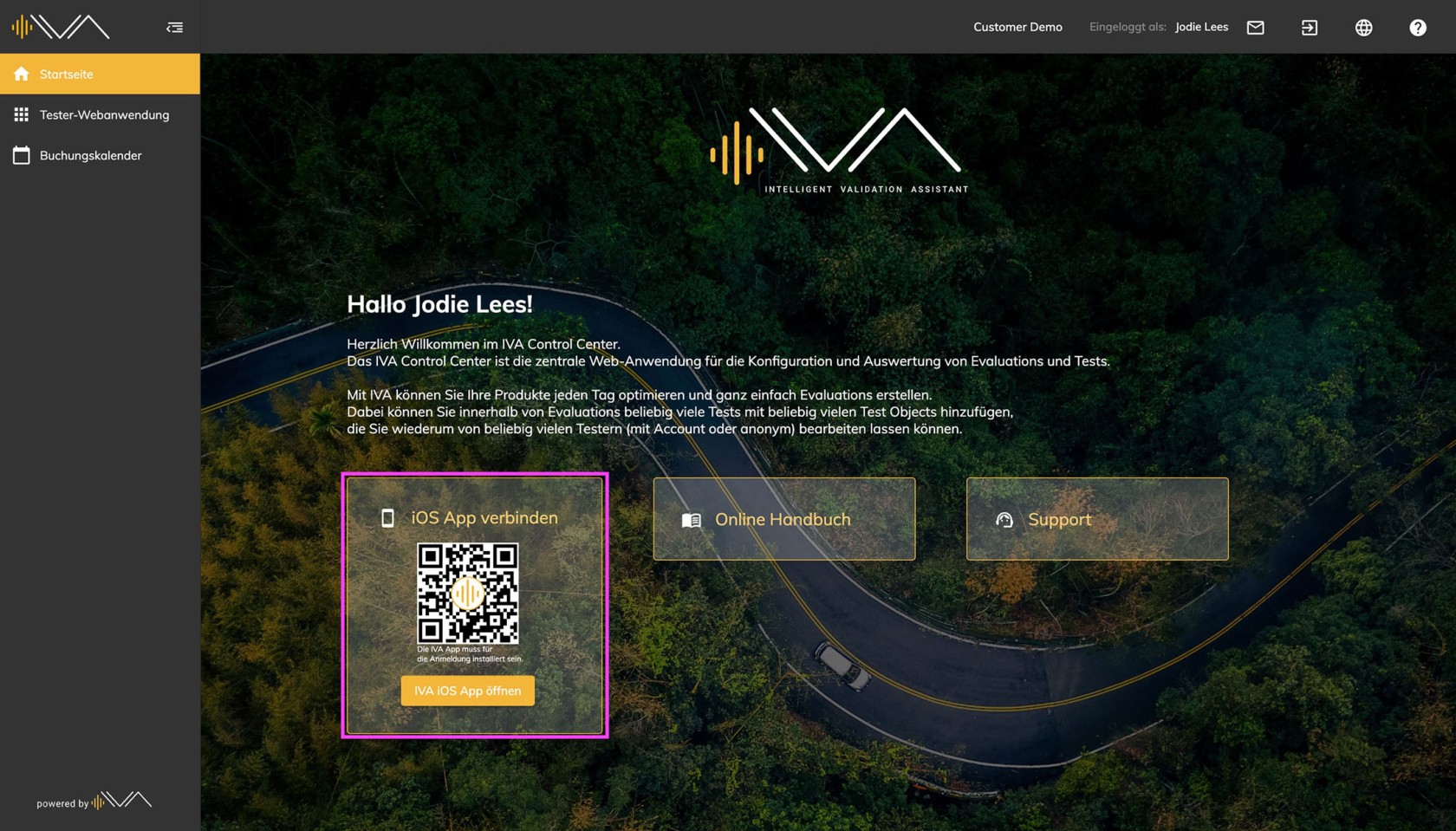
The process of accessing the iOS app has now been simplified. By scanning the **QR code** on the homepage of the Control Center, users (who already have the IVA iOS app installed) are directed to a login screen.
There is also a second way to access the app directly. If you have an iOS device at hand and are browsing the internet using Safari, Firefox, Google Chrome, or another browser, you can simply click on the **"Open in iOS App"** button to open the IVA app.
[](https://manual.ivaluate.de/uploads/images/gallery/2025-01/iva-tester-entry-point-neu.jpg)
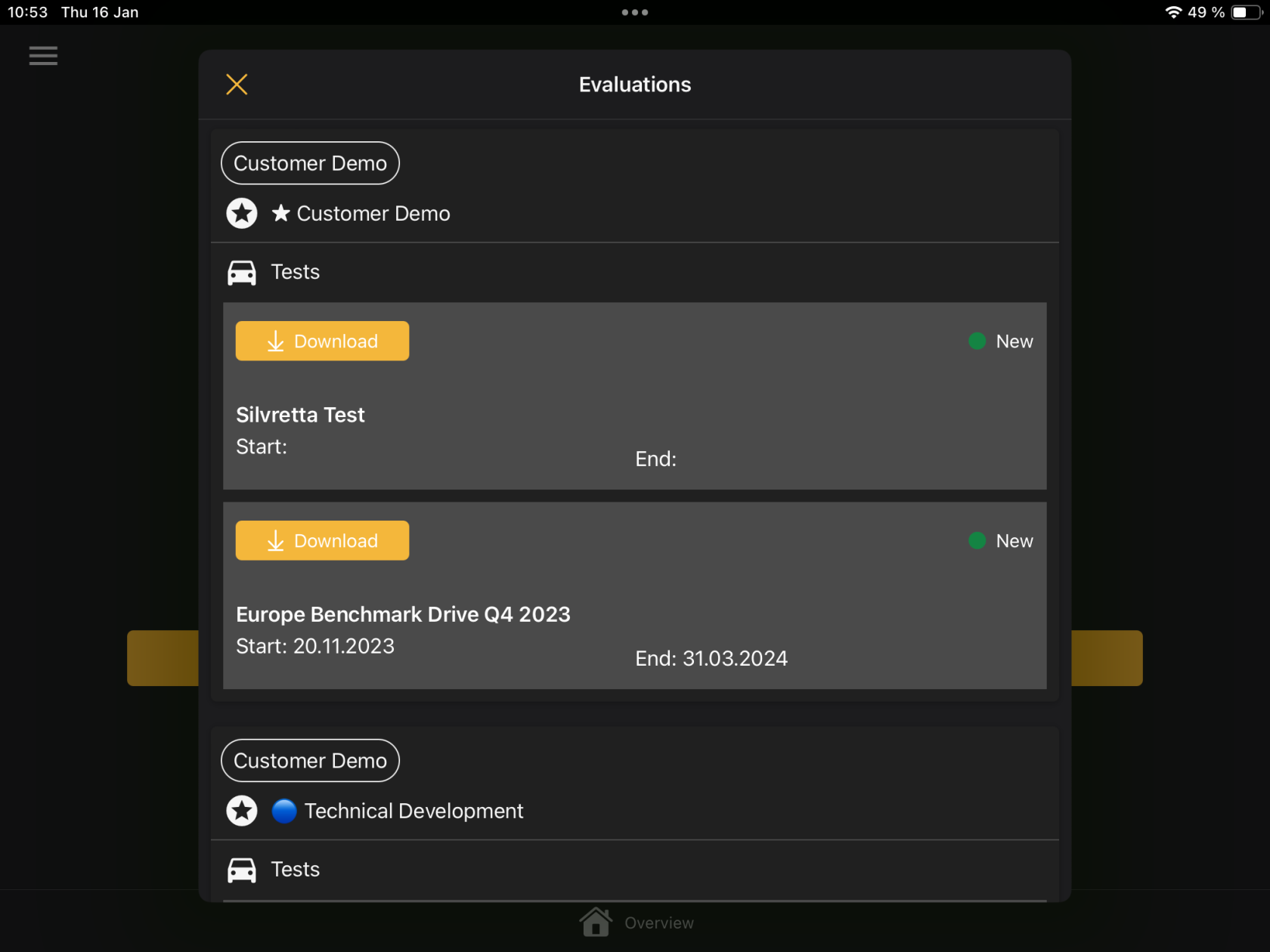
After entering the required credentials on the login screen, the IVA app will open, displaying all assigned tests.
[ ](https://manual.ivaluate.de/uploads/images/gallery/2025-01/img-0119.png)[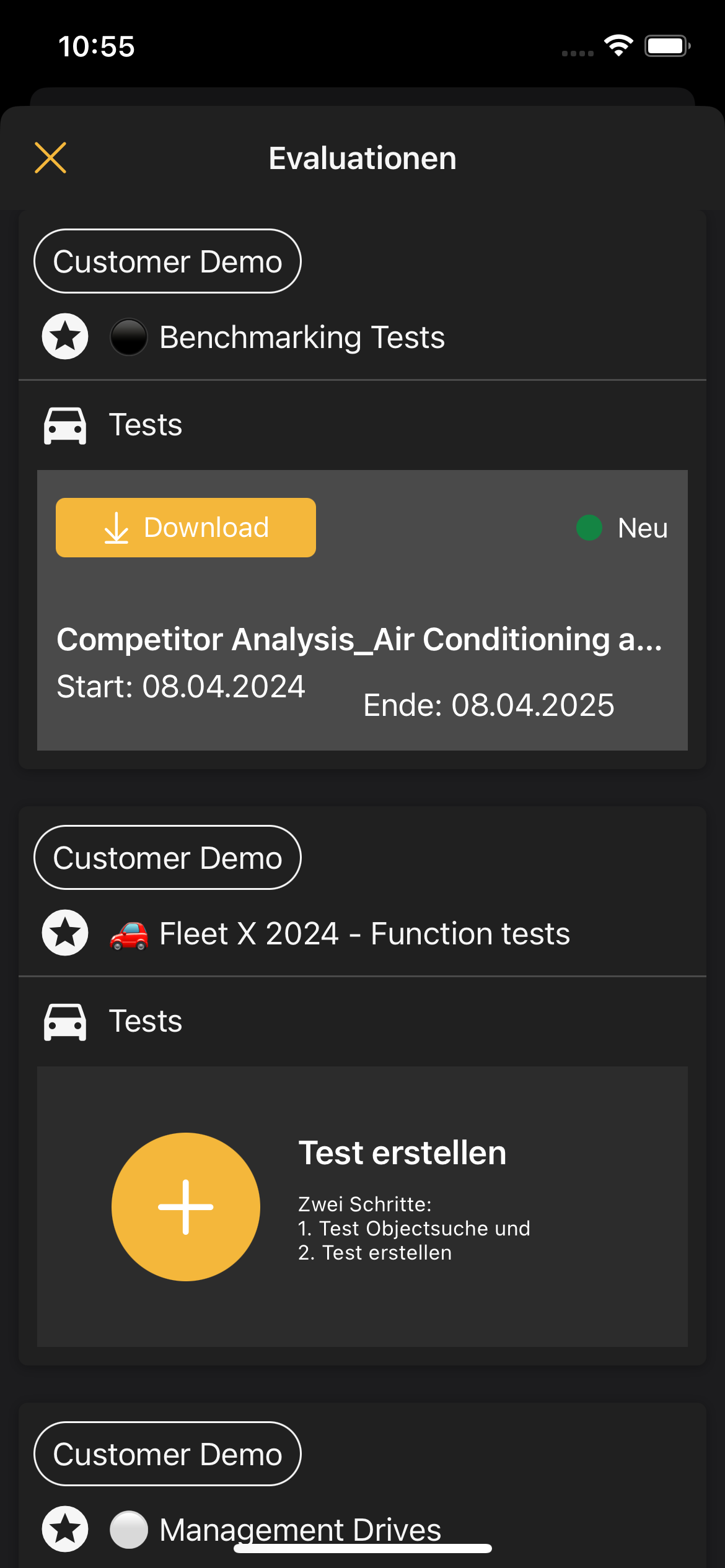](https://manual.ivaluate.de/uploads/images/gallery/2025-01/img-0270.png)
# 2.0 BUGs
After the introduction of the light mode, some UI issues were identified, which have now been resolved.
# Version iOS 3.0-2024
# 1.0 Light Theme
From now on, there is the option to customize the appearance of the iOS app on the iPhone and iPad.
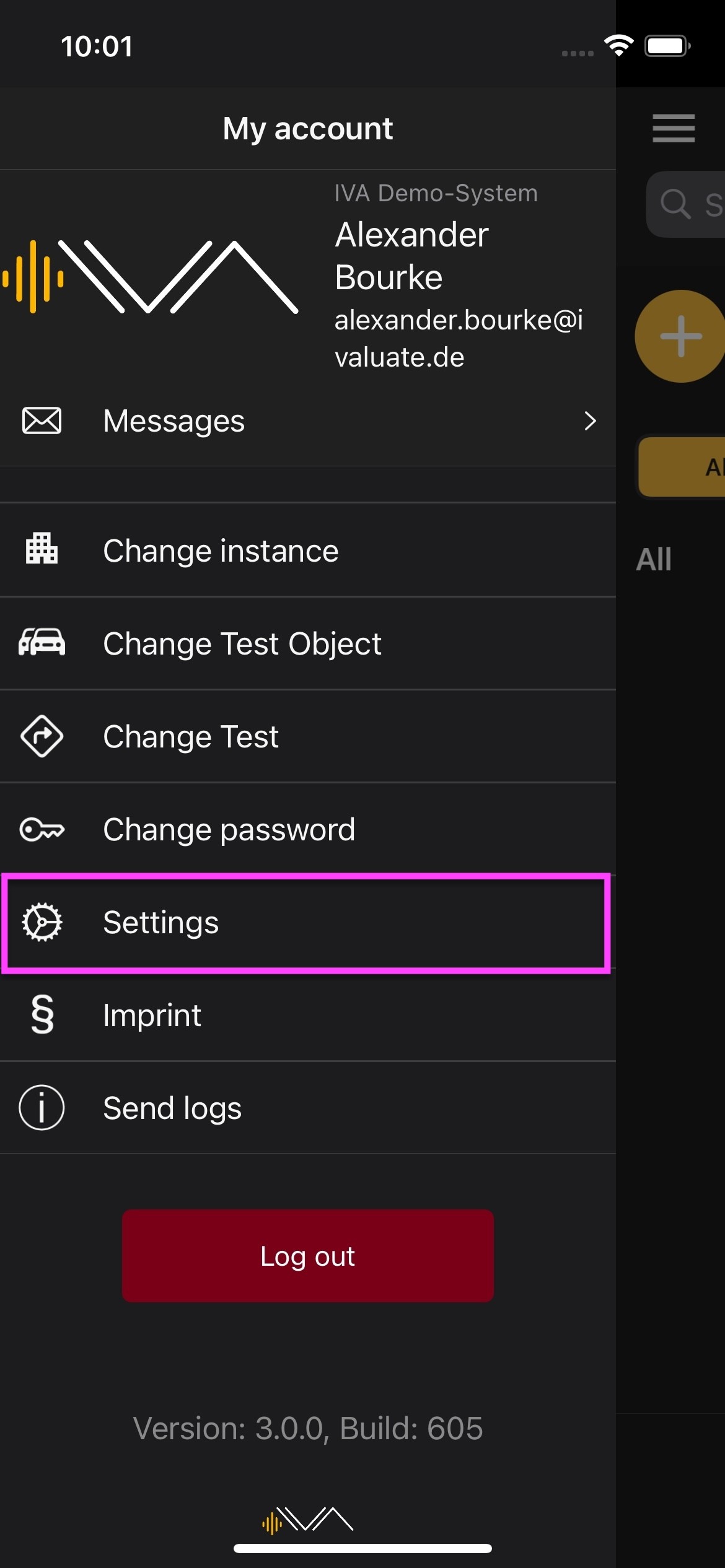
In the menu under **['Settings,'](https://manual.ivaluate.de/books/manual-ios-app/chapter/70-settings)** there is the 'Theme' section.
[ ](https://manual.ivaluate.de/uploads/images/gallery/2024-11/iva-ios-app-settings.jpg)[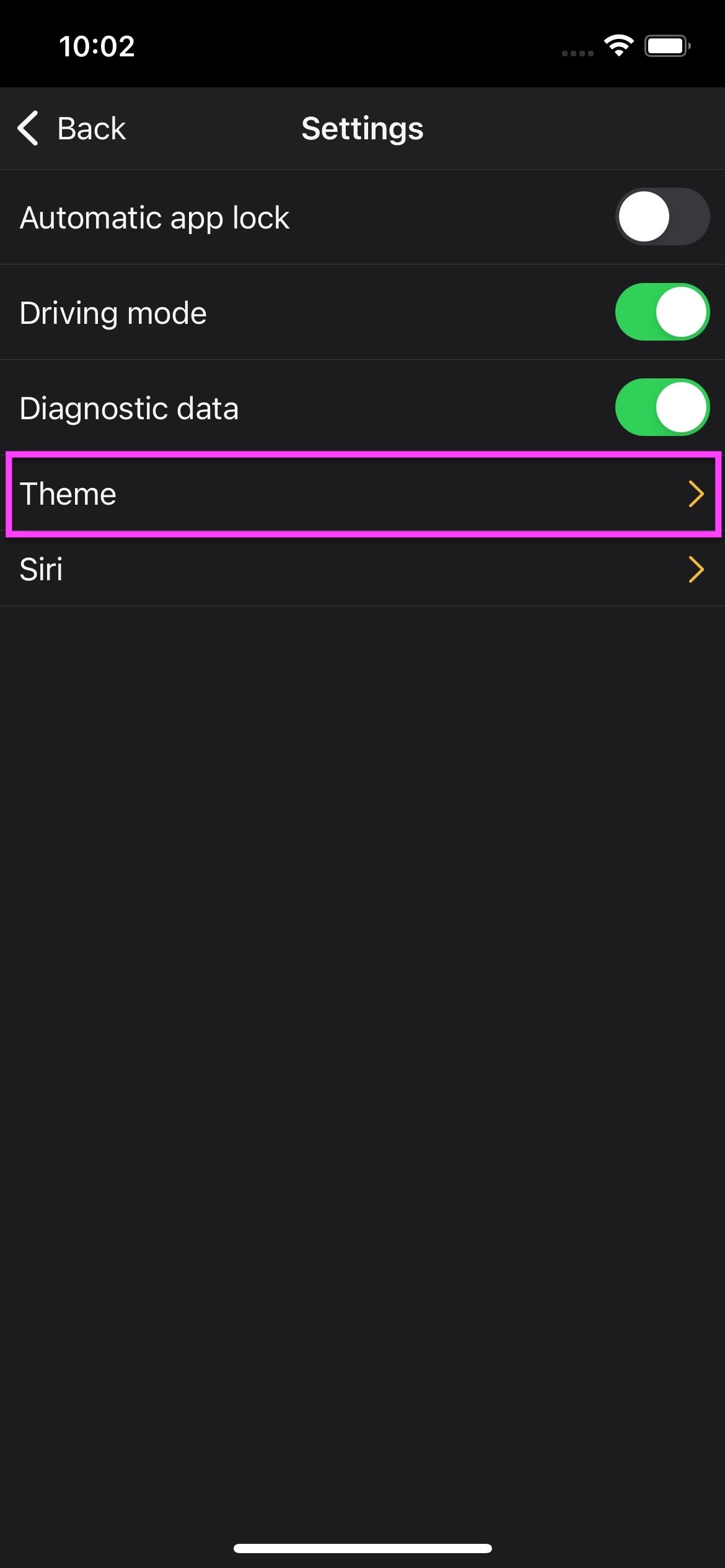](https://manual.ivaluate.de/uploads/images/gallery/2024-11/iva-ios-app-settings-theme.jpg)
By clicking on it, the following three tabs will appear:
1. Automatic – the appearance adjusts to the iOS device's settings.
2. Light
3. Dark
[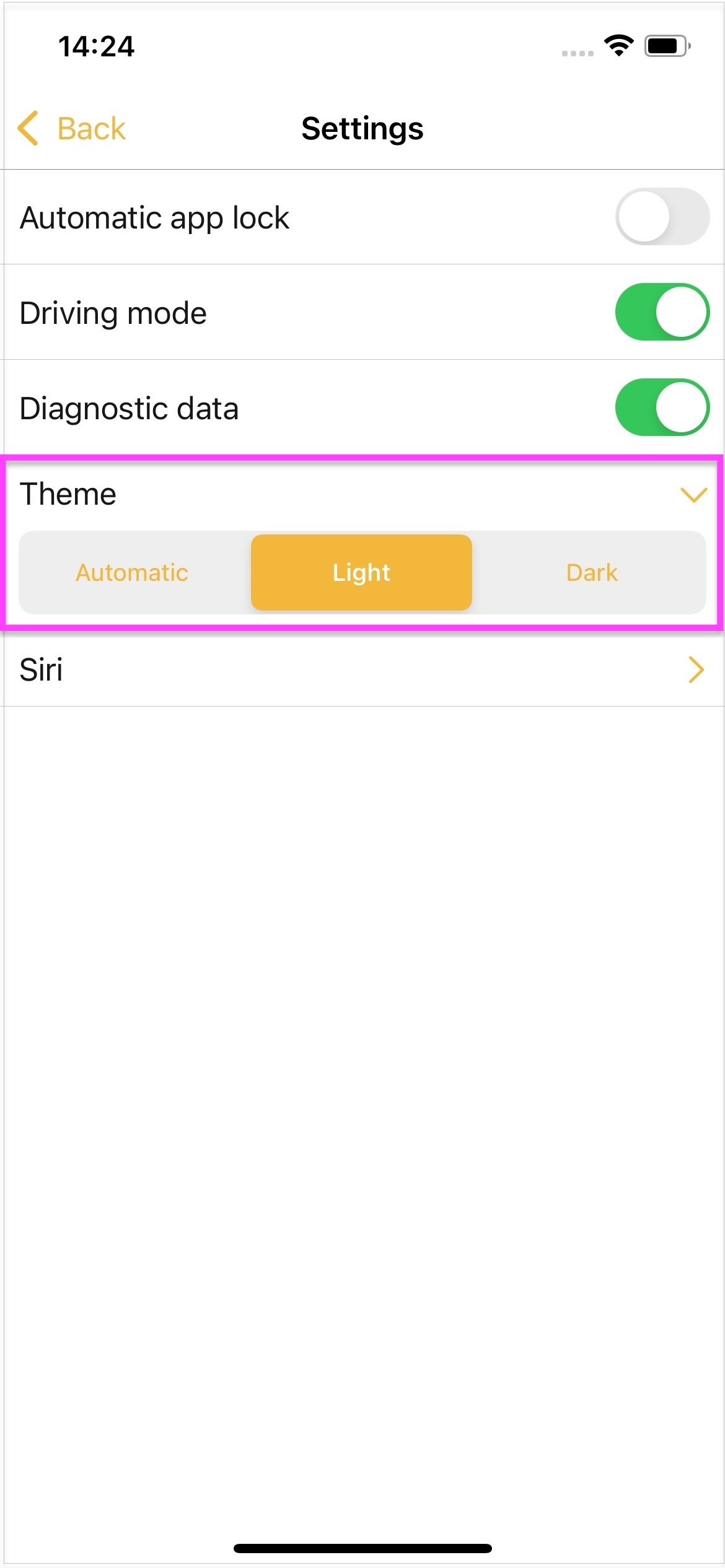](https://manual.ivaluate.de/uploads/images/gallery/2024-11/iva-ios-app-settings-theme-light.jpg)
After selecting a tab, the appearance of the app will change."
# Version iOS 2.3-2024
Updating to this version is recommended. There are new functionalities and improvements.
# 1.0 Additional fields as mandatory fields
In the Control Center, it is now possible to make the additional fields mandatory.
This function is reflected in the iOS application. Via the “+” button and in feedback via the “[Add new feedback](applewebdata://A9D88D51-F206-4A2B-B793-B2D33C160F41/%E2%80%9Dhttps:/manual.ivaluate.de/books/handbuch-ios-app/page/101-feedback-erstellen%E2%80%9C)” button, the old options are available as usual and additional fields (attributes) that can be used as mandatory fields have been added.
In the IVA iOS app, the mandatory fields are marked with a red asterisk (\*) and must be answered in order for the feedback to be saved. Without filling in the mandatory field, the feedback cannot be completed. The “Save” button is not active at first. The feedback can only be saved once all mandatory fields have been completed.
[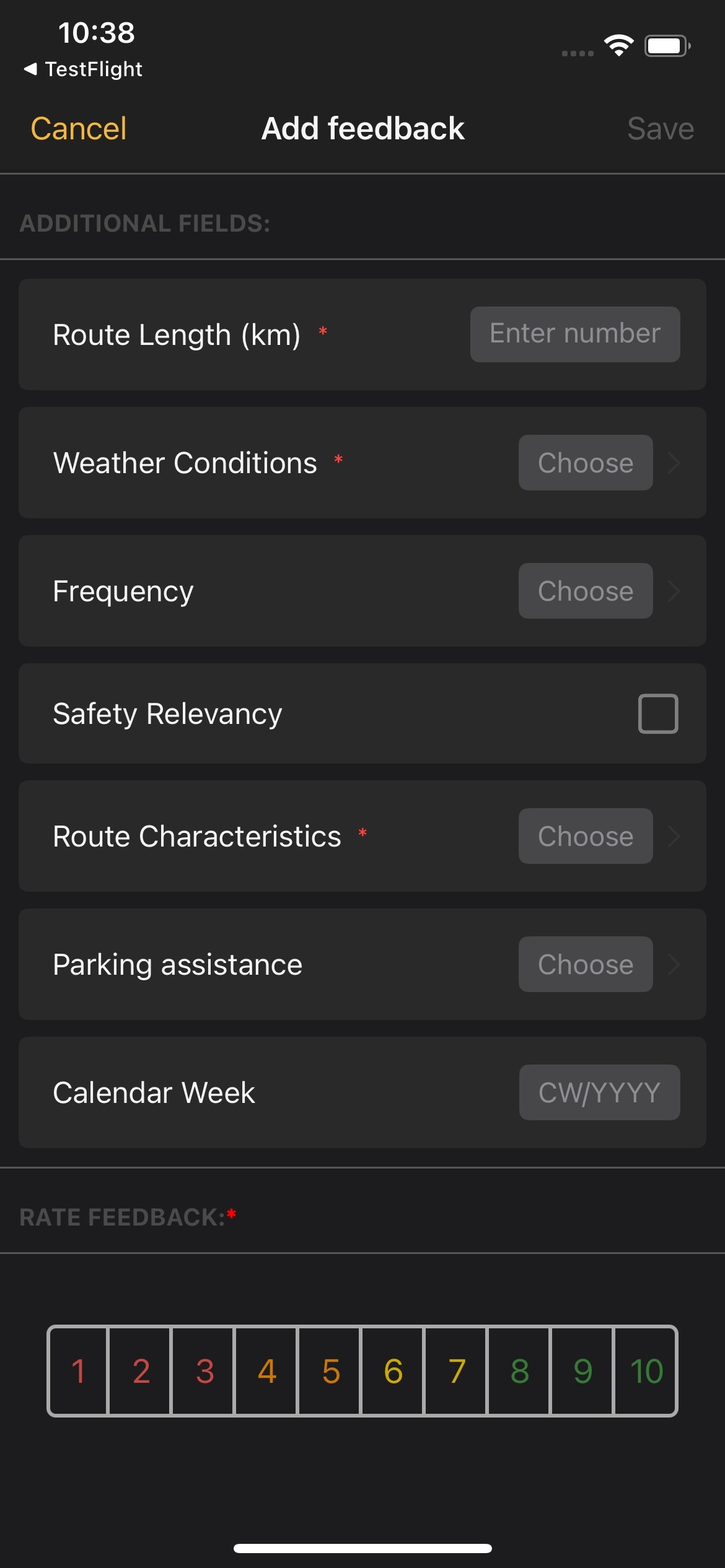](https://manual.ivaluate.de/uploads/images/gallery/2024-11/01-ios-app-zusatzfelder-als-pflichtfelder.jpg)[ 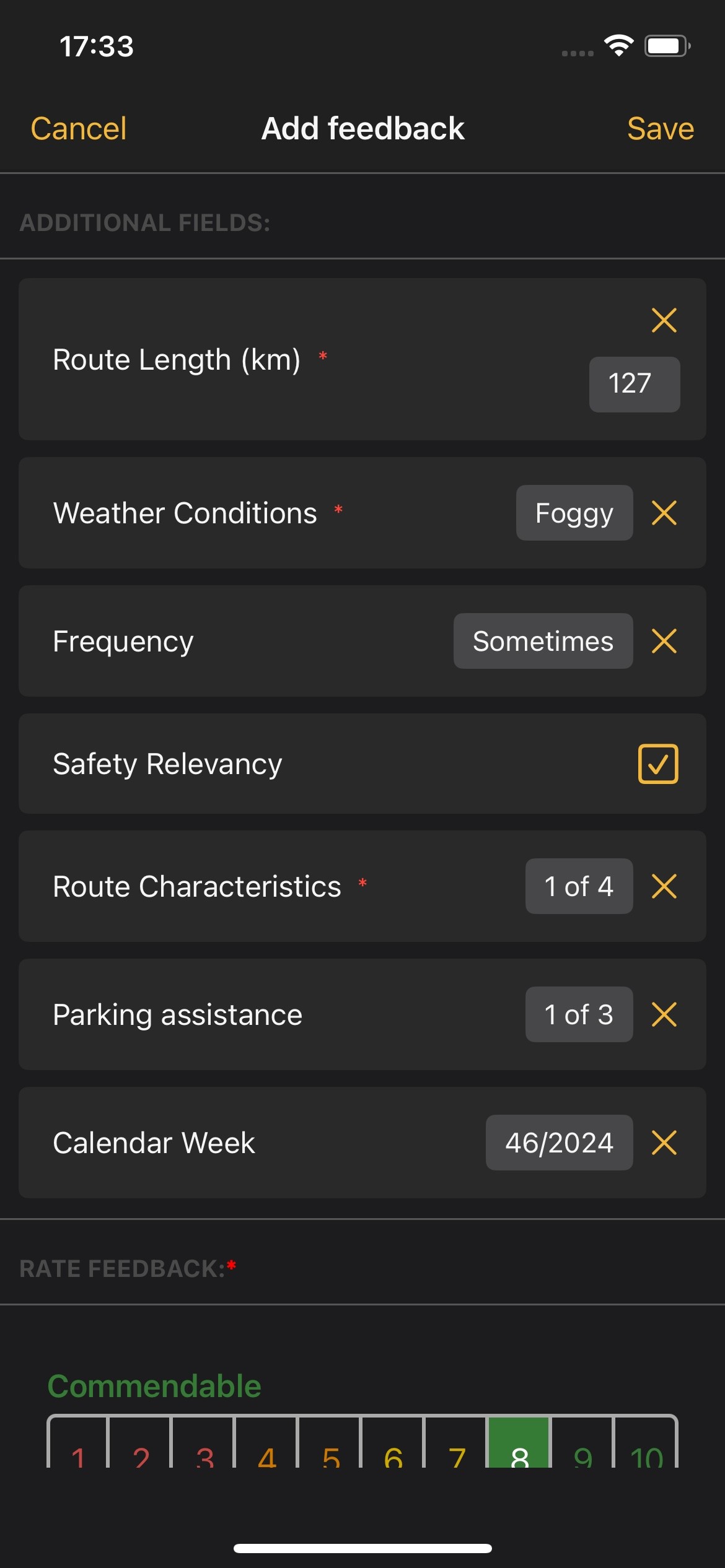](https://manual.ivaluate.de/uploads/images/gallery/2024-11/02-ios-app-zusatzfelder-als-pflichtfelder-speichern.jpg)
# 2.0 Appearance of the image display
Container placeholders have now been introduced so that the attached images in the questions are not cropped or scaled disproportionately. Vertical and horizontal images with different proportions are placed in this container without any loss of content.
[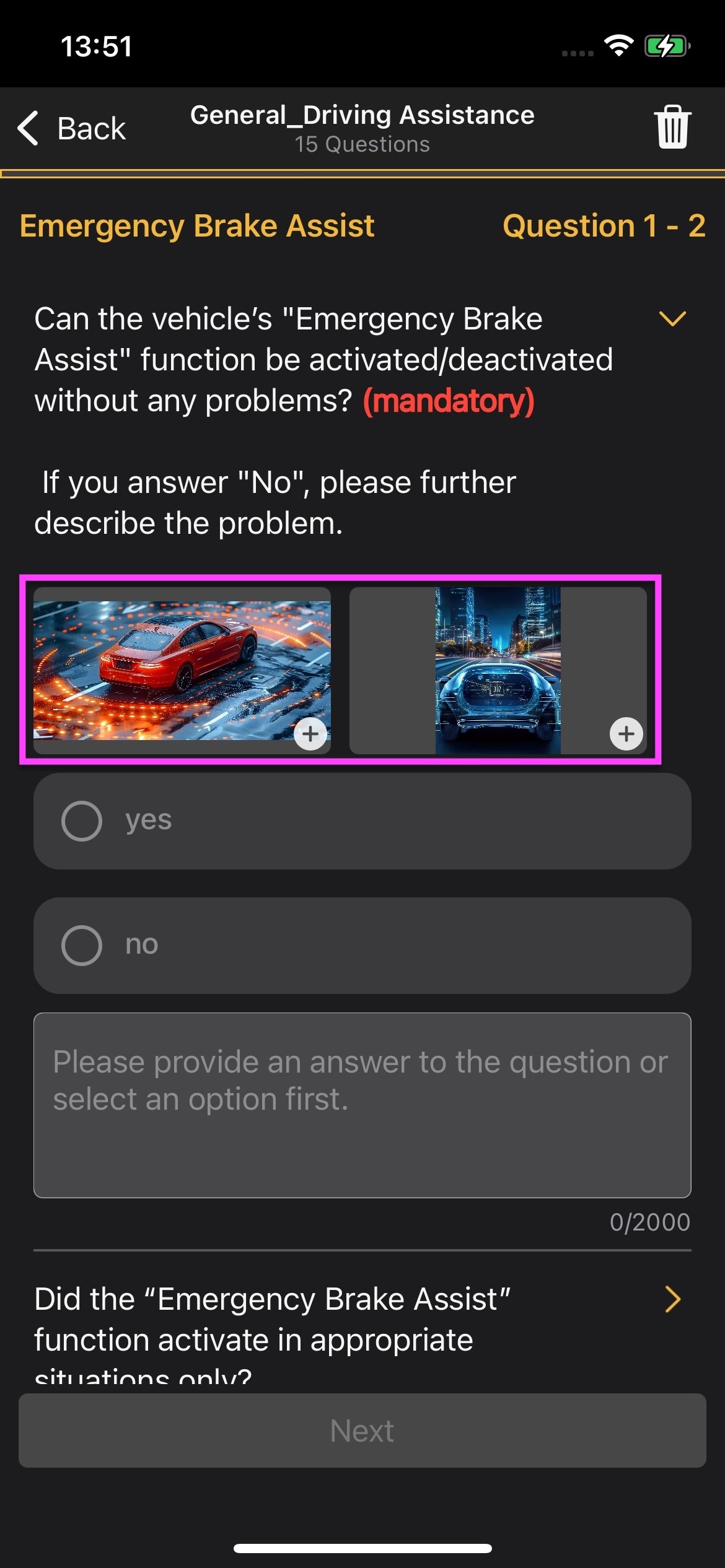](https://manual.ivaluate.de/uploads/images/gallery/2024-11/iva-ios-app-darstellung-der-bilder.jpg)
# 3.0 Release Notes
Release Notes - FireFly (IVA) - Version IVA iOS 2.3
## Bug
- \[[FIRE-2542](https://jira.tw.de/browse/FIRE-2542)\] - iOS-App: Attachment PDF-documents don't show fullscreen
- \[[FIRE-2543](https://jira.tw.de/browse/FIRE-2543)\] - iOS-App: "Download" für einen Test kann nicht erreicht werden, wenn nur ein Test freigegeben ist
- \[[FIRE-2550](https://jira.tw.de/browse/FIRE-2550)\] - \[iOS-App\] Möglicher Crash beim Aufnehmen von Fotos
- \[[FIRE-2557](https://jira.tw.de/browse/FIRE-2557)\] - \[iOS-App\] - Bug bei "Feedback sichern"-Button
- \[[FIRE-2609](https://jira.tw.de/browse/FIRE-2609)\] - iOS-App: Feedback Zusatzattribute als Pflichfelder, Typ Text
## Story
- \[[FIRE-2499](https://jira.tw.de/browse/FIRE-2499)\] - \[iOS-App\] - Evaluation und Integration einer Alternative zu App Center
- \[[FIRE-2536](https://jira.tw.de/browse/FIRE-2536)\] - iOS-App: Optimierung der Darstellung von Bildern in den Fragen (eigener ContainerView)
- \[[FIRE-2537](https://jira.tw.de/browse/FIRE-2537)\] - iOS-App: Scan nach VIN, Verbinden und Trenne von OBD-Dongle
- \[[FIRE-2566](https://jira.tw.de/browse/FIRE-2566)\] - \[iOS-App\] - Pflichtfelder für Zusatzattribute - UI
- \[[FIRE-2567](https://jira.tw.de/browse/FIRE-2567)\] - \[iOS-App\] - Pflichtfelder FFSwiftAPI aktualisieren
- \[[FIRE-2568](https://jira.tw.de/browse/FIRE-2568)\] - \[iOS-App\] - Pflichtfelder für Zusatzattribute
- \[[FIRE-2569](https://jira.tw.de/browse/FIRE-2569)\] - \[iOS-App\] - Siri-Integration für Zusatzattribute
- \[[FIRE-2574](https://jira.tw.de/browse/FIRE-2574)\] - iOS App: App crash beim Öffnen der Kommentare
- \[[FIRE-2577](https://jira.tw.de/browse/FIRE-2577)\] - \[iOS-App\] - Impressum aktualisieren
- \[[FIRE-2659](https://jira.tw.de/browse/FIRE-2659)\] - \[iOS-App\] - Siri-Integration: Prüfung der Nachkommastellen für Zusatzfeld Typ Number
## Task
- \[[FIRE-2652](https://jira.tw.de/browse/FIRE-2652)\] - IVA Release Notes iOS 2.3 und 3.0
## Improvement
- \[[FIRE-1821](https://jira.tw.de/browse/FIRE-1821)\] - iOS-App: Separierung Attachment-Code
- \[[FIRE-1868](https://jira.tw.de/browse/FIRE-1868)\] - iOS-App: Schwarz im Net-Promoter-Score
- \[[FIRE-2038](https://jira.tw.de/browse/FIRE-2038)\] - iOS-App: Separierung Feedback-Code
- \[[FIRE-2529](https://jira.tw.de/browse/FIRE-2529)\] - \[iOS-App\] - Frameworks aktualisieren
# Version iOS 2.2-2024
Updating to this version is recommended. There are new functionalities and improvements. Some BUGs have been fixed for optimal stability.
# 1.0 Creating feedback via voice commands
With the help of Siri, it is now possible for testers to create feedback using voice commands.
Via the dialog with Siri, the description, rating, attributes and category which are to be assigned to the feedback are captured here.
# 2.0 Improvement
#### Improvement of the camera function
The camera function, which can be used to add images and videos to feedbacks, has been improved. You can now take several photos and videos in succession and add them from the media library.
Clicking on the “Camera” icon opens the camera. In this view, testers can take new pictures or videos or select existing pictures and videos from the media library by clicking on the “Media library” icon.
[ ](https://manual.ivaluate.de/uploads/images/gallery/2024-09/ios-iphone-feedback-kamerafunktion.png)[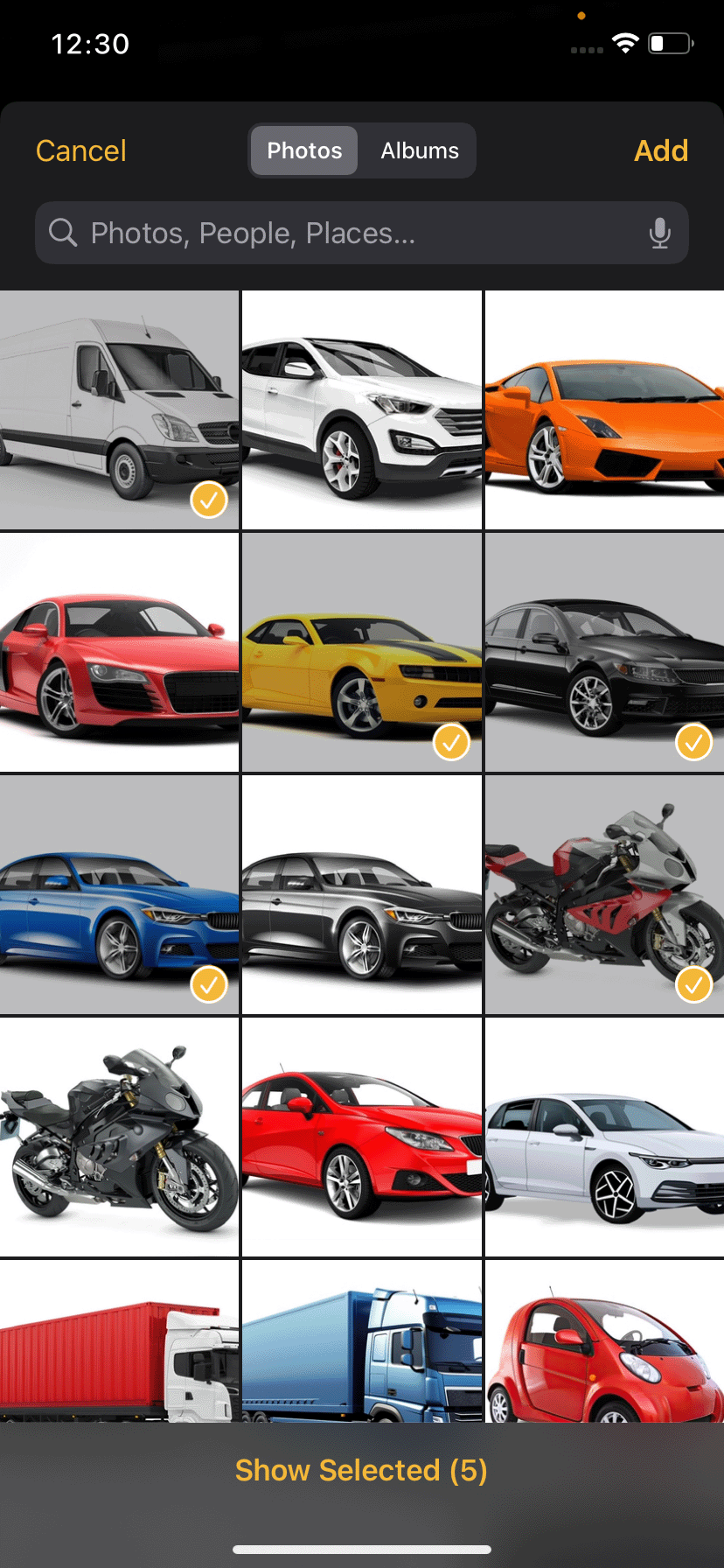](https://manual.ivaluate.de/uploads/images/gallery/2024-09/ios-iphone-feedback-kamerafunktion-galerie.png)[ ](https://manual.ivaluate.de/uploads/images/gallery/2024-09/ios-iphone-feedback-kamerafunktion.png)[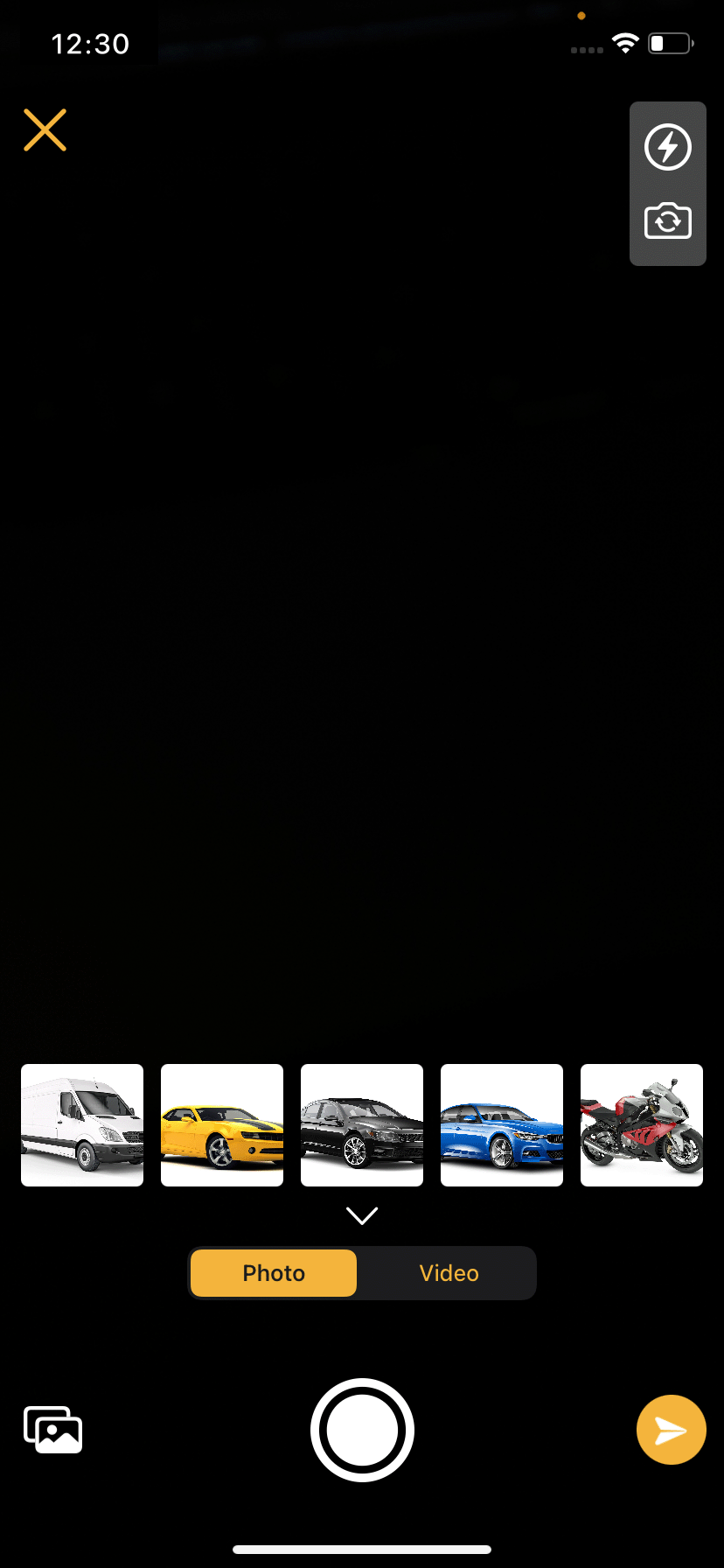](https://manual.ivaluate.de/uploads/images/gallery/2024-09/ios-iphone-feedback-kamerafunktion-auswahl.png)
Newly taken pictures and videos are displayed as a preview above the “Capture” button. Clicking on the preview of an image opens the image editing function and the respective image can be edited directly here.
By clicking on the “Send” button, the images are added to the feedback as an attachment.
[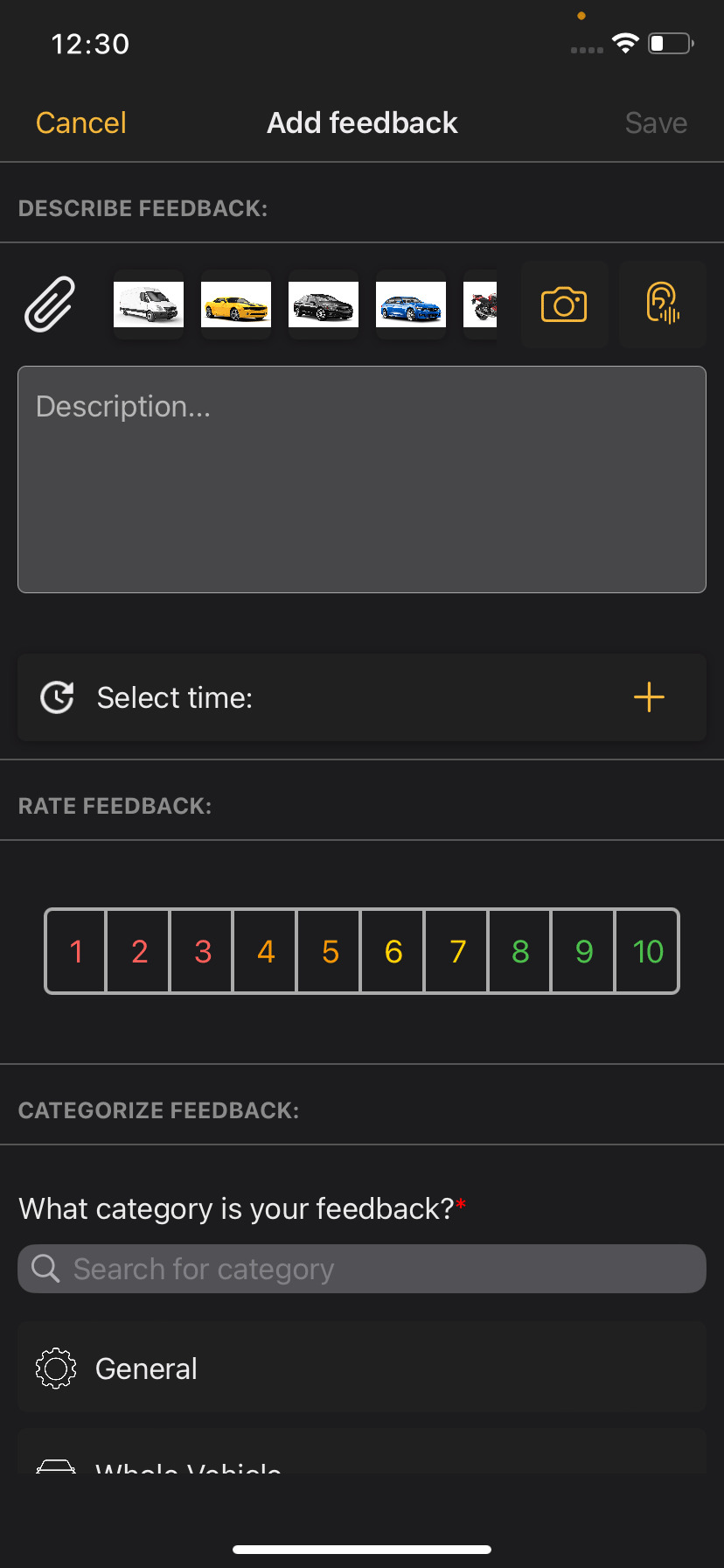](https://manual.ivaluate.de/uploads/images/gallery/2024-09/ios-iphone-feedback-kamerafunktion-anhang.png)
Two functions have also been added to the camera: flash and direct camera, which can be activated using the corresponding icons in the top right-hand corner.
#### Directly deactivating driving mode
Testers can now deactivate the driving mode function directly in the "Exit driving mode" dialog.
[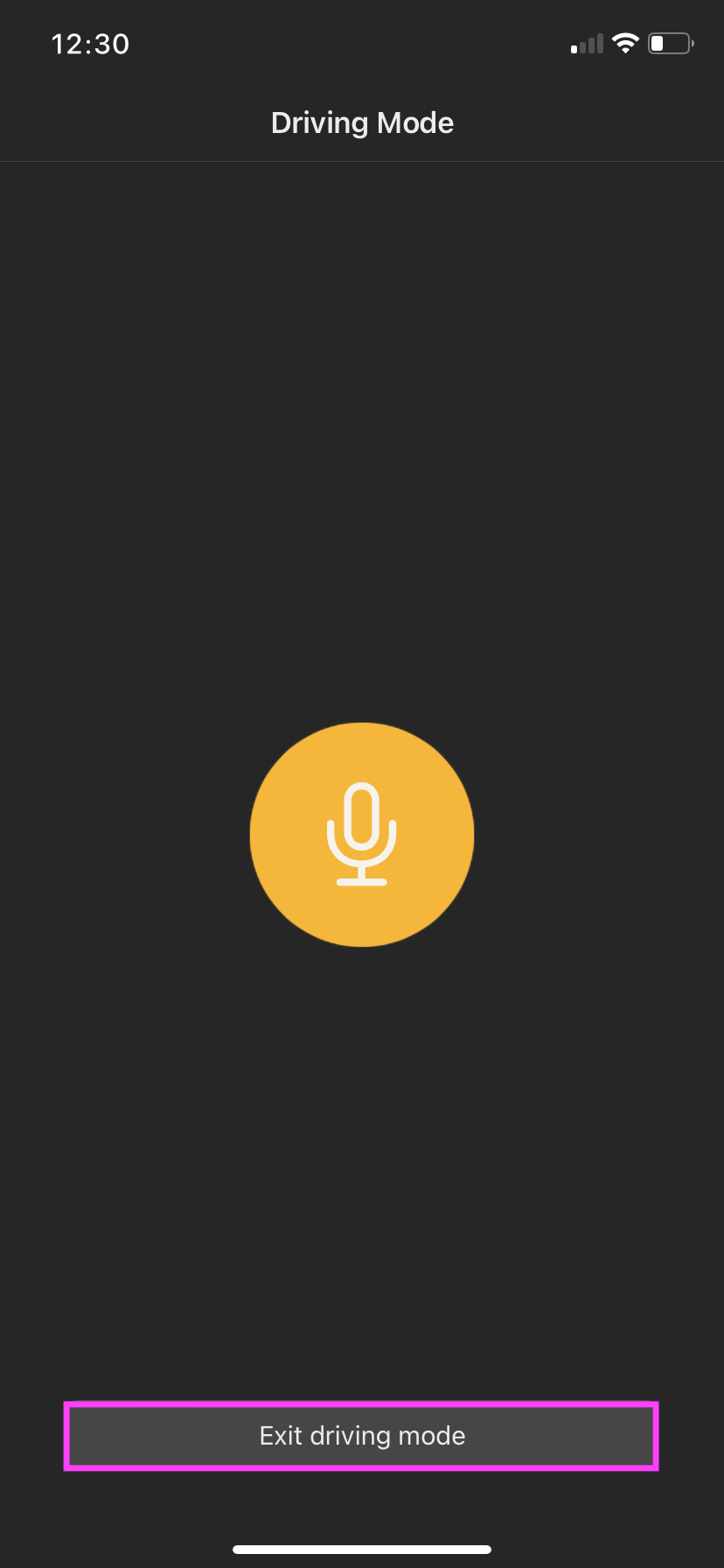 ](https://manual.ivaluate.de/uploads/images/gallery/2024-09/iva-ios-app-fahrtmodus-start.png)[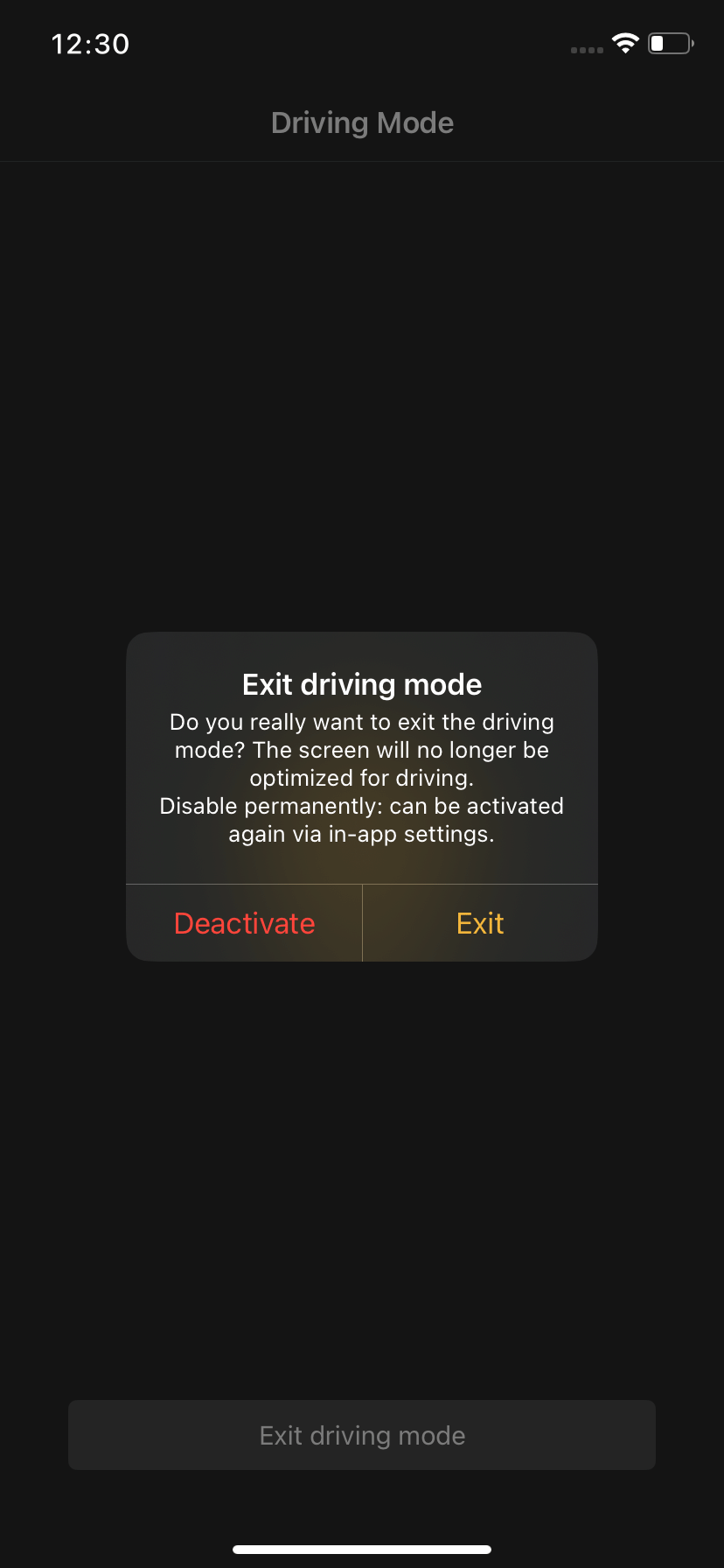](https://manual.ivaluate.de/uploads/images/gallery/2024-09/iva-ios-app-fahrtmodus-beenden.png)
Previously, this was only possible under the "Settings" menu item. The function can still be deactivated/activated here at any time.
# 3.0 BUGs
The driving mode works as intended again. The BUG where the driving mode automatically closed again shortly after starting has been fixed.
Test objects can now be switched again as intended and tests can therefore be started via the "Start" button. The BUG where the "Start" button did not react after the currently selected test object was selected from the list again has been fixed.
# Release Notes 2.2
## Bug
- \[[FIRE-2446](https://jira.tw.de/browse/FIRE-2446)\] - \[iOS-App\] Bug bei Zellmarkierung in Testobjektauswahl
- \[[FIRE-2455](https://jira.tw.de/browse/FIRE-2455)\] - \[iOS-App\] Automatisches Beenden des Fahrtmodus beheben
- \[[FIRE-2508](https://jira.tw.de/browse/FIRE-2508)\] - iOS App: Start Button ohne Funktion
- \[[FIRE-2511](https://jira.tw.de/browse/FIRE-2511)\] - \[iOS-App\] - Bug bei Kameraaufnahme beheben
## Story
- \[[FIRE-2342](https://jira.tw.de/browse/FIRE-2342)\] - \[iOS-App\] Siri - Feedback per Sprachbefehl erfassen
- \[[FIRE-2343](https://jira.tw.de/browse/FIRE-2343)\] - \[iOS-App\] Siri - Feedback in der App speichern
- \[[FIRE-2344](https://jira.tw.de/browse/FIRE-2344)\] - \[iOS-App\] Siri - Feedback-Übersicht in der App anzeigen
- \[[FIRE-2345](https://jira.tw.de/browse/FIRE-2345)\] - \[iOS-App\] Siri - Testing der Siri-Feedback-Integration
- \[[FIRE-2356](https://jira.tw.de/browse/FIRE-2356)\] - \[iOS-App\] Siri - UI-Implementierung für Siri zur Feedbackerstellung
- \[[FIRE-2413](https://jira.tw.de/browse/FIRE-2413)\] - iOS: Hintergrund für Bilder
- \[[FIRE-2420](https://jira.tw.de/browse/FIRE-2420)\] - iOS App: Direkt Kamera öffnen bei Feedback Foto/Mediathek hinzufügen
- \[[FIRE-2430](https://jira.tw.de/browse/FIRE-2430)\] - \[iOS-App\] Implementierung der BLE-Verbindungsfunktionalität
- \[[FIRE-2431](https://jira.tw.de/browse/FIRE-2431)\] - iOS App: Feedback Foto hinzufügen - Mehrere Bilder hintereinander
- \[[FIRE-2433](https://jira.tw.de/browse/FIRE-2433)\] - iOS App: Anpassung Verhalten bei Beenden von Fahrtmodus
- \[[FIRE-2480](https://jira.tw.de/browse/FIRE-2480)\] - iOS App: Attribute vom Typ Text - Anzahl Zeichen erhöhen!
- \[[FIRE-2500](https://jira.tw.de/browse/FIRE-2500)\] - \[iOS-App\] - Fehlendes Permissionhandling beim Öffnen der Mediathek
## Task
- - \[[FIRE-2541](https://jira.tw.de/browse/FIRE-2541)\] - IVA Release Notes iOS 2.2
# Version iOS 2.1-2024
# 1.0 Feedback: Integration of image editing
[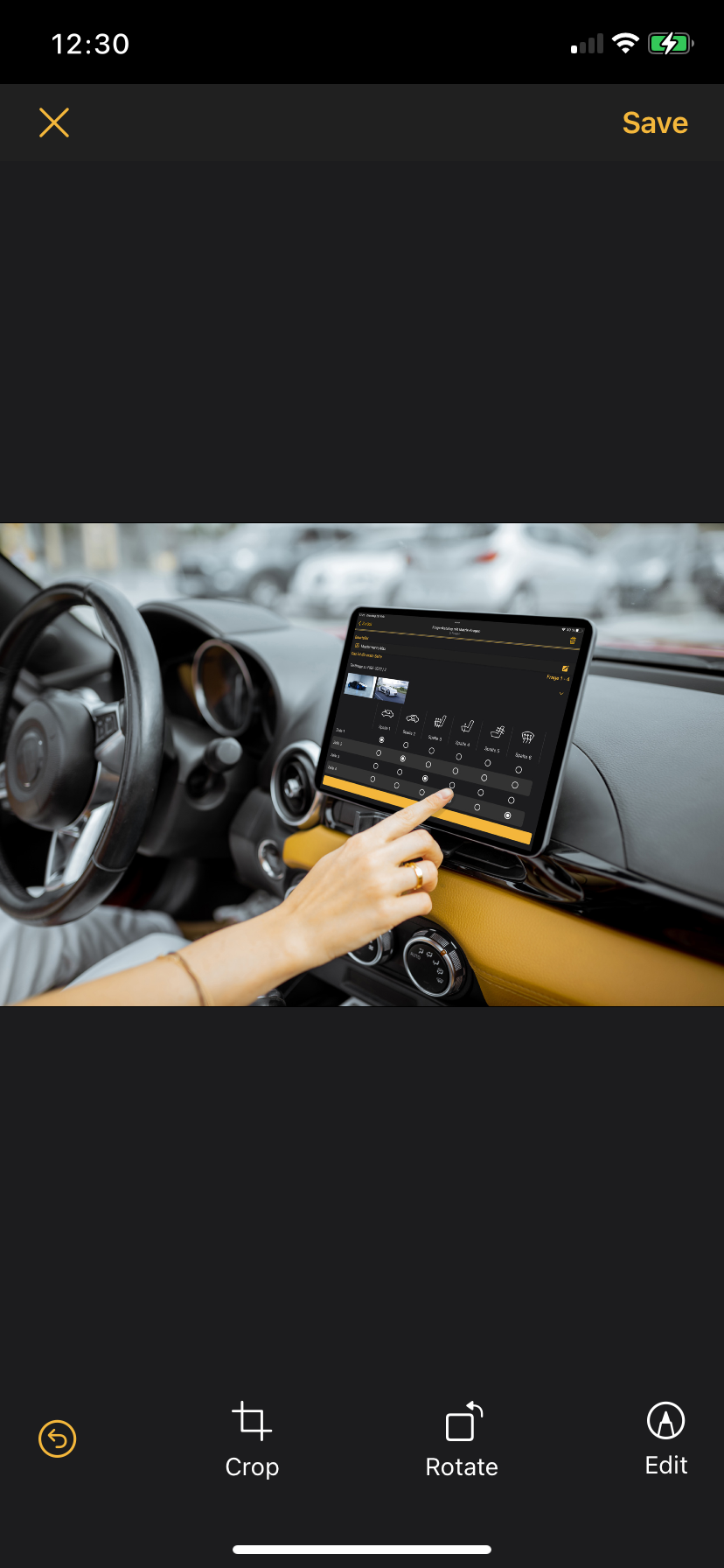](https://manual.ivaluate.de/uploads/images/gallery/2024-04/ios-iphone-bildbearbeitung-alle-funktionen.png)
As of now, testers have access to various image editing functions with which they can edit their uploaded images under feedback.
The following image editing functions have been added:
- Crop images
- Rotate images
- Draw on images
# 2.0 Start test from the app
[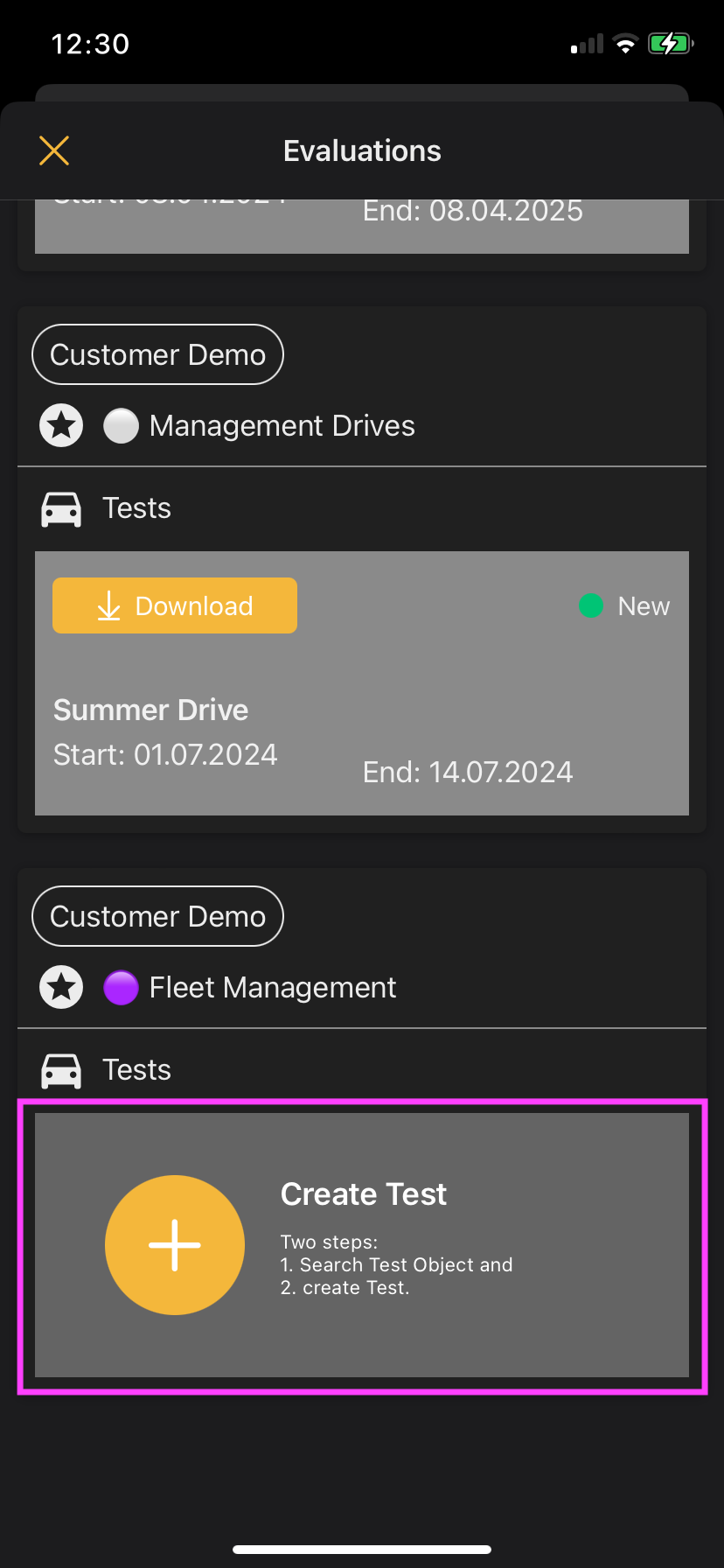](https://manual.ivaluate.de/uploads/images/gallery/2024-04/ios-iphone-test-aus-vorlage-erstellen.png)
After a planner activates this feature, testers can independently create AdHoc tests in the iOS app and use them with specific test objects. These AdHoc tests are based on templates that must first be created by a planner.
A detailed description can be found here: [LINK to the manual](https://manual.ivaluate.de/books/manual-ios-app/page/create-test-adhoc-tests)
# 3.0 Improvement
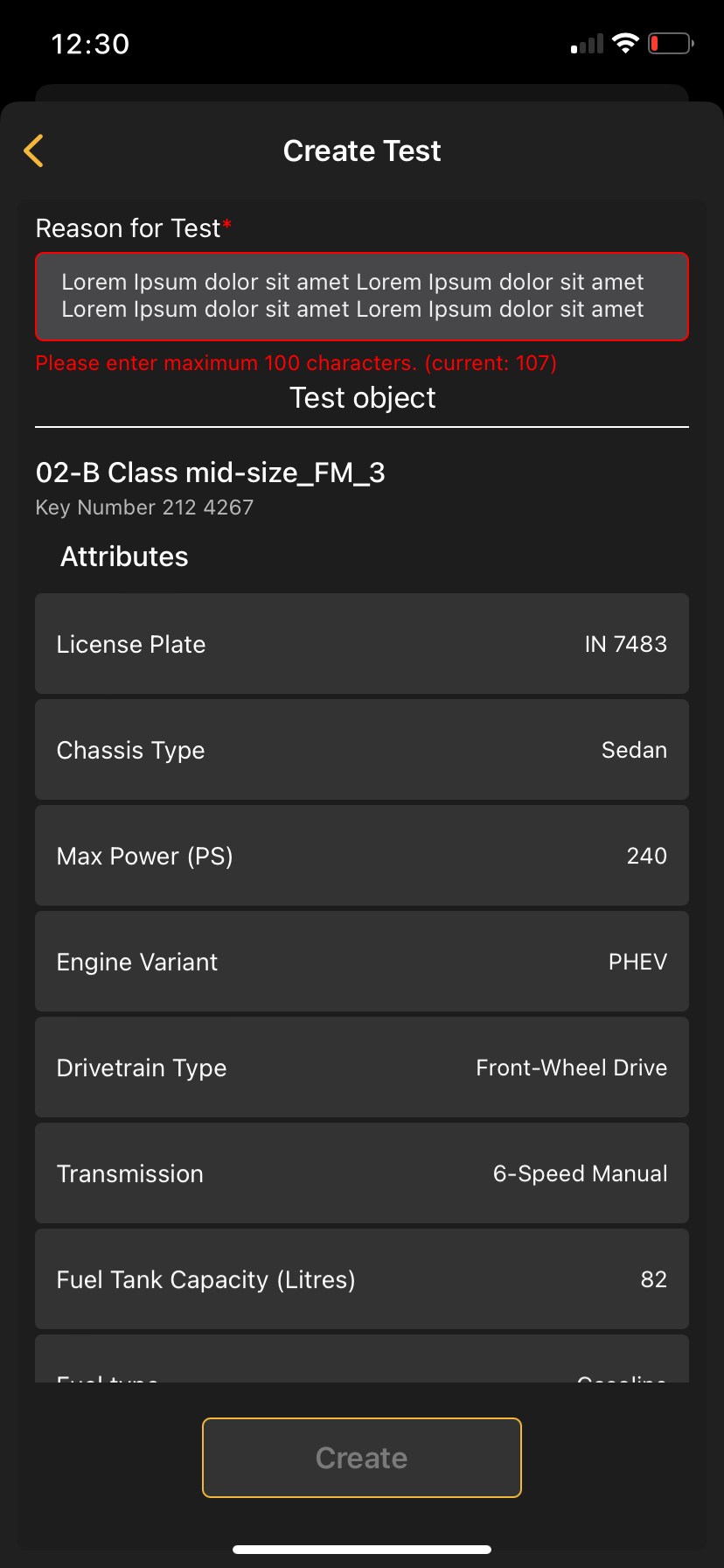
#### Hint for character limit
[](https://manual.ivaluate.de/uploads/images/gallery/2024-04/ios-iphone-test-aus-vorlage-erstellen-textbegrenzung.png)
The depiction of the maximum character limit has been improved in all relevant places.
1. Feedback description: 2000 characters
2. Create test reason/title: 100 characters
3. Comments in question catalog: 2000 characters
# 4.0 BUGs
From now on, attachments to feedback can be synchronized. Recorded videos can also be played back in the app and no longer trigger an error message.
# Release Notes 2.1
## Bug
- \[[FIRE-2212](https://jira.tw.de/browse/FIRE-2212)\] - \[iOS-App\] Ignorieren von AntwortSets ohne zugehörigen Fragenkatalog in der iOS-App
- \[[FIRE-2232](https://jira.tw.de/browse/FIRE-2232)\] - \[iOS-App\] QR-Scan: Testobjekt-Auswahl nicht angezeigt
- \[[FIRE-2238](https://jira.tw.de/browse/FIRE-2238)\] - \[iOS-App\] Anpassung der Localizables
- \[[FIRE-2239](https://jira.tw.de/browse/FIRE-2239)\] - \[iOS-App\] Anpassung der Anzeigelogik des Hinweisdialogs für nicht eingetragene Tester
- \[[FIRE-2249](https://jira.tw.de/browse/FIRE-2249)\] - \[iOS-App\] Attachments werden nicht übertragen
- \[[FIRE-2254](https://jira.tw.de/browse/FIRE-2254)\] - \[iOS-App\] Crash bei BottomModalTransitionAnimator beheben
- \[[FIRE-2262](https://jira.tw.de/browse/FIRE-2262)\] - \[iOS-App\] Bug bei Offline-Fragenkatalog Upload
- \[[FIRE-2303](https://jira.tw.de/browse/FIRE-2303)\] - \[iOS-App\] - Einfrieren des Testauswahl-Screens nach längerem Scrollen
- \[[FIRE-2321](https://jira.tw.de/browse/FIRE-2321)\] - \[iOS-App\] QR-Code Scan führt zu fehlerhafter Anzeige
- \[[FIRE-2330](https://jira.tw.de/browse/FIRE-2330)\] - \[iOS-App\] Aufgenommene Videos können in der App nicht abgespielt werden
- \[[FIRE-2335](https://jira.tw.de/browse/FIRE-2335)\] - iOS App: Fragenkatalog wird doppelt angezeigt
- \[[FIRE-2351](https://jira.tw.de/browse/FIRE-2351)\] - \[iOS-App\] Bug bei der Darstellung und Interaktion mit leeren oder inaktiven Fragenkatalogen
## Story
- \[[FIRE-1139](https://jira.tw.de/browse/FIRE-1139)\] - \[iOS-App\] Anpassung der iOS-App-Schnittstelle für Attribute bei Fragen
- \[[FIRE-1878](https://jira.tw.de/browse/FIRE-1878)\] - iOS-App: Verwendung Request-Parameter in Basisdaten-Request
- \[[FIRE-2119](https://jira.tw.de/browse/FIRE-2119)\] - iOS-App: Stoppen der Fahrt für den Tester ermöglichen
- \[[FIRE-2124](https://jira.tw.de/browse/FIRE-2124)\] - \[iOS-App\] API Anbindung Fahrzeugsuche und Teststart
- \[[FIRE-2182](https://jira.tw.de/browse/FIRE-2182)\] - \[iOS-App\] Feedback: Integration von Bildbearbeitung
- \[[FIRE-2240](https://jira.tw.de/browse/FIRE-2240)\] - \[iOS-App\] UI Fahrzeugsuche und Test aus App starten
- \[[FIRE-2241](https://jira.tw.de/browse/FIRE-2241)\] - \[iOS-App\] Fehlerhandling Fahrzeugsuche und Teststart
- \[[FIRE-2263](https://jira.tw.de/browse/FIRE-2263)\] - \[iOS-App\] Feedback-Bildbearbeitung "Zurücksetzen" Button anpassen
- \[[FIRE-2305](https://jira.tw.de/browse/FIRE-2305)\] - iOS App: Textbegrenzung Hinweis
## Improvement
- \[[FIRE-2184](https://jira.tw.de/browse/FIRE-2184)\] - \[iOS-App\] Automatisches Scrollen nach Fragebeantwortung
# Version 2.0
# 1.0 Presentation of the questionnaire series
Once the questionnaire series have been introduced in the IVA Planner, they can also be viewed and answered in the app. There is no differentiation between the question catalogue and question catalogue series in the view.
# 2.0 Change of instance
##### Overview of the instances
[](https://manual.ivaluate.de/uploads/images/gallery/2023-10/iva-instances-logout-delete.jpg)
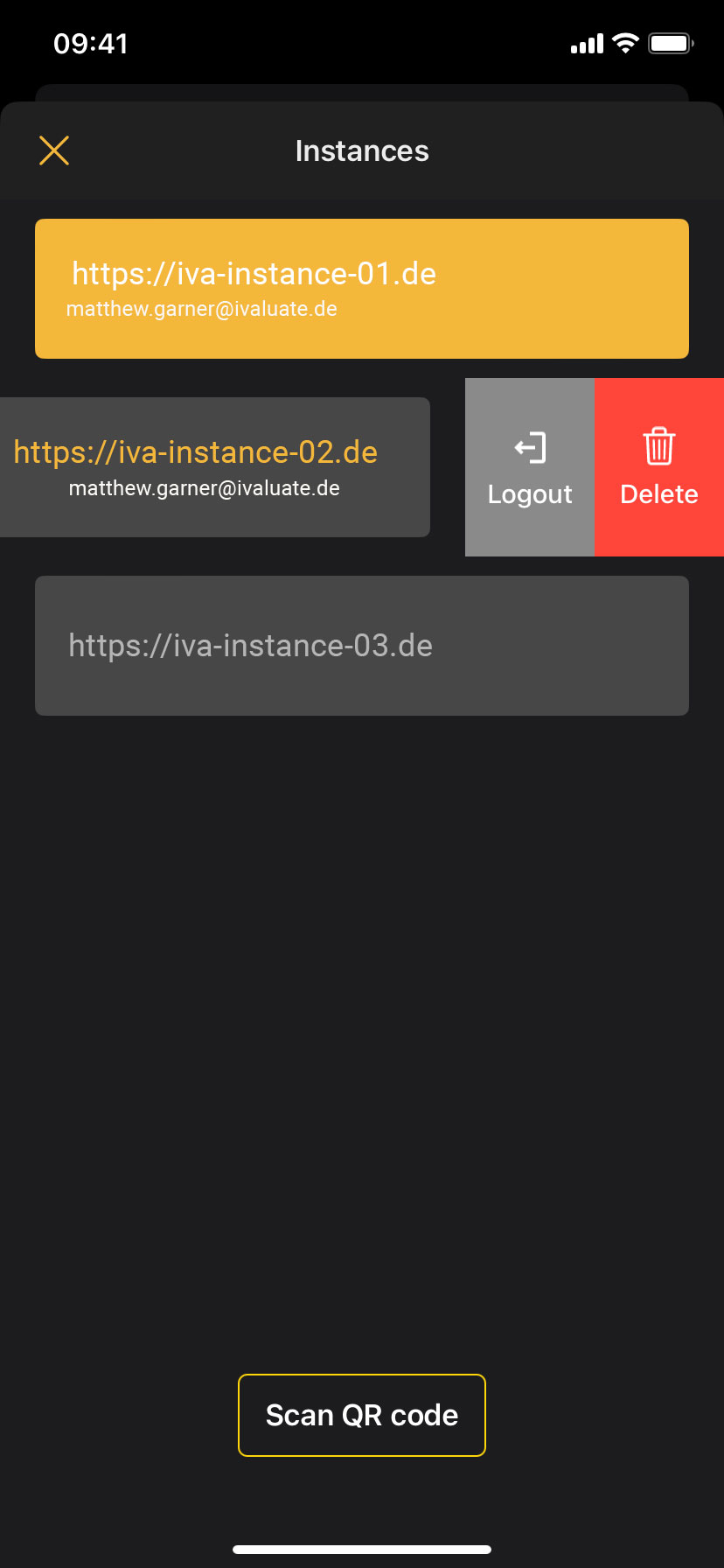
A quick instance change has been made possible in the app. This means that a user can be logged in to multiple instances. If the login was successful in the app, a new login is no longer necessary.
##### Changes to the burger menu
[](https://manual.ivaluate.de/uploads/images/gallery/2023-10/image-1697724960547.png)
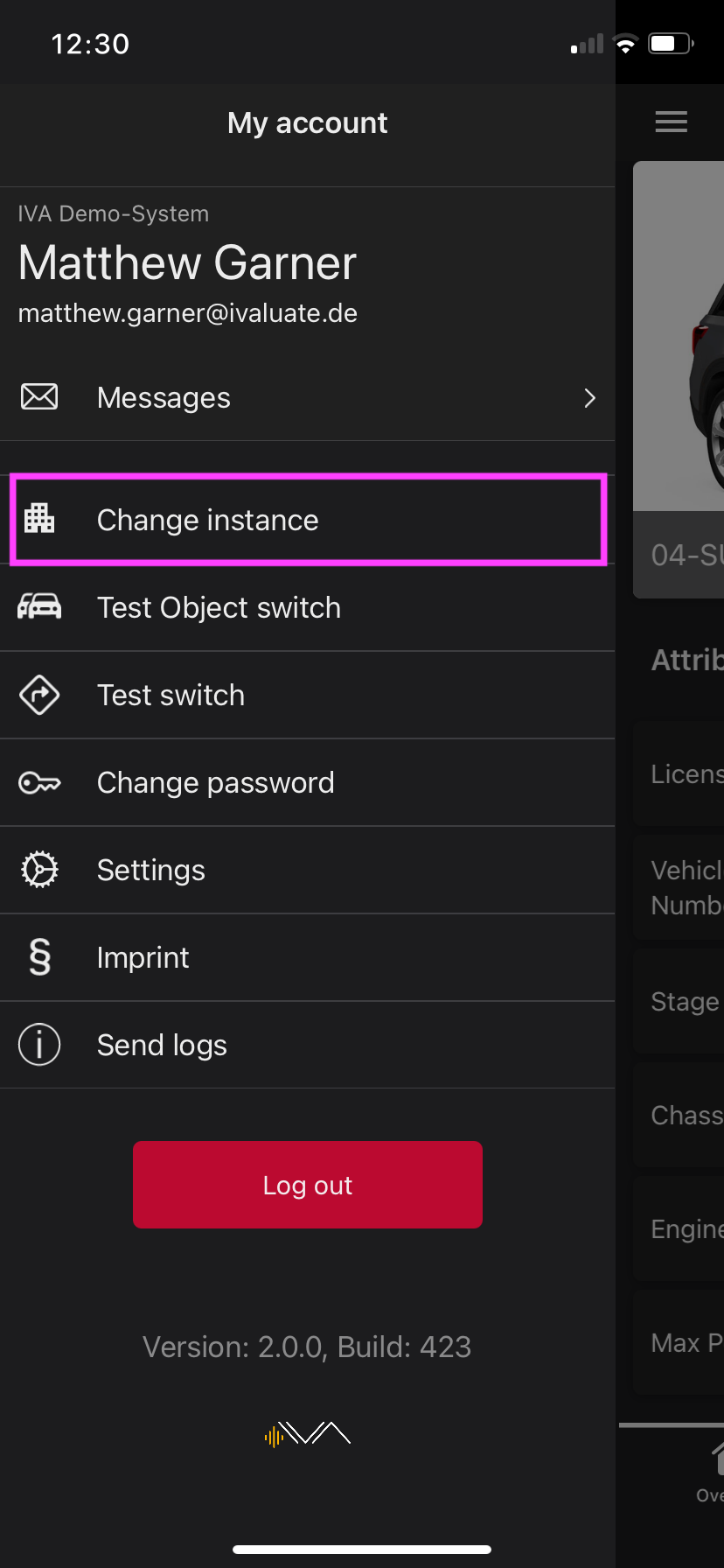
A new menu item "Change instance" has been added to the burger menu.
In addition, the name of the instance is located above the user name.
Detailed description is here: LINK to the manual.
# 3.0 Making questions in questionnaires more visible
##### UI revision: line adjustment
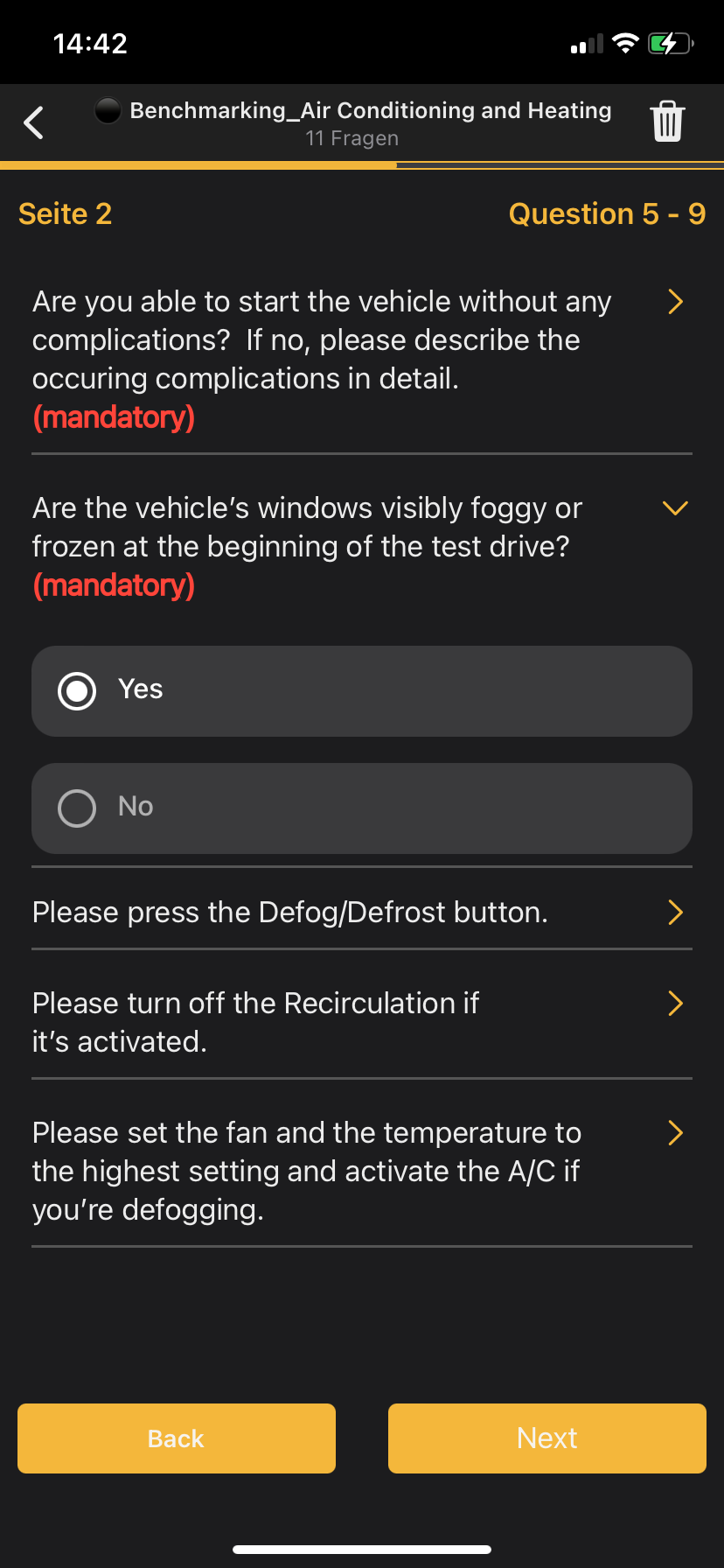
In dark mode, the questions were emphasised by a thicker dividing line.
[](https://manual.ivaluate.de/uploads/images/gallery/2023-10/image-1697724287993.png)
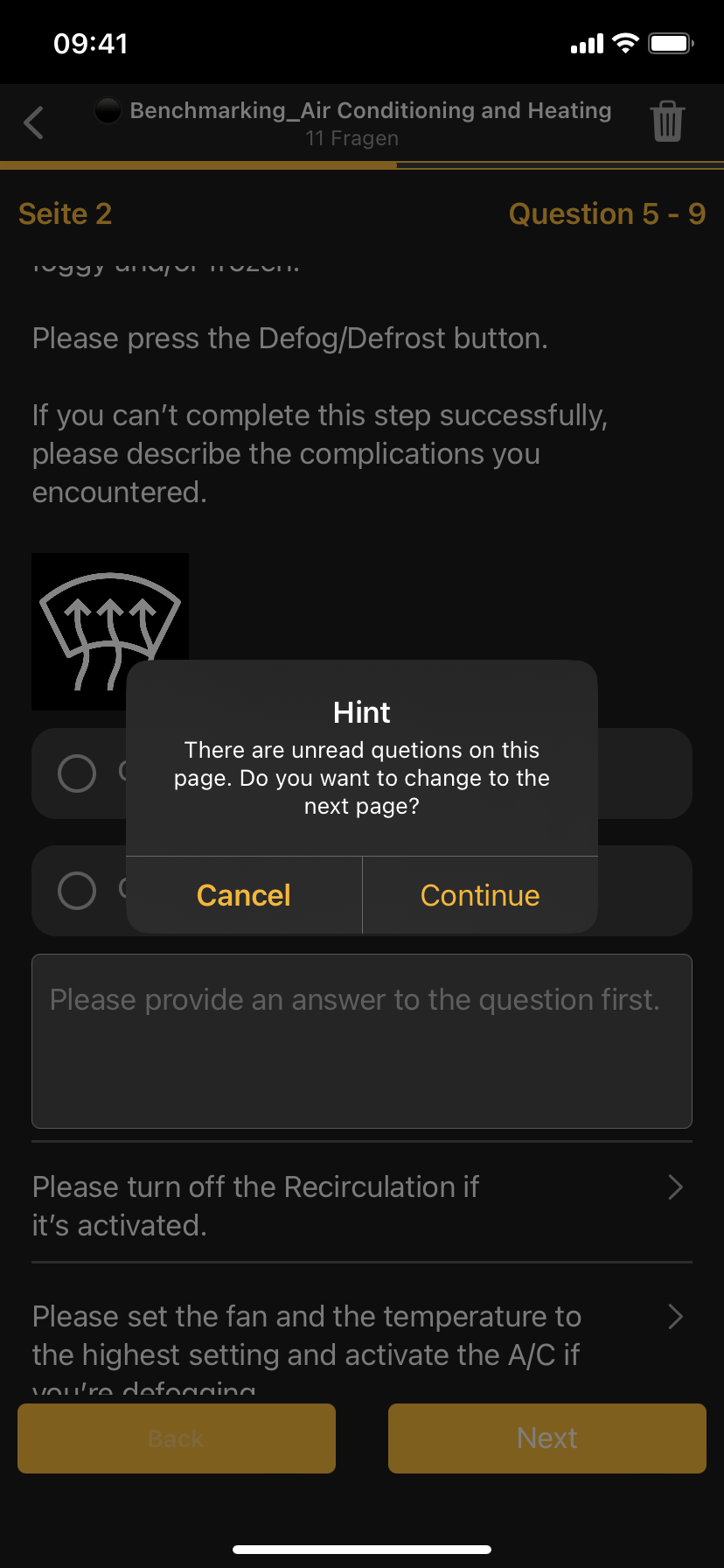
##### UI revision: reference to unanswered questions
The handling of the questionnaires has been improved.
When changing pages and not all questions have been read, a message appears.
A question catalogue contains several pages with many questions. The viewing area in a device often only shows part of the questions. To minimise the risk that not all questions have been read when changing pages, a note has been added.
[](https://manual.ivaluate.de/uploads/images/gallery/2023-10/image-1697724303512.png)
# 4.0 Impovement
##### Multiple-answerable to the questionnaires
[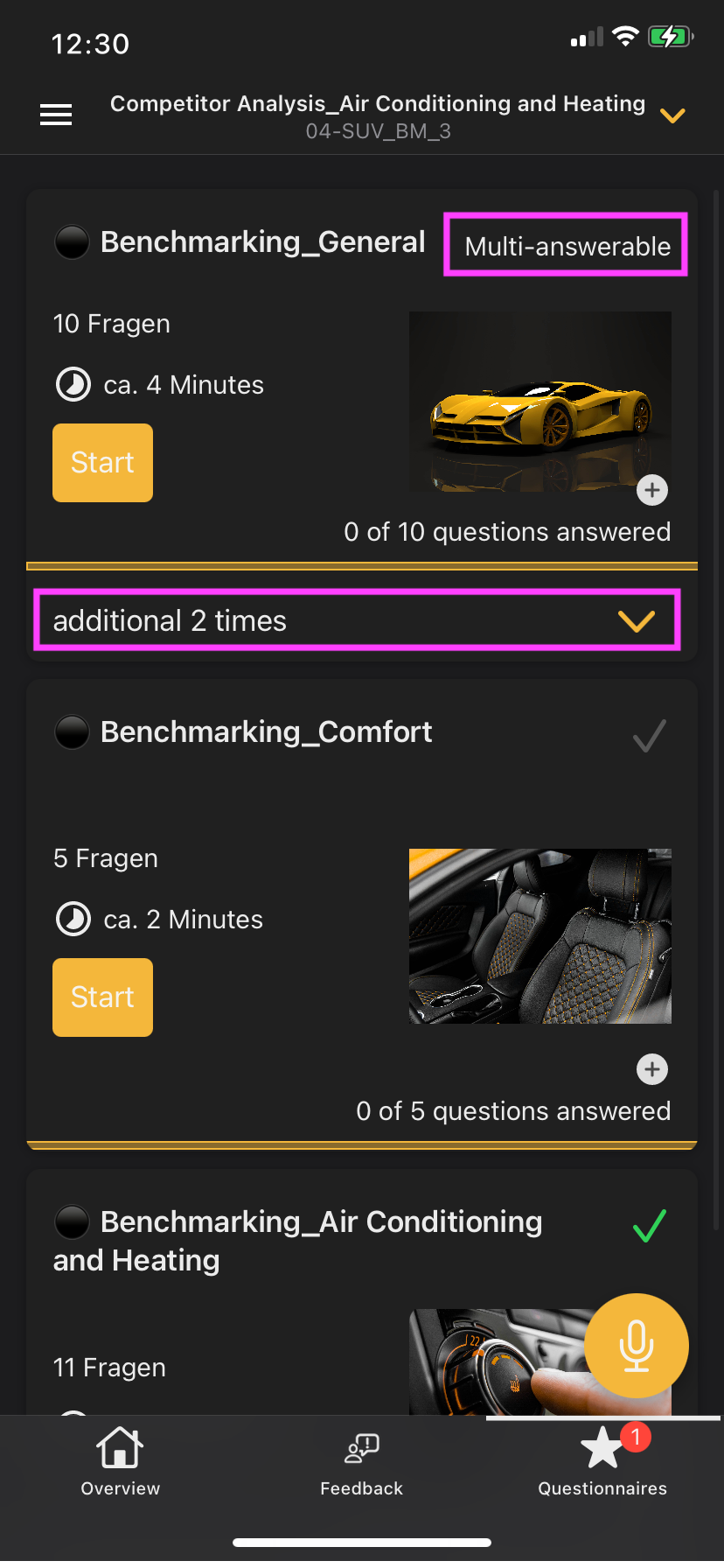](https://manual.ivaluate.de/uploads/images/gallery/2023-12/iva-ios-questionnaires-answerable.png)[ ](https://manual.ivaluate.de/uploads/images/gallery/2023-12/iva-ios-questionnaires-answerable.png)[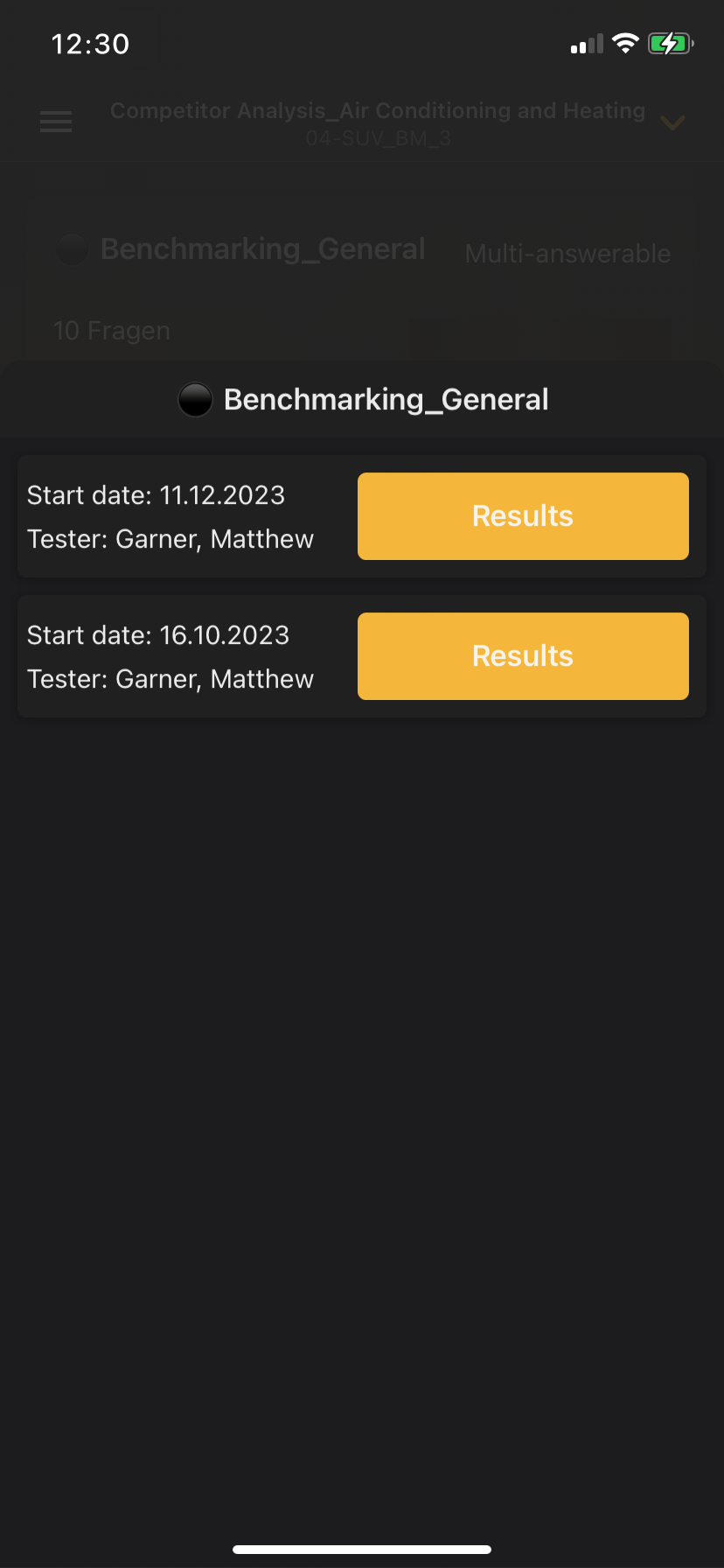](https://manual.ivaluate.de/uploads/images/gallery/2023-12/iva-ios-questionnaires-answerable-detail.png)
You can now answer the questionnaires multiple times. The number of answered question catalogues can be seen in the overview of questionnaires in the tile of a specific questionnaire.
- - - - - -
##### Selected alternative assessor is also used in other response types.
Once an alternative assessor has been selected in the feedback, it is adopted as a user in the questionnaires.
# 5.0 BUGs
Rating legend is displayed (for read-only feedbacks)
App crash prevented when editing a feedback
Voice recording works when CarPlay is connected
iOS app: "Not rateable" toggle no longer covered by text field
# Version 1.4.1 and Version 1.4.2
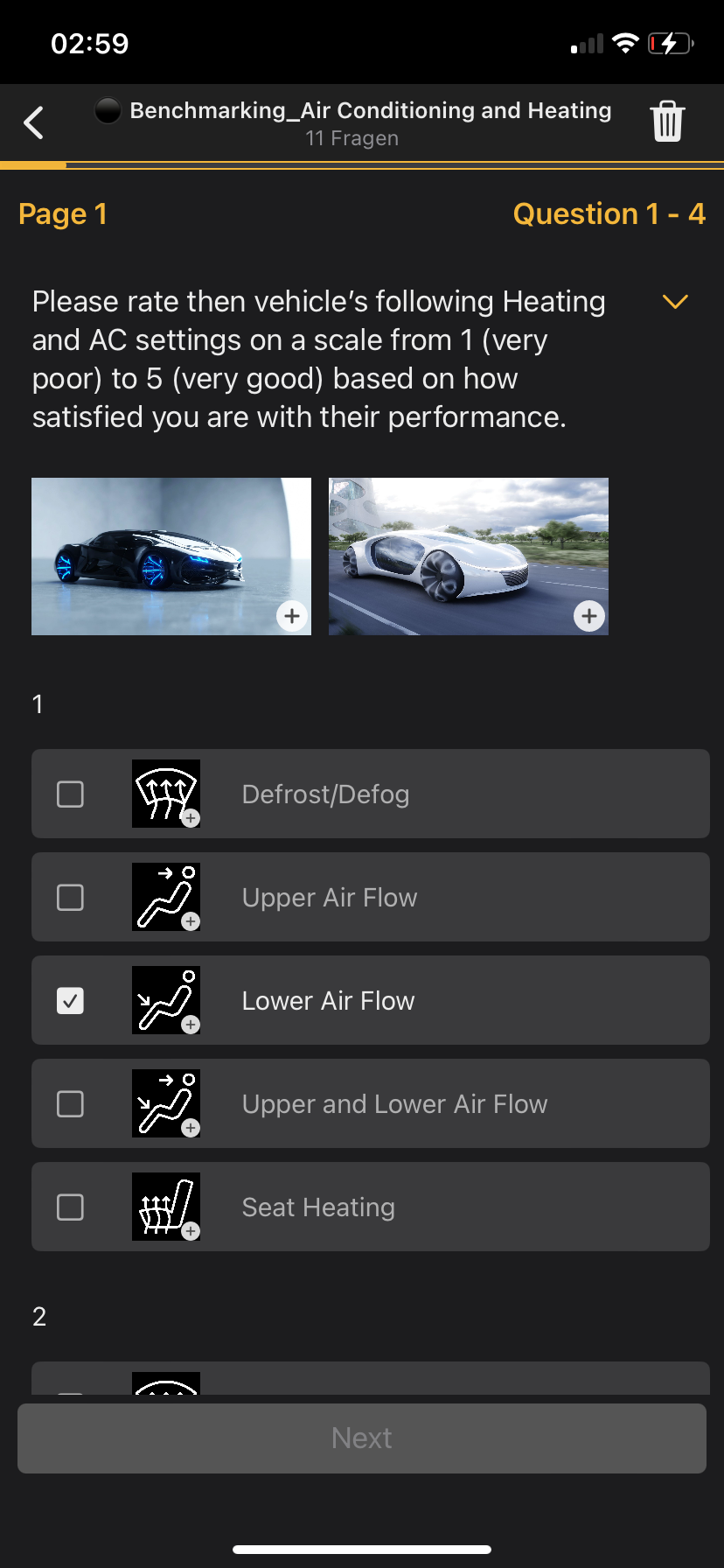
# 1.0 Matrix revision iPhone
[](https://manual.ivaluate.de/uploads/images/gallery/2024-03/iva-ios-app-fragenkataloge-fragen-matrix.PNG)
To ensure better functionality of the matrix in iPhone, the view has been completely edited.
# 2.0 Enlarge images on iPad and iPhone
[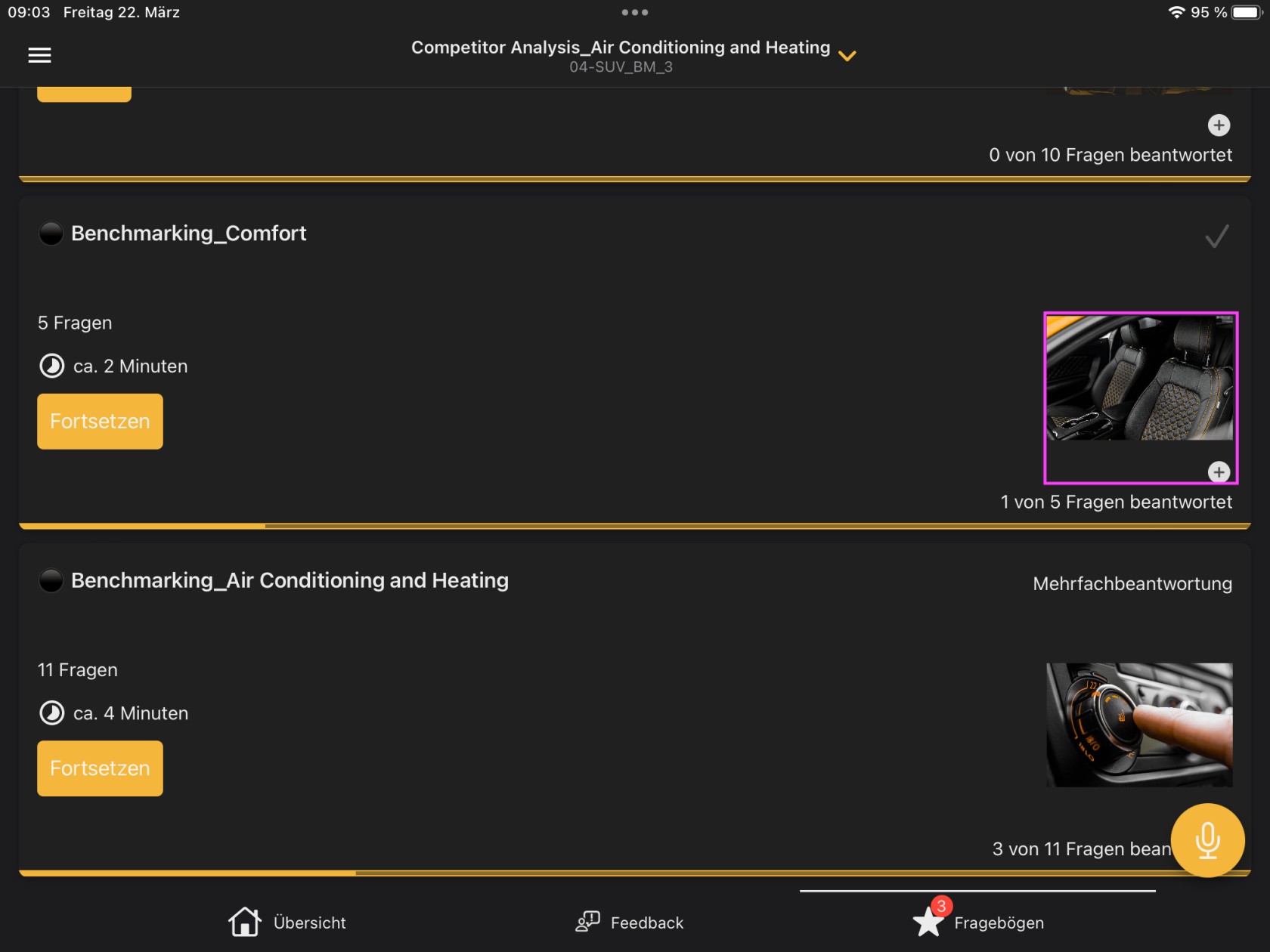 ](https://manual.ivaluate.de/uploads/images/gallery/2024-03/iva-ios-app-fragenkataloge-bilderansicht.png)[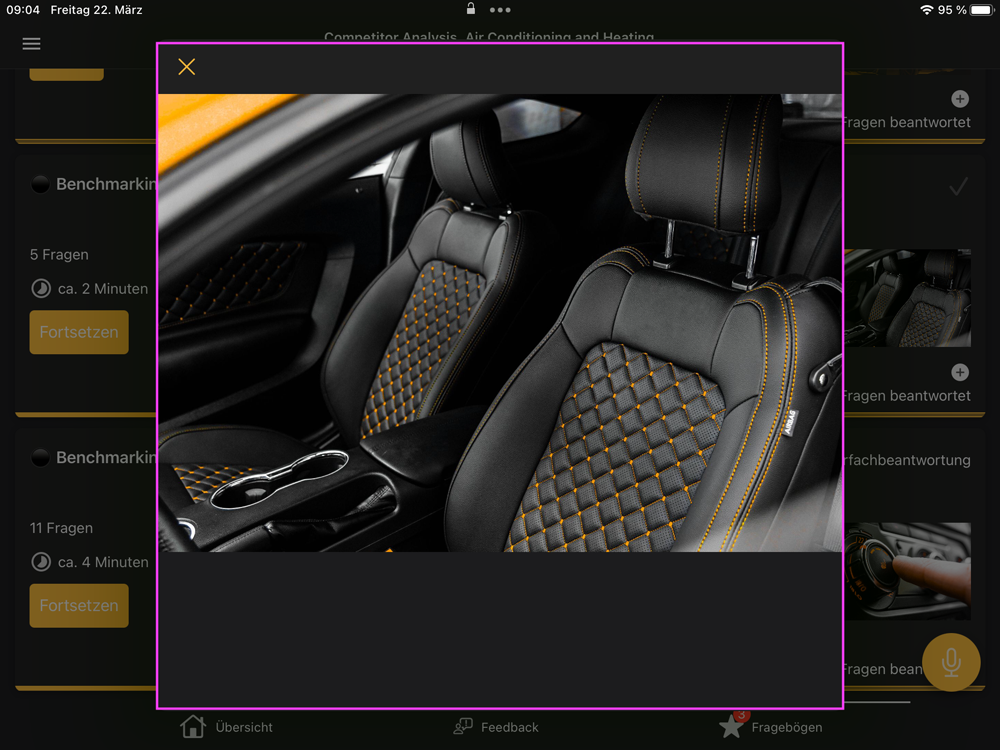](https://manual.ivaluate.de/uploads/images/gallery/2024-03/iva-ios-app-fragenkataloge-bildvergrosserung-kl.png)
In both the iPhone and iPad versions, the images can be enlarged using an indicator (icon with "+") at the bottom right of the image. This makes the details easier to see and makes comparisons easier.
# 3.0 Tester attributes for feedback
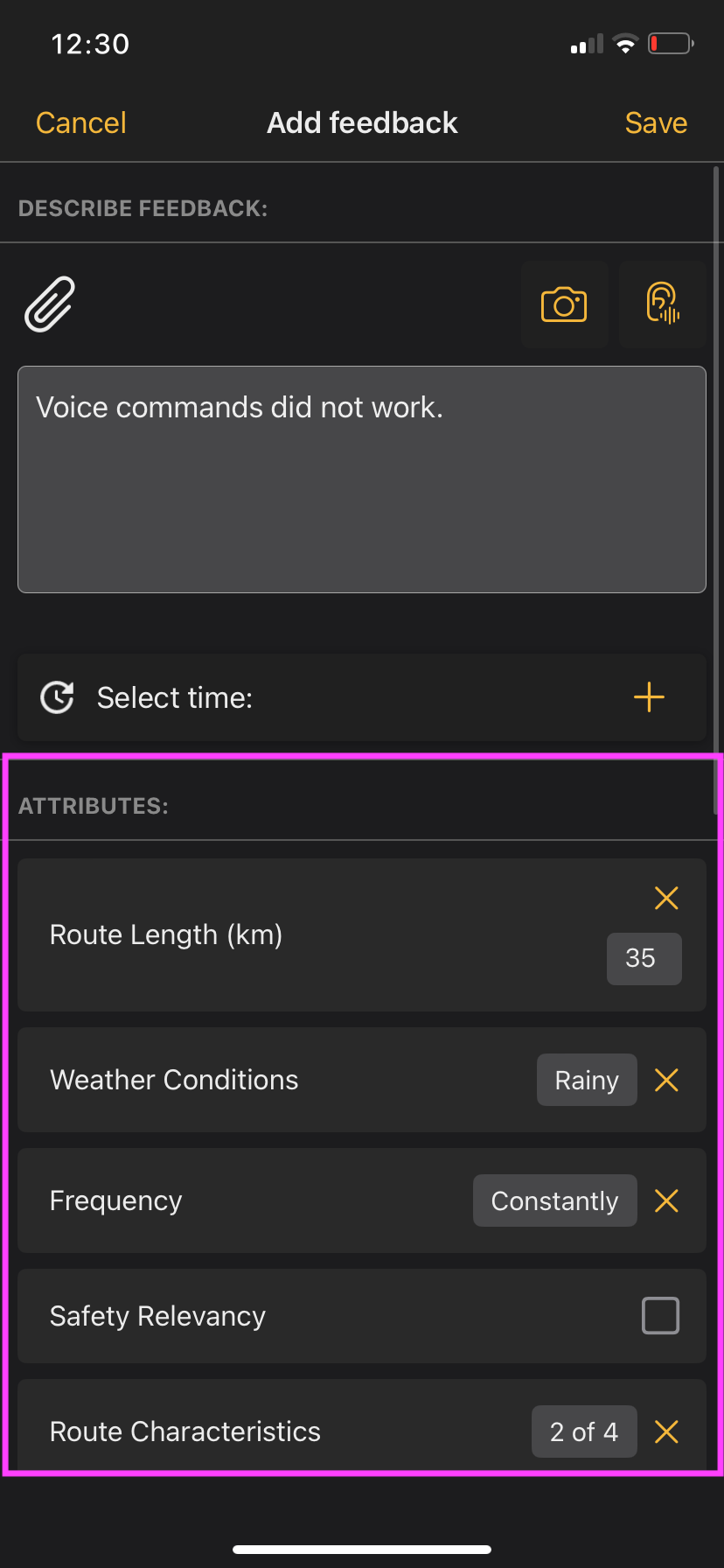
The planner now has the option of defining additional attributes that are available to the tester in the iOS app for a more detailed description of the feedback.
These attributes are displayed when creating and editing feedback and can be assigned a value by the tester via the corresponding input field.
[](https://manual.ivaluate.de/uploads/images/gallery/2024-06/iva-app-feedback-attribute-2.png). [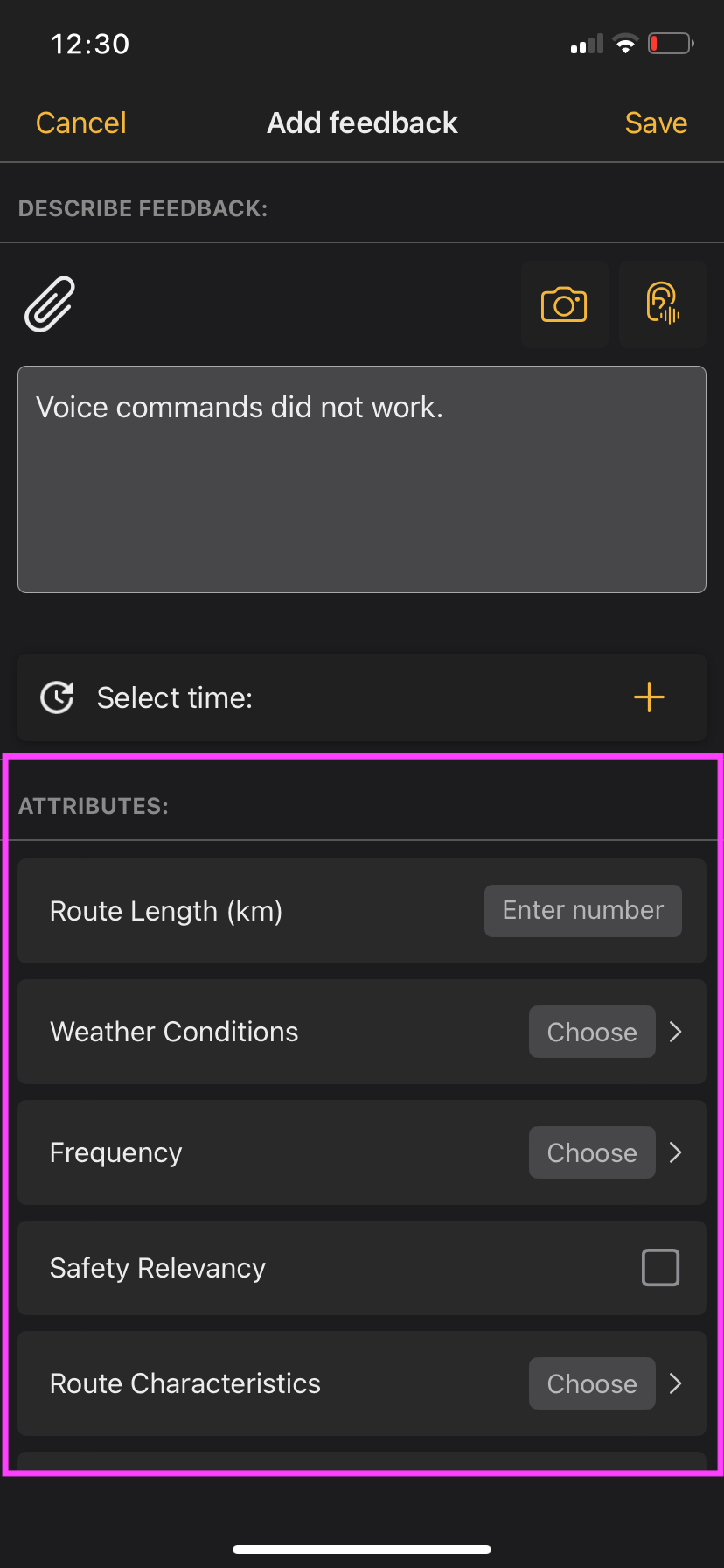](https://manual.ivaluate.de/uploads/images/gallery/2024-06/lPziva-app-feedback-attribute-1.png)
# Release Notes 1.4.1
## Bug
- \[[FIRE-1837](https://jira.tw.de/browse/FIRE-1837)\] - iOS-App: Fragenkatalog(serie)-ID u.U. nicht eindeutig
- \[[FIRE-1855](https://jira.tw.de/browse/FIRE-1855)\] - iOS-App: Deaktivierte Attributoption an Feedback testen
- \[[FIRE-1856](https://jira.tw.de/browse/FIRE-1856)\] - \[iOS-App\] Nacharbeit für die Implementierung der Zusatzattribute
- \[[FIRE-1869](https://jira.tw.de/browse/FIRE-1869)\] - \[iOS-App\] AntwortSets richtig zurücksetzen
- \[[FIRE-1910](https://jira.tw.de/browse/FIRE-1910)\] - Bug? - Fragenkataloge werden bei allen Fahrzeugen angezeigt, obwohl nur einem Fzg zugeordnet
- \[[FIRE-1932](https://jira.tw.de/browse/FIRE-1932)\] - \[iOS-App\] Bug bei Alternativer Beurteiler beheben
- \[[FIRE-1950](https://jira.tw.de/browse/FIRE-1950)\] - iOS App: Feedback abgeschickt trotz unvollständiger Angaben
- \[[FIRE-1978](https://jira.tw.de/browse/FIRE-1978)\] - iOS-App: Sporadischer Crash beim Wechsel des Testobjekts
- \[[FIRE-2014](https://jira.tw.de/browse/FIRE-2014)\] - iOS-App: Analyse Attachment ID Abgleich in reusable cells
- \[[FIRE-2049](https://jira.tw.de/browse/FIRE-2049)\] - iOS-App: Crash beim Wiedereintritt in die App, wenn man zuletzt im Fragenkatalog war
## Story
- \[[FIRE-1552](https://jira.tw.de/browse/FIRE-1552)\] - iOS App: Zusätzliche Attribute am Feedback
- \[[FIRE-1733](https://jira.tw.de/browse/FIRE-1733)\] - iOS App: iPhone Darstellung der Matrix Überarbeiten
- \[[FIRE-1736](https://jira.tw.de/browse/FIRE-1736)\] - iOS-App: Umgebungswechsel - Unterstützung mehrerer Datenbankdateien
- \[[FIRE-1740](https://jira.tw.de/browse/FIRE-1740)\] - iOS-App: Umgebungswechsel - Neuaufbau von UI & Daten
- \[[FIRE-1749](https://jira.tw.de/browse/FIRE-1749)\] - iOS-App: Umgebungswechsel - Anpassung Login & Logout
- \[[FIRE-1882](https://jira.tw.de/browse/FIRE-1882)\] - iOS-App: Anpassung Swagger-Generator bzgl. Deserialisierung AntwortTO
- \[[FIRE-1939](https://jira.tw.de/browse/FIRE-1939)\] - iOS App: Bilder vergrößern
- \[[FIRE-1974](https://jira.tw.de/browse/FIRE-1974)\] - iOS-App: Fragenkataloge offline abschließbar
## Task
- \[[FIRE-1662](https://jira.tw.de/browse/FIRE-1662)\] - \[Improvement\]\[Structure\] App Data & Service Layer
- \[[FIRE-1913](https://jira.tw.de/browse/FIRE-1913)\] - iOS-App: Senden von null bei AntwortTO.wert
## Improvement
- \[[FIRE-2032](https://jira.tw.de/browse/FIRE-2032)\] - iOS-App: Zeilenumbruch bei Optionsfragen
# Version 1.4.0
Updating to this version is recommended. New features, presentation of the questions and improvements have been implemented. Some BUGs have been fixed for optimal stability.
# 1.0 Matrix display of the questions (only for iPad)
Until now, the depiction of matrix in questionnaires was only possible in form of a dropdown menu. In order to get a quick overview for the answering of matrix questions on the iPad, the depiction has been changed. Analogous to the Planner UI and Tester UI, the user can select answers easier and quicker.
[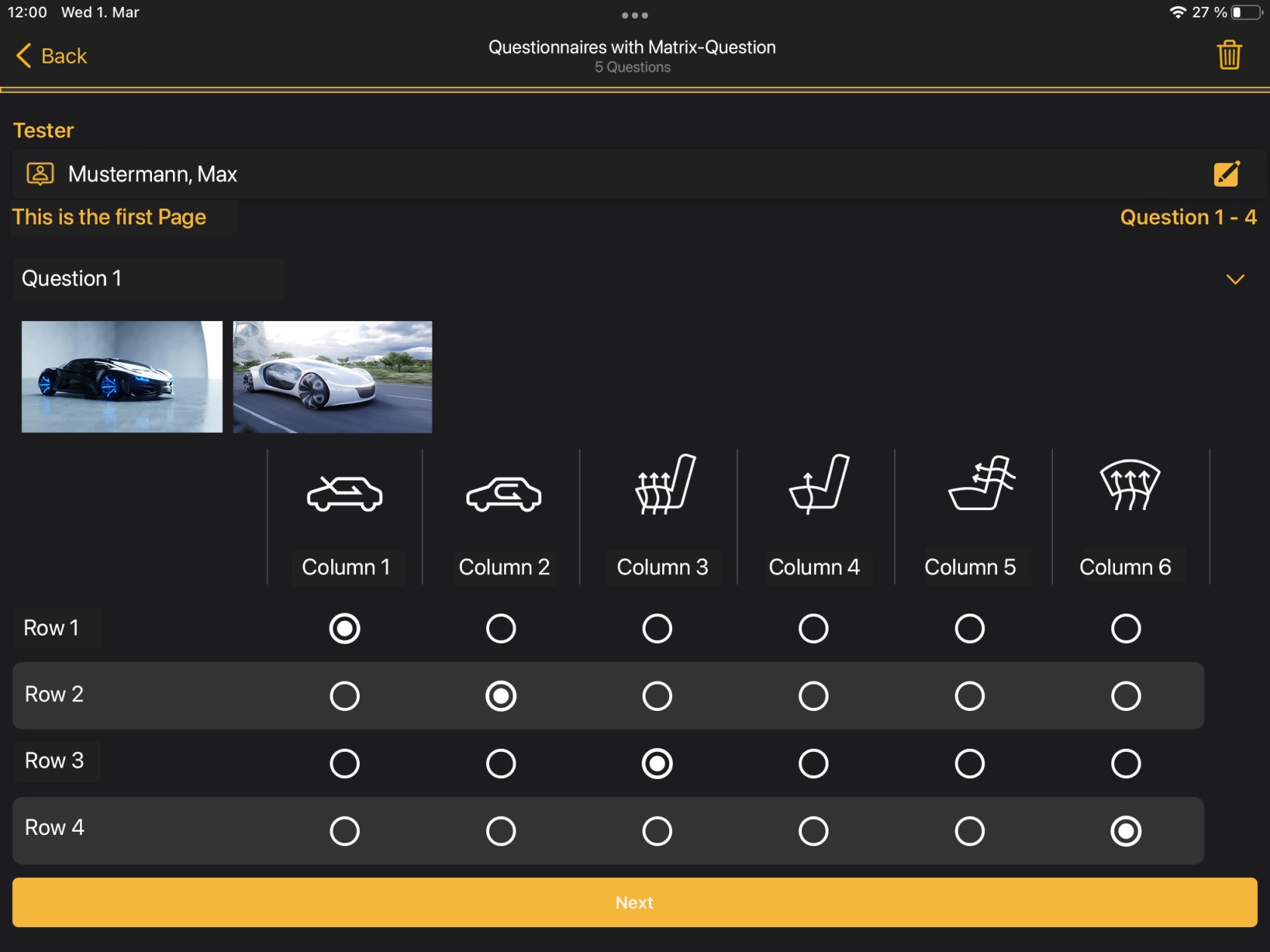](https://manual.ivaluate.de/uploads/images/gallery/2023-03/ios-app-ipad-screen-matrix-bearb-en.jpg)
# 2.0 Communication between the planner and the tester
The app has a new feature: Messages with the planner. This allows the tester to receive a short message for a certain feedback and to reply to it. The communication can only be initiated by the planner and each message can only be answered once by the tester. It is therefore not a classic chat function.
[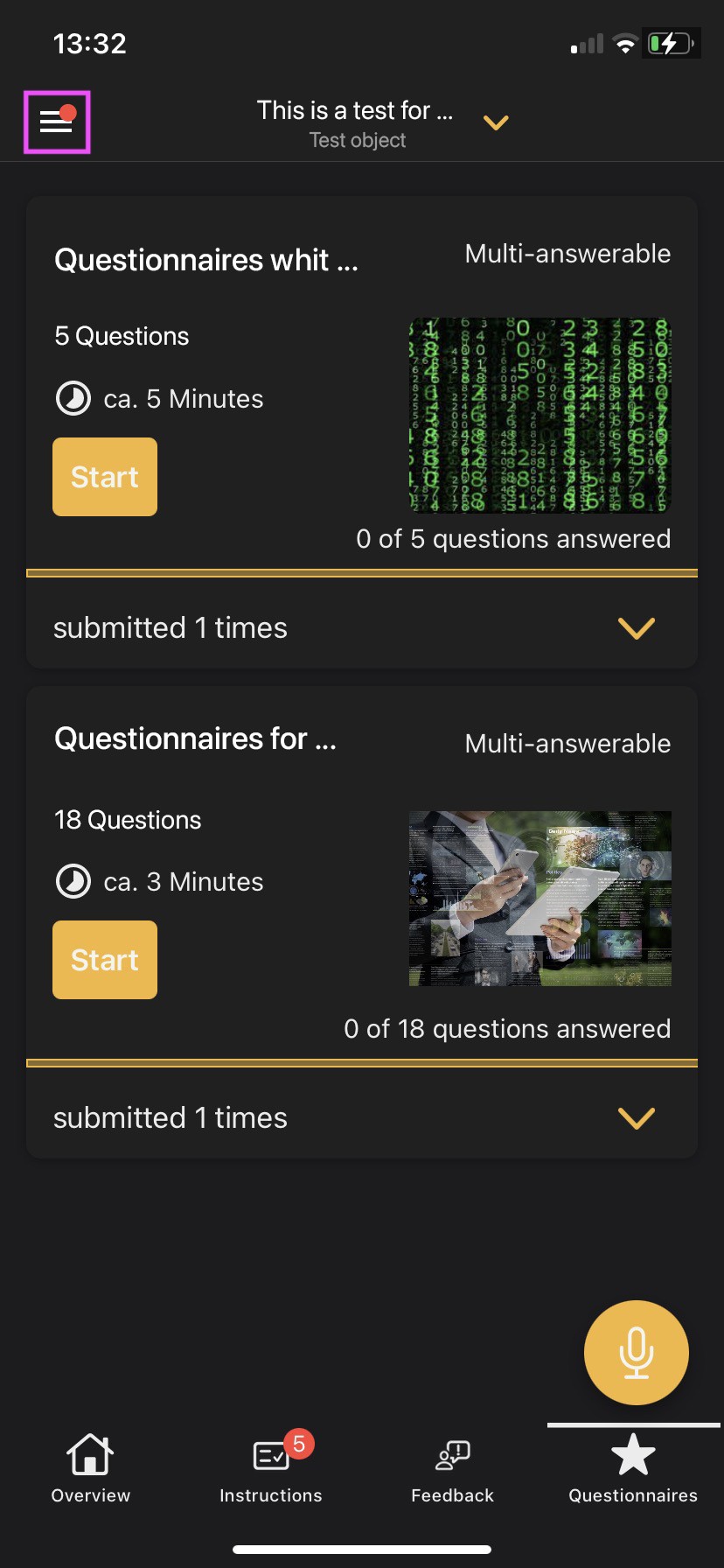](https://manual.ivaluate.de/uploads/images/gallery/2023-03/ios-app-screen-kommunikation-withbagde-bearb-1.jpg)[ ](https://manual.ivaluate.de/uploads/images/gallery/2023-03/ios-app-screen-kommunikation-withbagde-bearb.jpg)[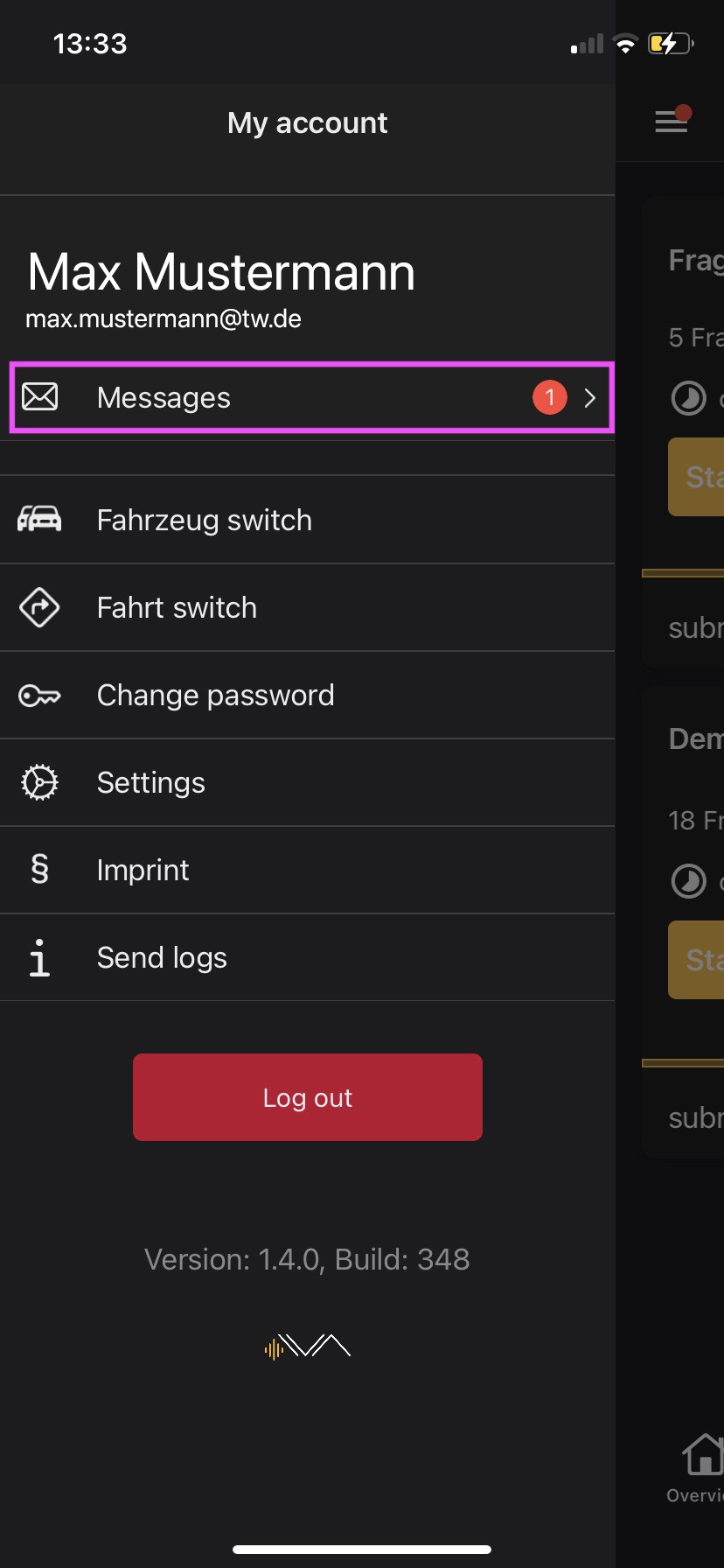](https://manual.ivaluate.de/uploads/images/gallery/2023-03/ios-app-screen-meinkonto-withbadge-en-bearb.jpg)
message list and details
[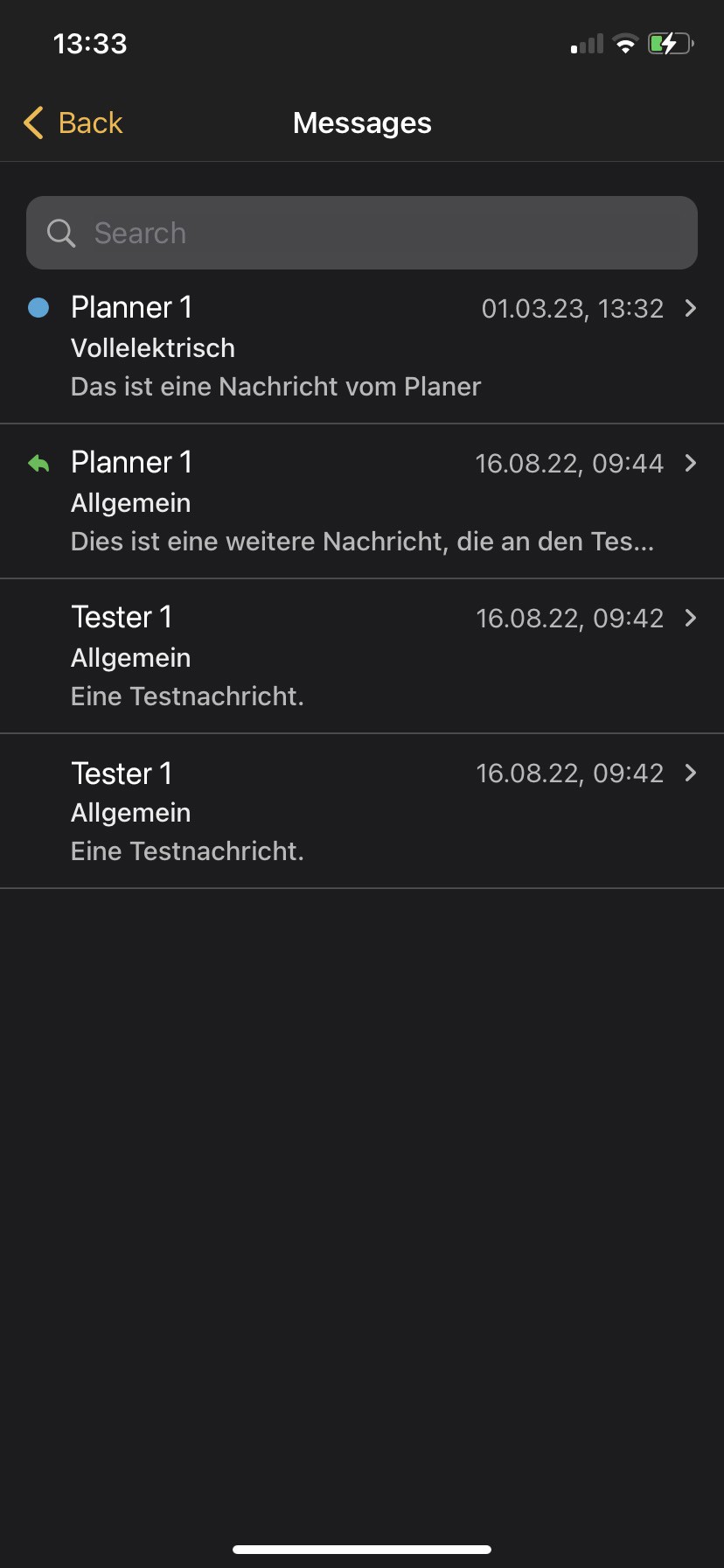](https://manual.ivaluate.de/uploads/images/gallery/2023-03/ios-app-screen-kommunikation-list-en.jpg)[ 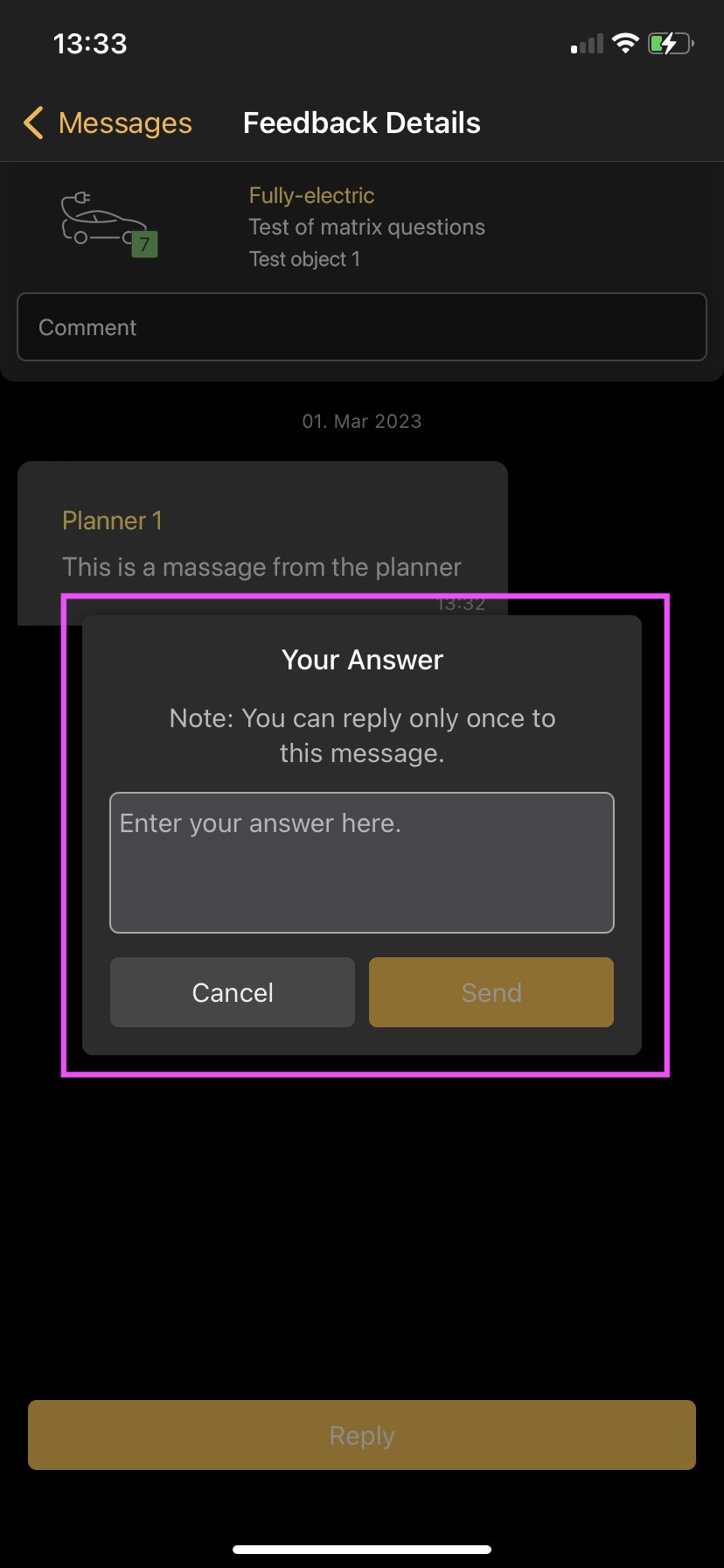](https://manual.ivaluate.de/uploads/images/gallery/2023-03/ios-app-screen-kommunikation-detail-en-bearb.jpg)
# 3.0 Feedback ovierview with rating
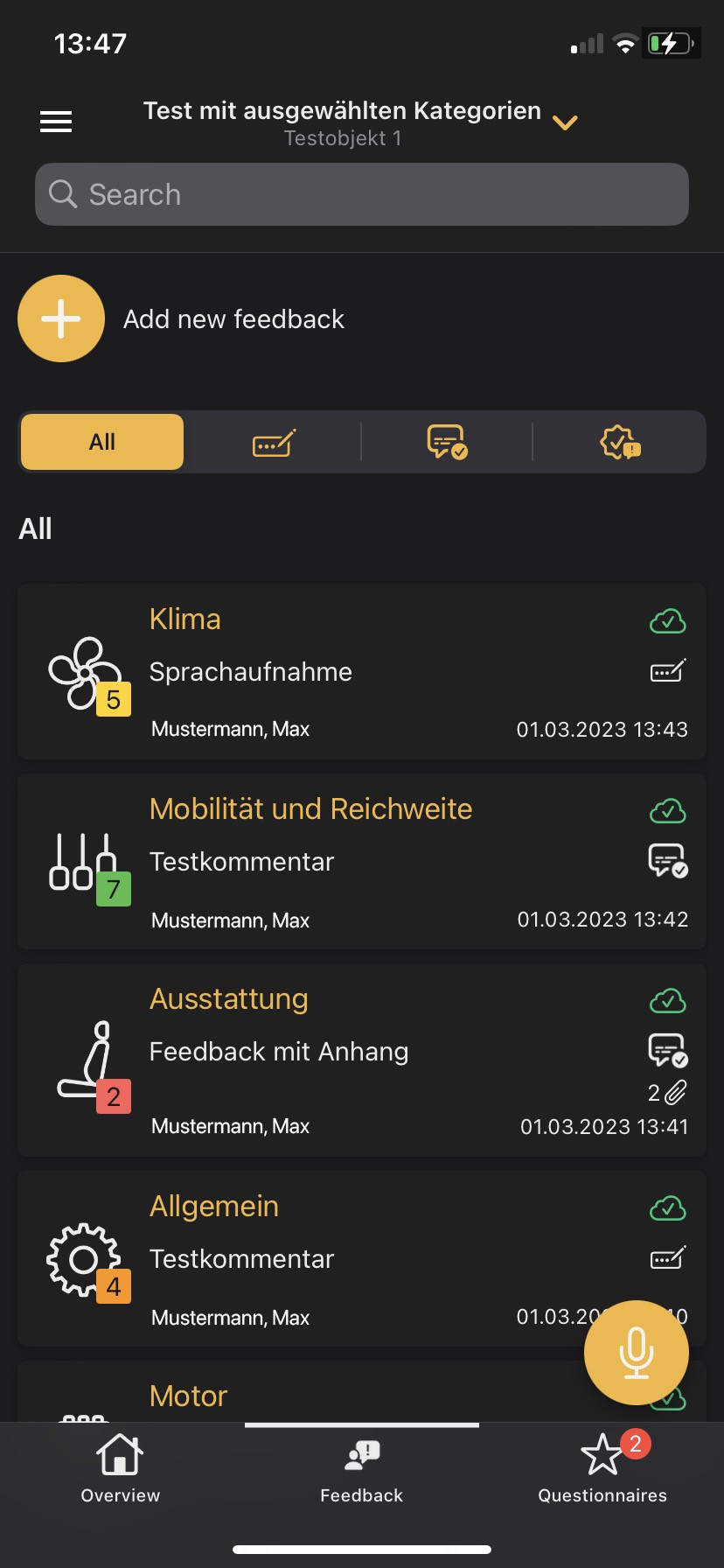
In the overview of feedbacks, the rating is displayed. It is shown in the form of a number and adapts to the scale that has been selected in the IVA Planner web application: emoticons, star rating or net promoter score. This gives an immediate overview of how the feedback was rated in different categories.
[](https://manual.ivaluate.de/uploads/images/gallery/2023-03/ios-app-screen-bewertung-en.jpg)
# 4.0 Vois recording optimization
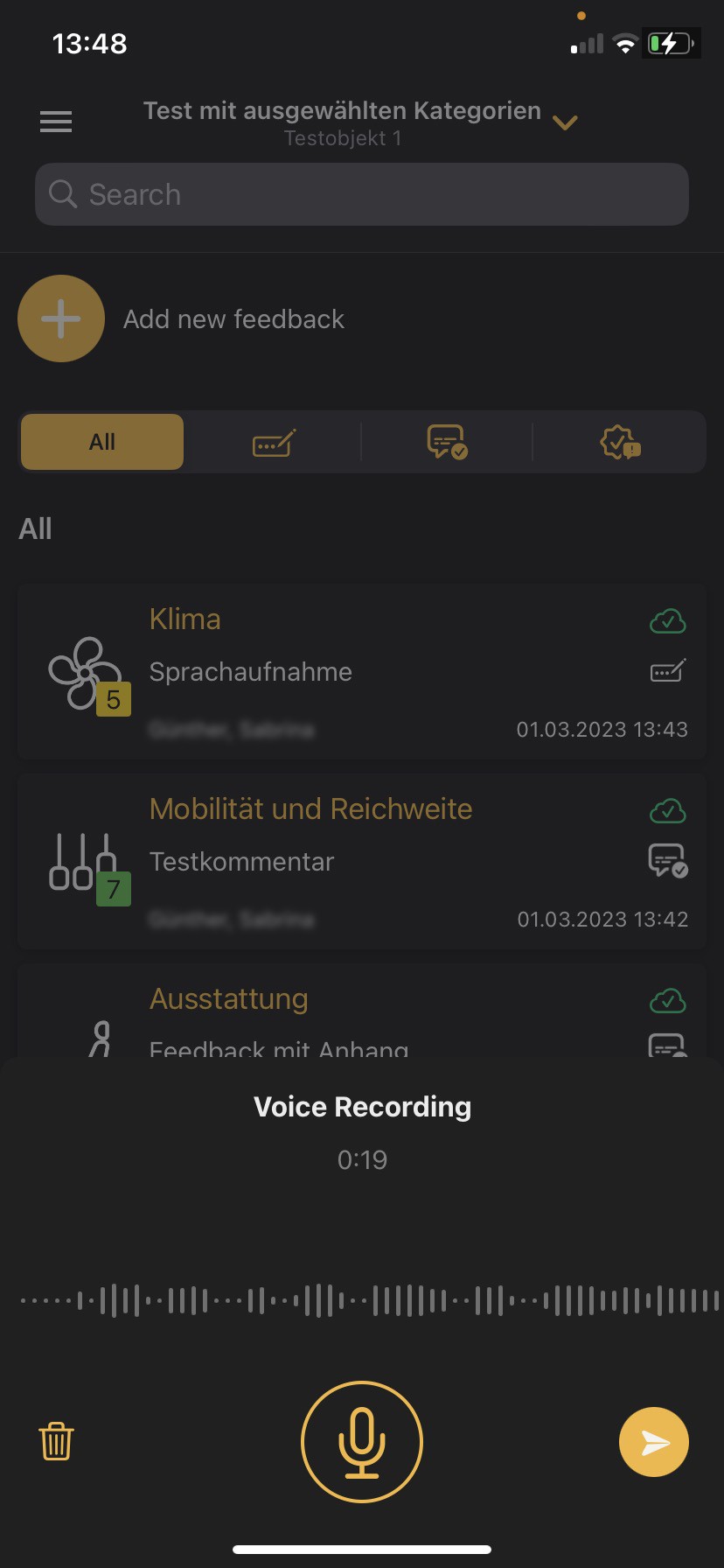
The voice recording has been optimized so that you can see the voice amplitude and duration of the recording while speaking. In addition, you can take a short break during the recording and then either save or delete it.
[](https://manual.ivaluate.de/uploads/images/gallery/2023-03/ios-app-screen-sprachaufnahme-aktiv-en.jpg)[ 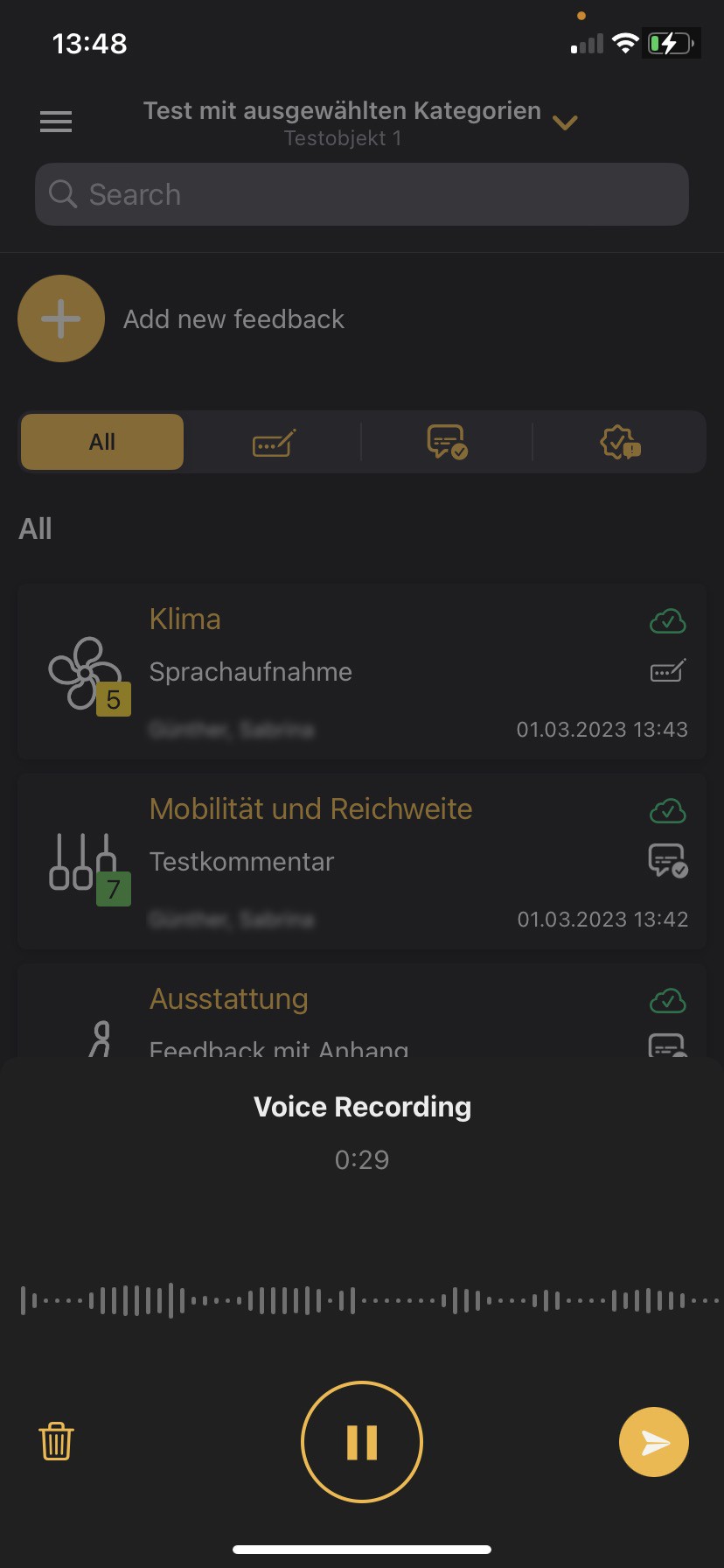](https://manual.ivaluate.de/uploads/images/gallery/2023-03/ios-app-screen-sprachaufnahme-pause-en.jpg)
# 5.0 UX-UI review
Improvements have been made in the handling of the feedbacks, in the design and in the revision of the icons.
# Version 1.2.2
# Release Notes
Release Notes - FireFly (IVA) - Version IVA iOS 1.2.2
## Bug
- \[[FIRE-1365](https://jira.tw.de/browse/FIRE-1365)\] - iOS App: Leere Liste der Tests
- \[[FIRE-1428](https://jira.tw.de/browse/FIRE-1428)\] - iOS App: Crash in Testobjektauswahl
- \[[FIRE-1437](https://jira.tw.de/browse/FIRE-1437)\] - iOS-App: Crash im Zusammenhang mit Offline-Download
## Story
- \[[FIRE-1274](https://jira.tw.de/browse/FIRE-1274)\] - iOS-App: Schritt 1- Aktivierung FaceID bzw. Touch-ID
- \[[FIRE-1402](https://jira.tw.de/browse/FIRE-1402)\] - iOS App: Anpassung Versionsprüfung AppStore
- \[[FIRE-1412](https://jira.tw.de/browse/FIRE-1412)\] - iOS App: Änderung Fehlermeldung bei Invalid\_Grant
## Task
- \[[FIRE-1422](https://jira.tw.de/browse/FIRE-1422)\] - Release Notes erstellen für Sprint 24 erstellen
# App auto-lock
[](https://manual.ivaluate.de/uploads/images/gallery/2023-01/img-8785-2.png)
[](https://manual.ivaluate.de/uploads/images/gallery/2022-04/img-8791.PNG)
[](https://manual.ivaluate.de/uploads/images/gallery/2022-04/img-8792.PNG)
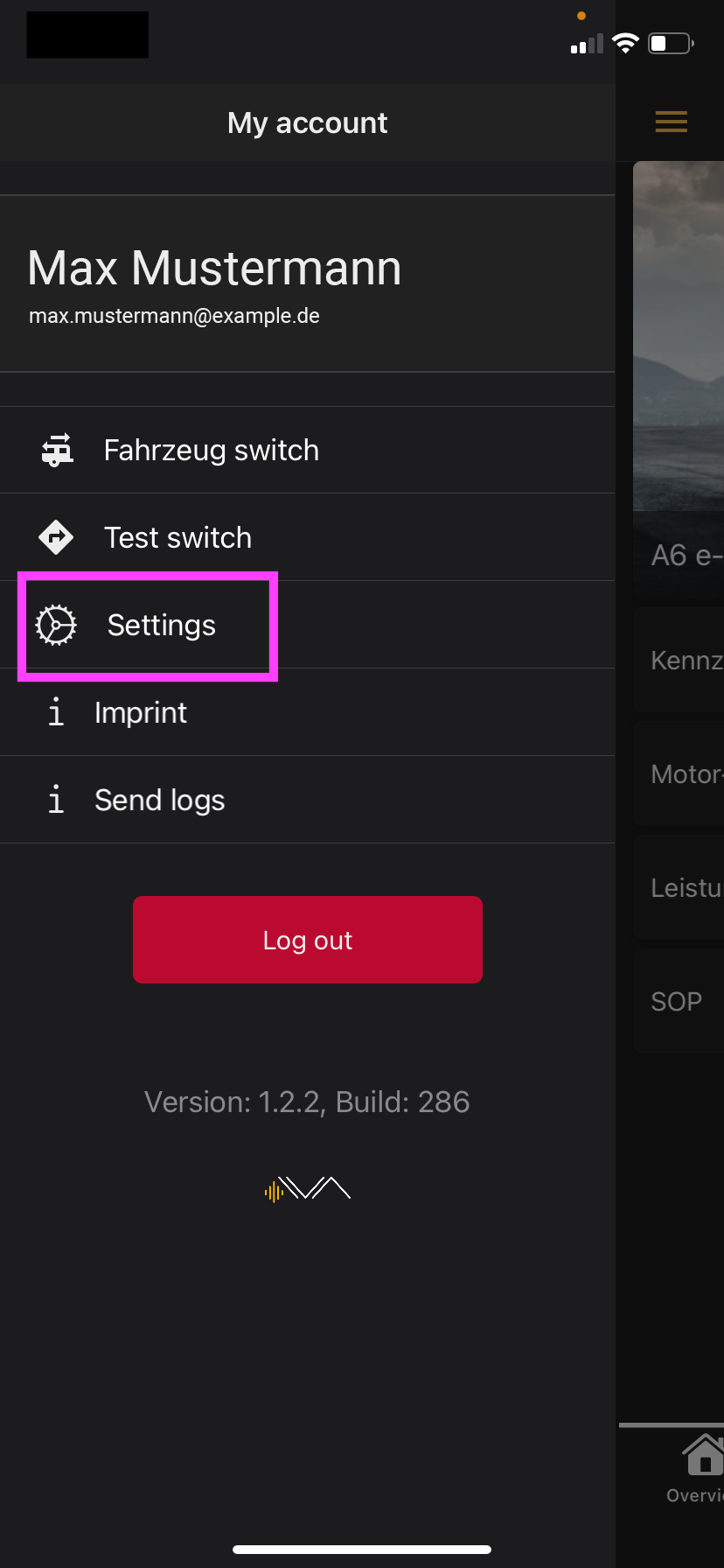
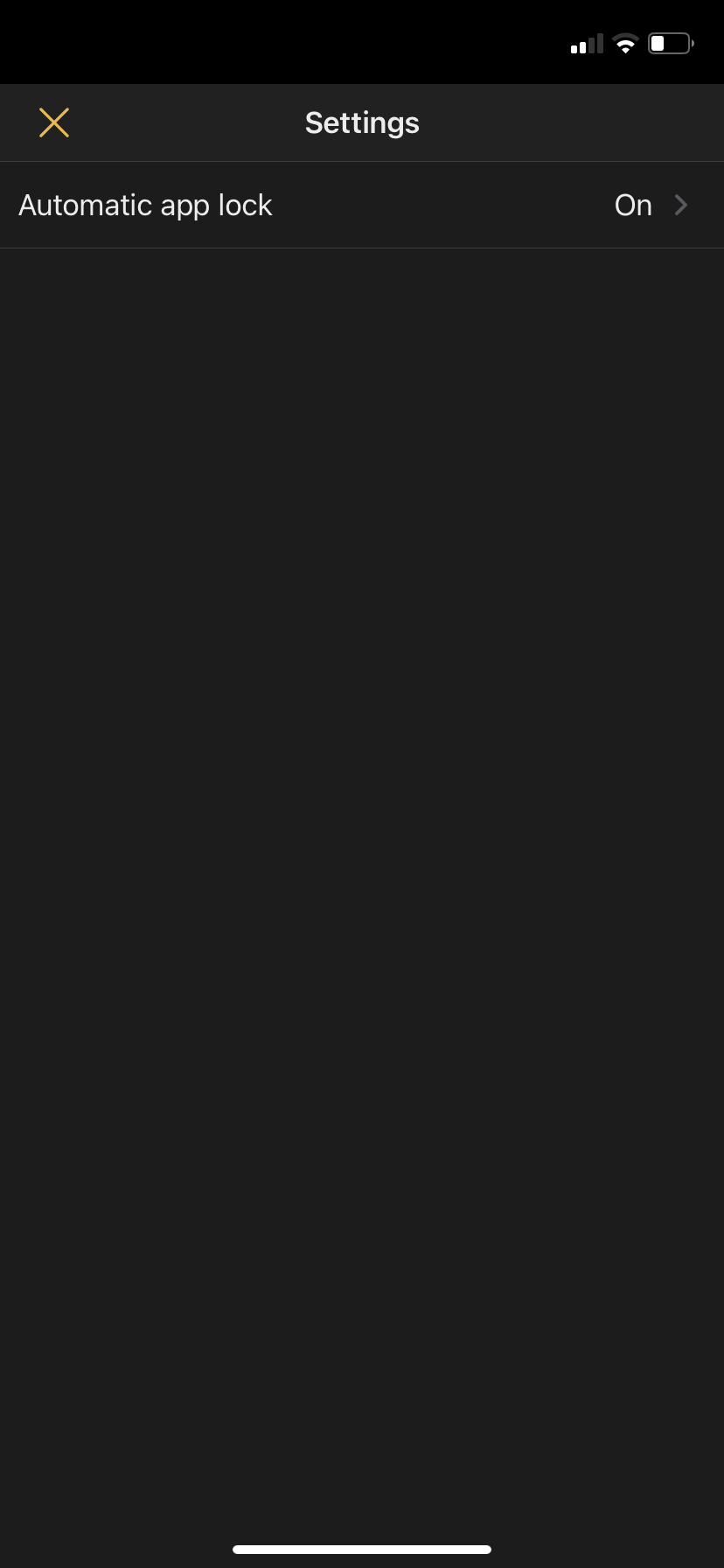
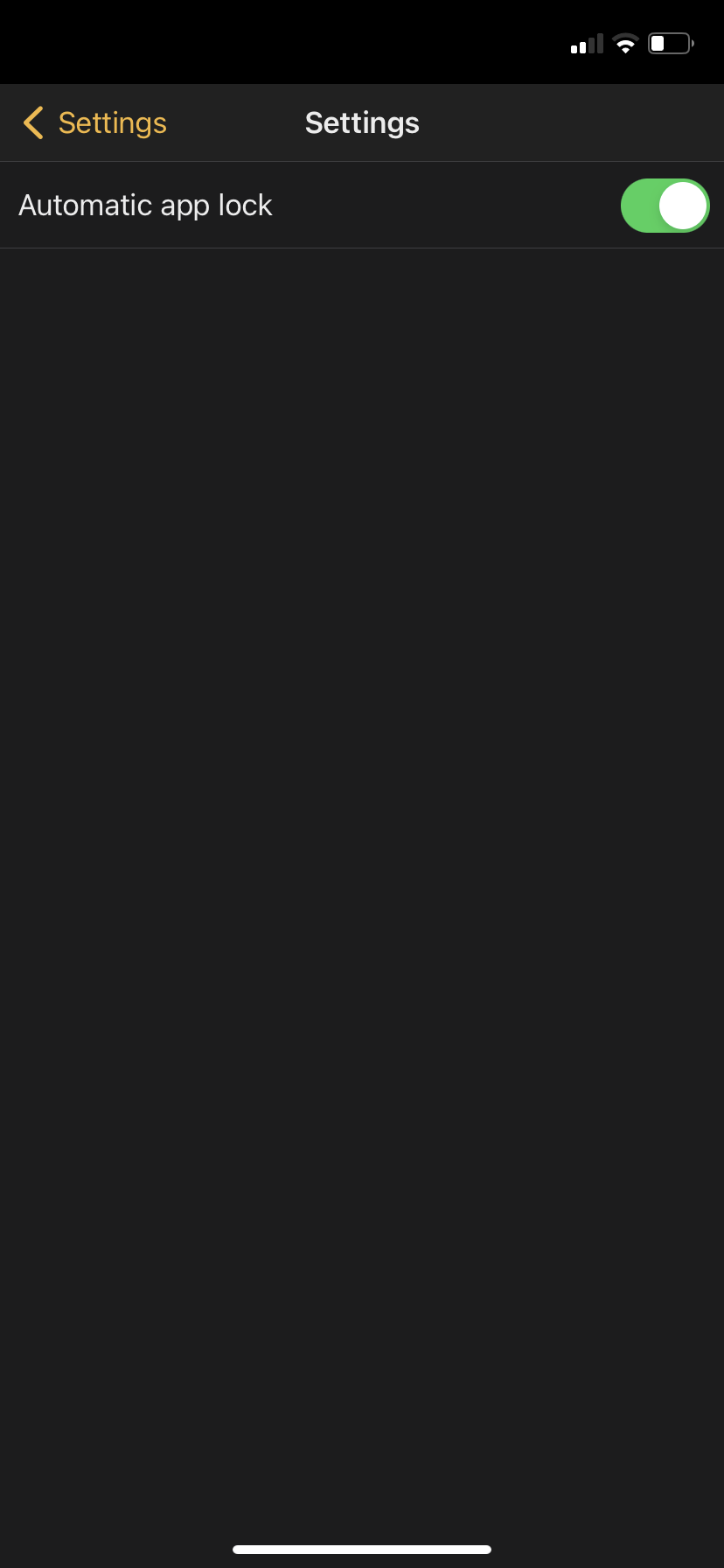
The new segment "Settings" has been added to the menu. Here you are able to set up an automatic app-lock after giving permission to use the face- or touch-ID of your device.
# Version 1.2.0
# Rework of the feedback categories
[ ](https://manual.ivaluate.de/uploads/images/gallery/2022-02/Kategorien-Listedarstellung3.png)[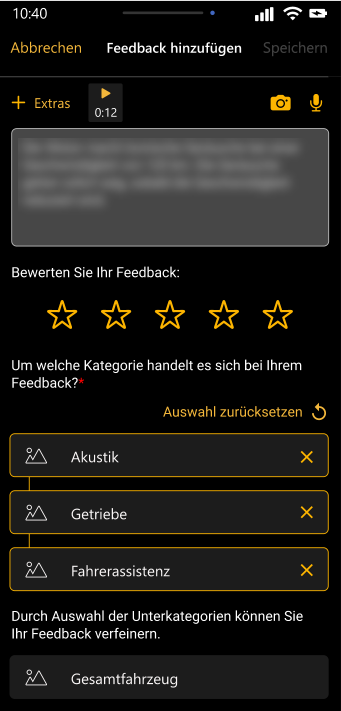 ](https://manual.ivaluate.de/uploads/images/gallery/2022-02/Kategorien-Listedarstellung2.png)[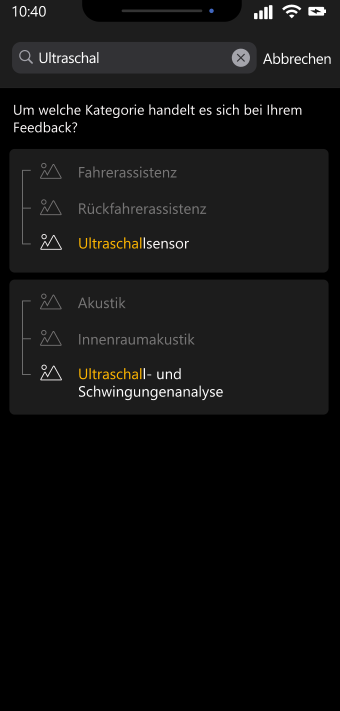](https://manual.ivaluate.de/uploads/images/gallery/2022-02/Kategorien-Listedarstellung1.png)
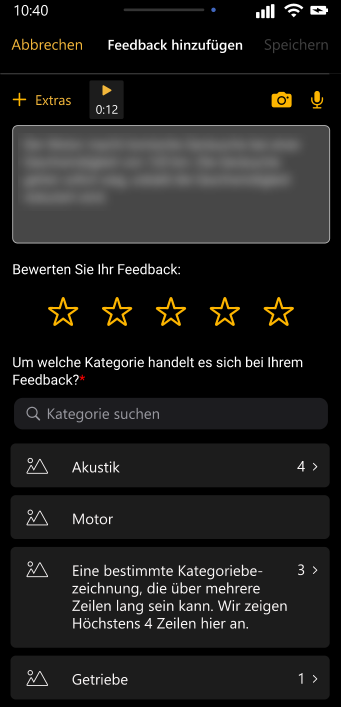
You are given a better and reworked visual display of the feedback categories in form of a list.
With the help of a search bar, you can now search this list for specific categories and sub-categories.
# Feedback status „draft“
[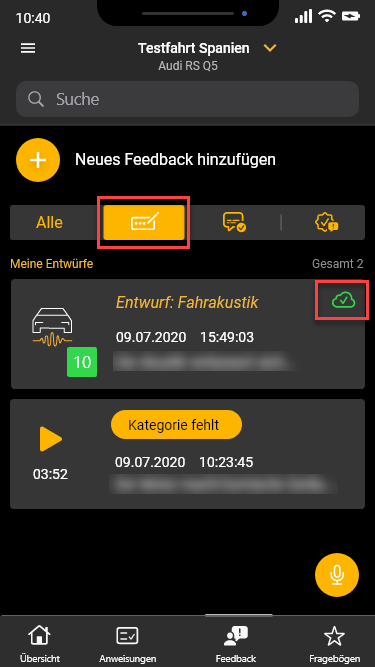](https://manual.ivaluate.de/uploads/images/gallery/2022-02/iOS-Entwuerfe1.png)
From now on you can save newly created feedbacks as drafts. On your iOS devices you can filter your drafts with the help of the tab-bar. All feedbacks with the “draft” status are synchronized with the IVA planner web application but can only be edited from yourself on your iOS device.
# Feedback status „completed“
[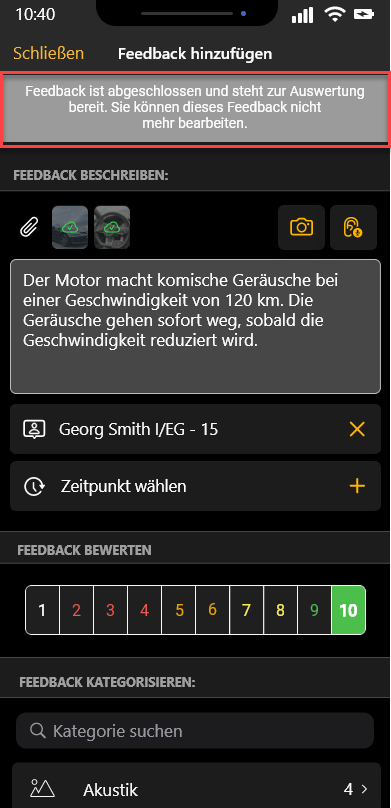 ](https://manual.ivaluate.de/uploads/images/gallery/2022-02/FeedbackAbgeschlossen.png)[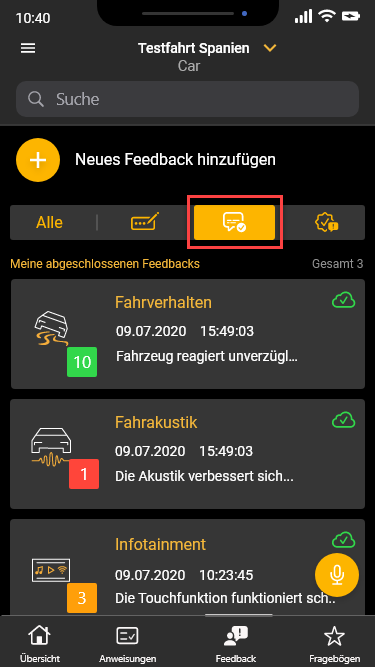](https://manual.ivaluate.de/uploads/images/gallery/2023-01/feedbackabgeschlossen-uebersicht.png)
From now on you can complete your feedbacks and send them to the planer web application for review and evaluation. After completing your feedback, you can’t edit this feedback anymore.
On your iOS devices you can filter your completed feedbacks with the help of the tab-bar.