# Version iOS 2.2-2024
Updating to this version is recommended. There are new functionalities and improvements. Some BUGs have been fixed for optimal stability.
# 1.0 Creating feedback via voice commands
With the help of Siri, it is now possible for testers to create feedback using voice commands.
Via the dialog with Siri, the description, rating, attributes and category which are to be assigned to the feedback are captured here.
# 2.0 Improvement
#### Improvement of the camera function
The camera function, which can be used to add images and videos to feedbacks, has been improved. You can now take several photos and videos in succession and add them from the media library.
Clicking on the “Camera” icon opens the camera. In this view, testers can take new pictures or videos or select existing pictures and videos from the media library by clicking on the “Media library” icon.
[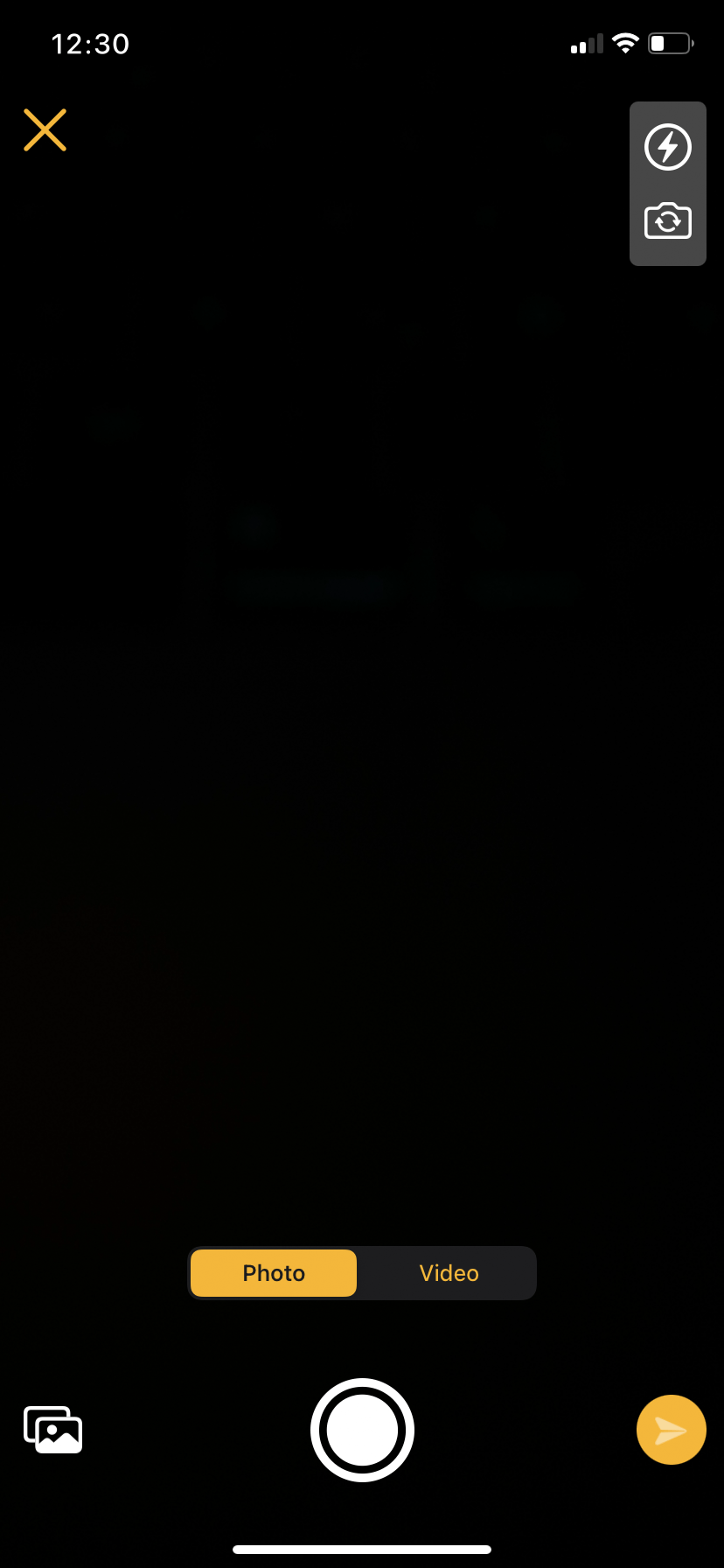 ](https://manual.ivaluate.de/uploads/images/gallery/2024-09/ios-iphone-feedback-kamerafunktion.png)[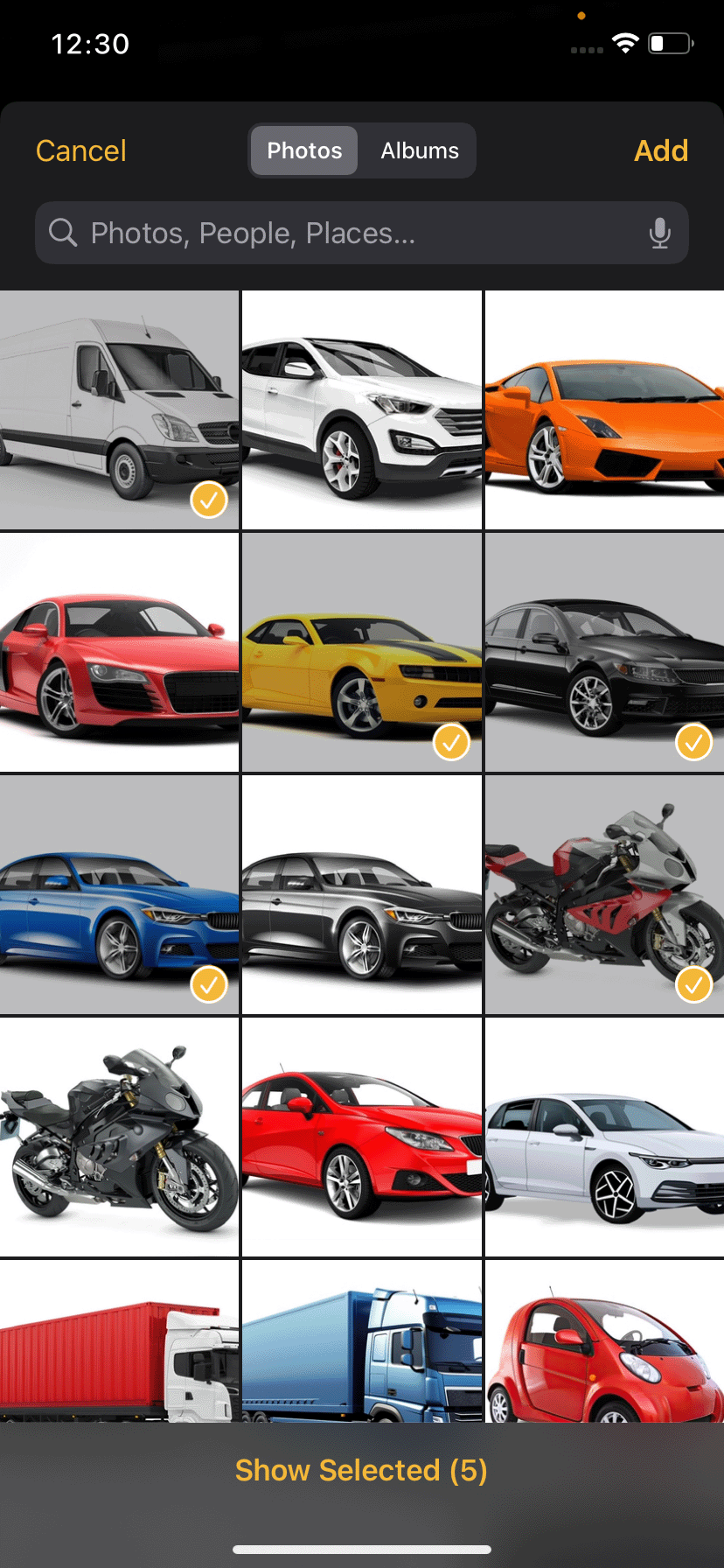](https://manual.ivaluate.de/uploads/images/gallery/2024-09/ios-iphone-feedback-kamerafunktion-galerie.png)[ ](https://manual.ivaluate.de/uploads/images/gallery/2024-09/ios-iphone-feedback-kamerafunktion.png)[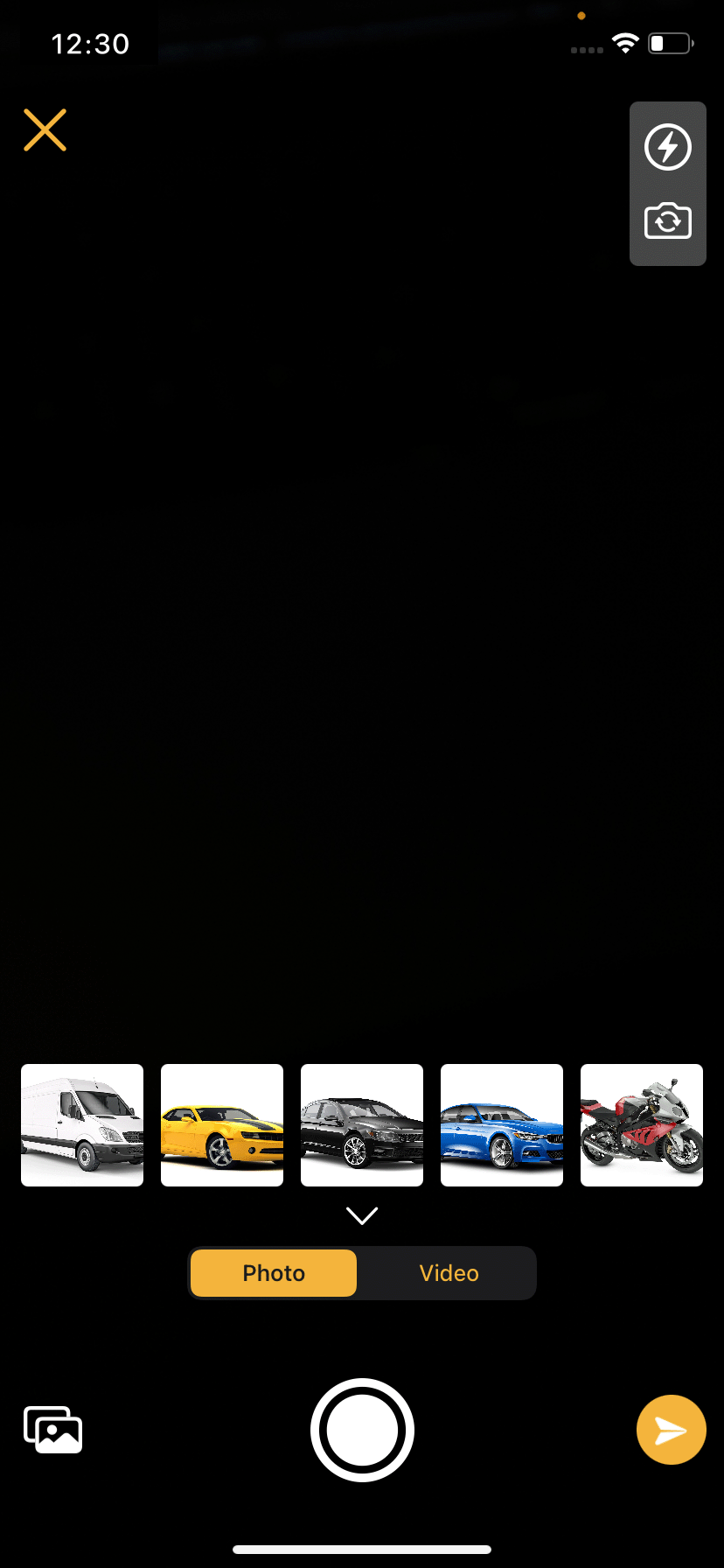](https://manual.ivaluate.de/uploads/images/gallery/2024-09/ios-iphone-feedback-kamerafunktion-auswahl.png)
Newly taken pictures and videos are displayed as a preview above the “Capture” button. Clicking on the preview of an image opens the image editing function and the respective image can be edited directly here.
By clicking on the “Send” button, the images are added to the feedback as an attachment.
[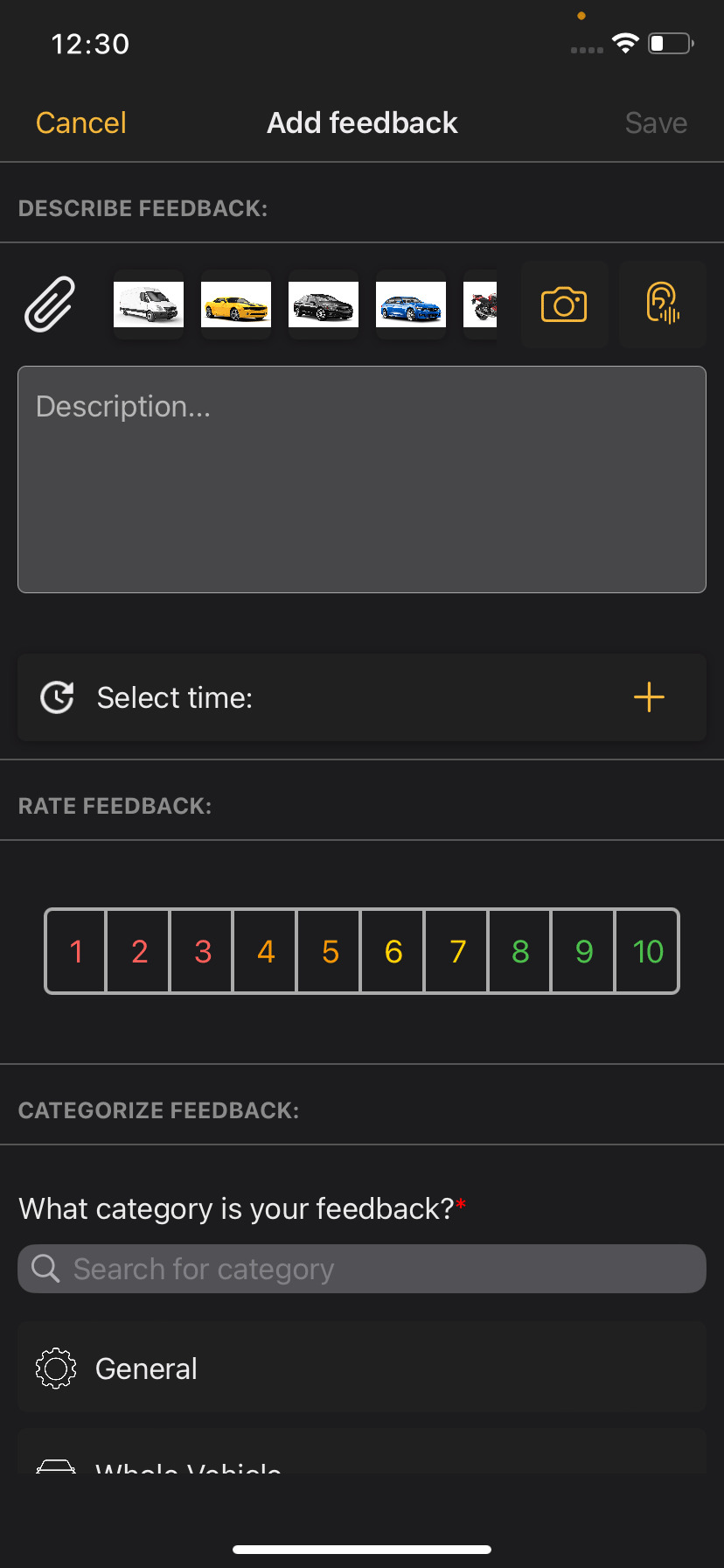](https://manual.ivaluate.de/uploads/images/gallery/2024-09/ios-iphone-feedback-kamerafunktion-anhang.png)
Two functions have also been added to the camera: flash and direct camera, which can be activated using the corresponding icons in the top right-hand corner.
#### Directly deactivating driving mode
Testers can now deactivate the driving mode function directly in the "Exit driving mode" dialog.
[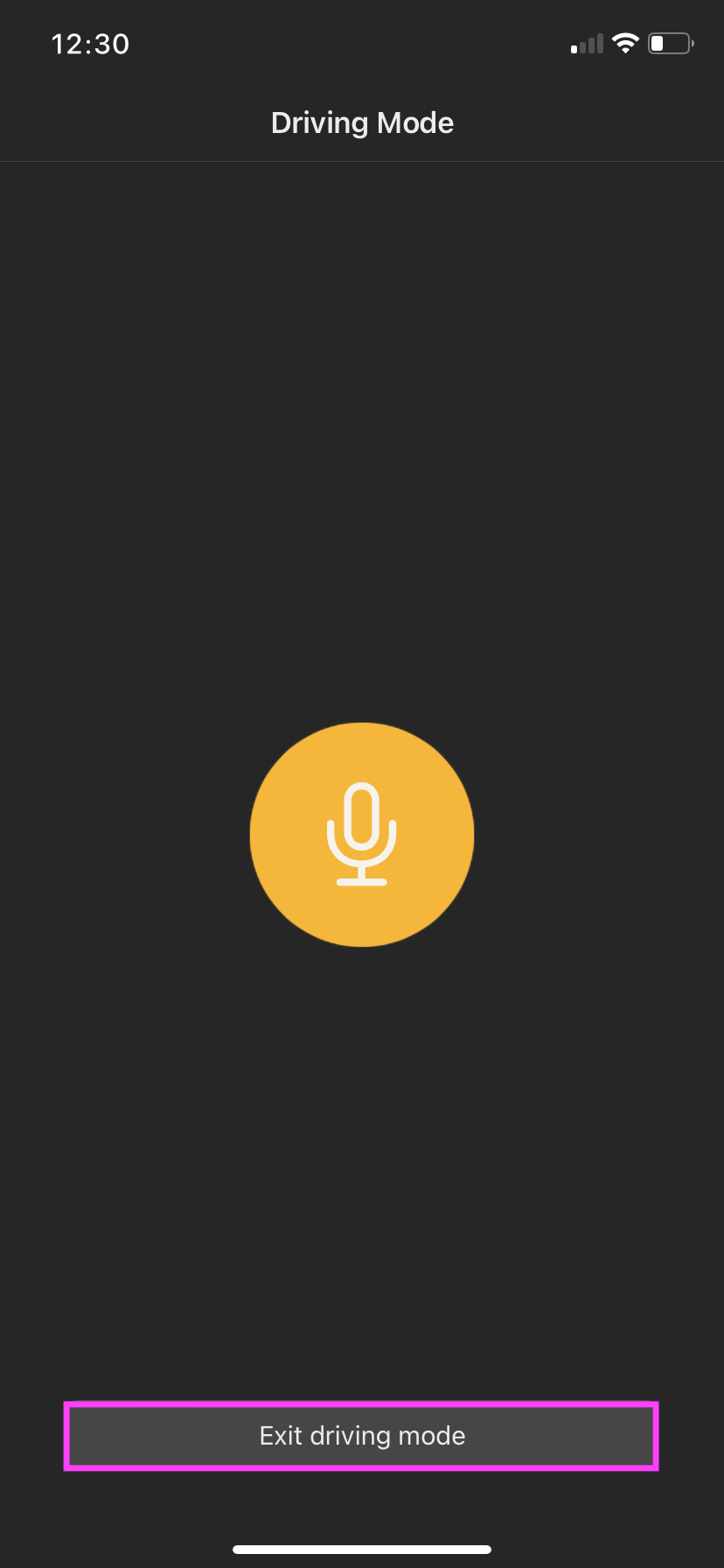 ](https://manual.ivaluate.de/uploads/images/gallery/2024-09/iva-ios-app-fahrtmodus-start.png)[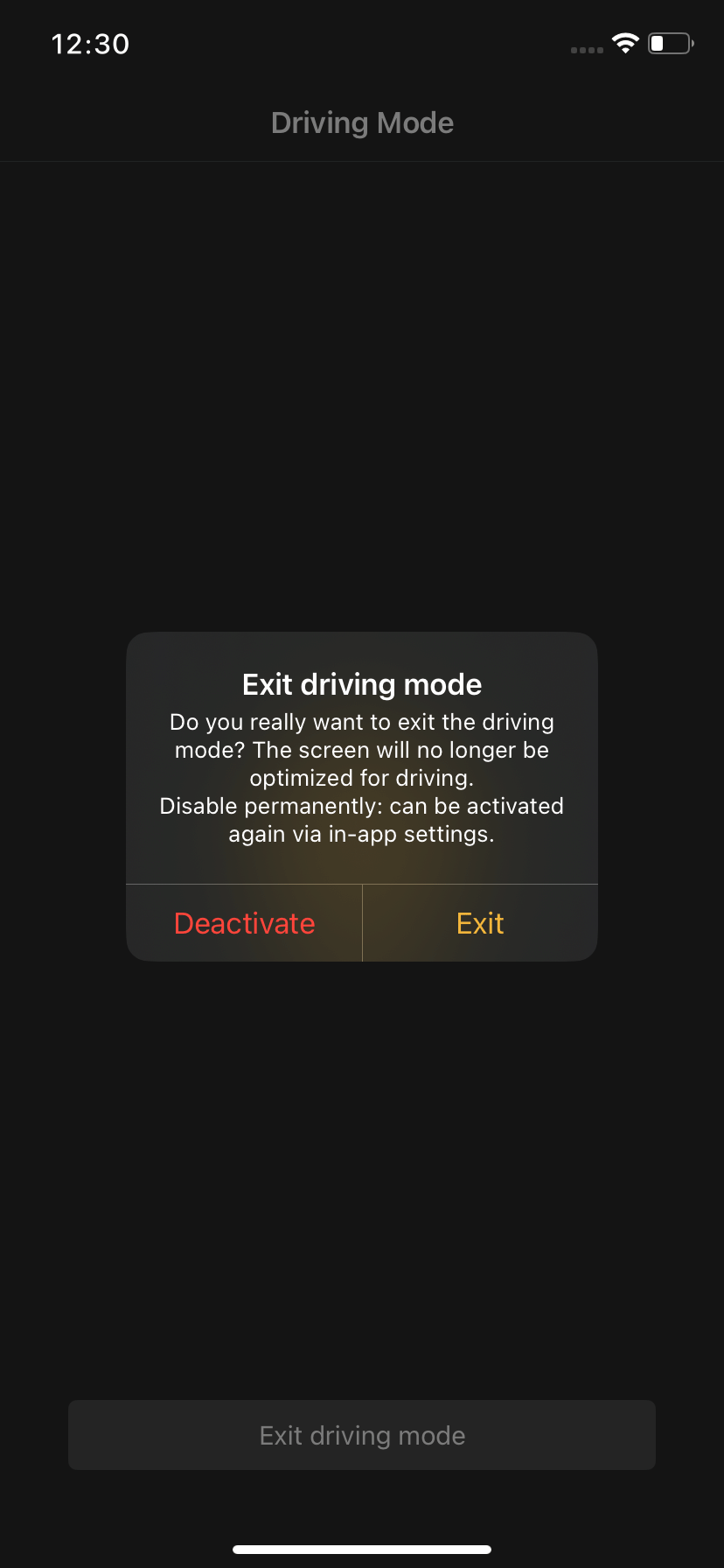](https://manual.ivaluate.de/uploads/images/gallery/2024-09/iva-ios-app-fahrtmodus-beenden.png)
Previously, this was only possible under the "Settings" menu item. The function can still be deactivated/activated here at any time.
# 3.0 BUGs
The driving mode works as intended again. The BUG where the driving mode automatically closed again shortly after starting has been fixed.
Test objects can now be switched again as intended and tests can therefore be started via the "Start" button. The BUG where the "Start" button did not react after the currently selected test object was selected from the list again has been fixed.
# Release Notes 2.2
## Bug
- \[[FIRE-2446](https://jira.tw.de/browse/FIRE-2446)\] - \[iOS-App\] Bug bei Zellmarkierung in Testobjektauswahl
- \[[FIRE-2455](https://jira.tw.de/browse/FIRE-2455)\] - \[iOS-App\] Automatisches Beenden des Fahrtmodus beheben
- \[[FIRE-2508](https://jira.tw.de/browse/FIRE-2508)\] - iOS App: Start Button ohne Funktion
- \[[FIRE-2511](https://jira.tw.de/browse/FIRE-2511)\] - \[iOS-App\] - Bug bei Kameraaufnahme beheben
## Story
- \[[FIRE-2342](https://jira.tw.de/browse/FIRE-2342)\] - \[iOS-App\] Siri - Feedback per Sprachbefehl erfassen
- \[[FIRE-2343](https://jira.tw.de/browse/FIRE-2343)\] - \[iOS-App\] Siri - Feedback in der App speichern
- \[[FIRE-2344](https://jira.tw.de/browse/FIRE-2344)\] - \[iOS-App\] Siri - Feedback-Übersicht in der App anzeigen
- \[[FIRE-2345](https://jira.tw.de/browse/FIRE-2345)\] - \[iOS-App\] Siri - Testing der Siri-Feedback-Integration
- \[[FIRE-2356](https://jira.tw.de/browse/FIRE-2356)\] - \[iOS-App\] Siri - UI-Implementierung für Siri zur Feedbackerstellung
- \[[FIRE-2413](https://jira.tw.de/browse/FIRE-2413)\] - iOS: Hintergrund für Bilder
- \[[FIRE-2420](https://jira.tw.de/browse/FIRE-2420)\] - iOS App: Direkt Kamera öffnen bei Feedback Foto/Mediathek hinzufügen
- \[[FIRE-2430](https://jira.tw.de/browse/FIRE-2430)\] - \[iOS-App\] Implementierung der BLE-Verbindungsfunktionalität
- \[[FIRE-2431](https://jira.tw.de/browse/FIRE-2431)\] - iOS App: Feedback Foto hinzufügen - Mehrere Bilder hintereinander
- \[[FIRE-2433](https://jira.tw.de/browse/FIRE-2433)\] - iOS App: Anpassung Verhalten bei Beenden von Fahrtmodus
- \[[FIRE-2480](https://jira.tw.de/browse/FIRE-2480)\] - iOS App: Attribute vom Typ Text - Anzahl Zeichen erhöhen!
- \[[FIRE-2500](https://jira.tw.de/browse/FIRE-2500)\] - \[iOS-App\] - Fehlendes Permissionhandling beim Öffnen der Mediathek
## Task
- - \[[FIRE-2541](https://jira.tw.de/browse/FIRE-2541)\] - IVA Release Notes iOS 2.2