# 3.1. Overview "My bookings" for testers
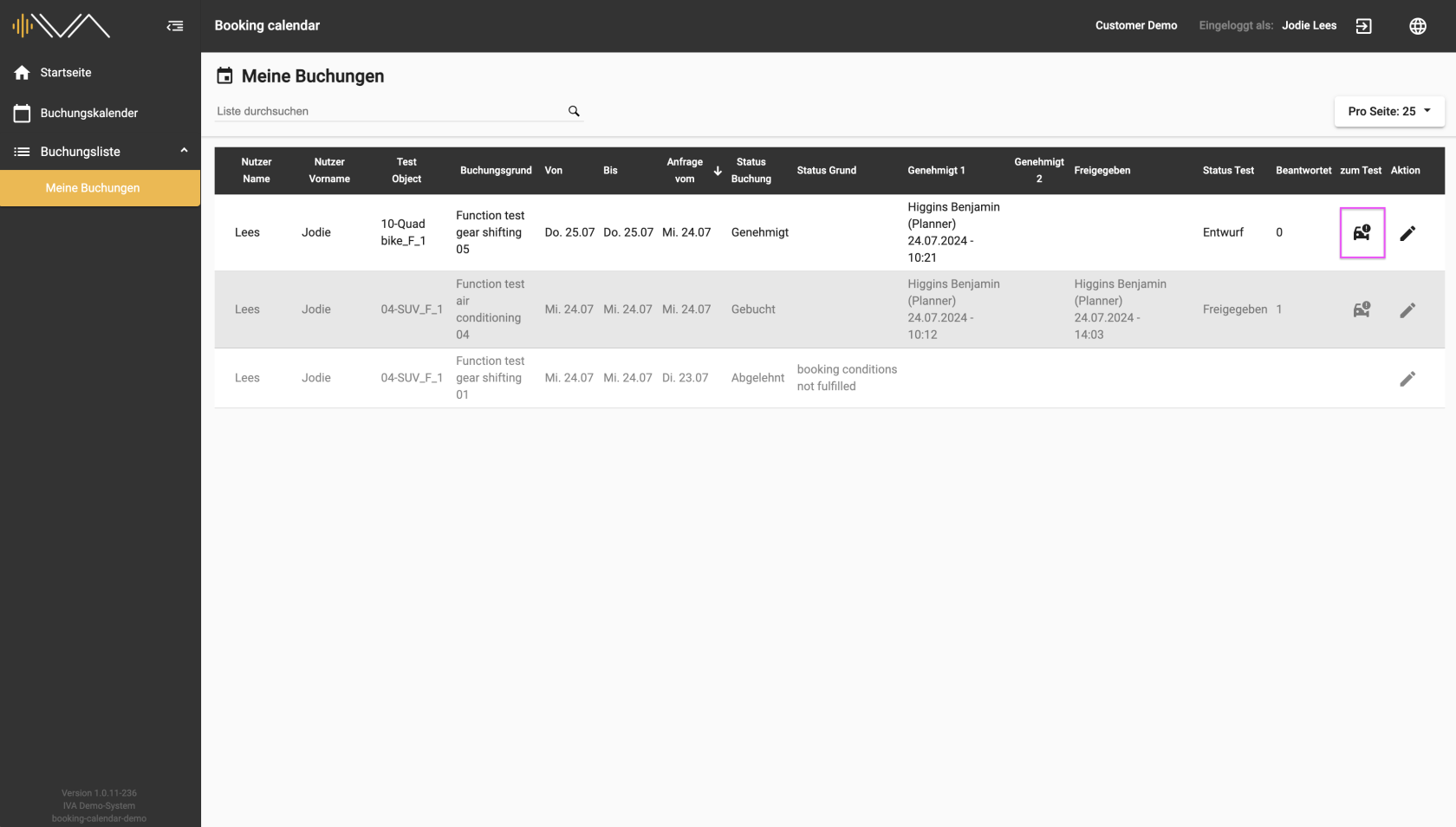
The booking list provides you with an overview of all bookings that you have requested or booked. The list is made up of several columns.
On the far right is the column: **“To test”**. If a drive has been approved, the column is filled with a “Car” icon. Clicking on the icon takes you to the corresponding test, i.e. a new tab opens in the tester web application.
Please pay attention to the column **“Status test”**. The status “Published” only appears in the **“Status test”** column once the planner has published the test. You can then start the test.
[](https://manual.ivaluate.de/uploads/images/gallery/2024-07/3-1-1-iva-buchungskalender-buchungsliste-meine-buchungen-tester.png)
If the test is in the “Draft” status, you do not have access to the test.
Read more about [status](https://manual.ivaluate.de/books/en-booking-calendar-for-tester/page/32-different-statuses-of-bookings-and-tests) here
The **“Status test”** and **“Finished”** columns can be sorted.