# 4.1. Test objects

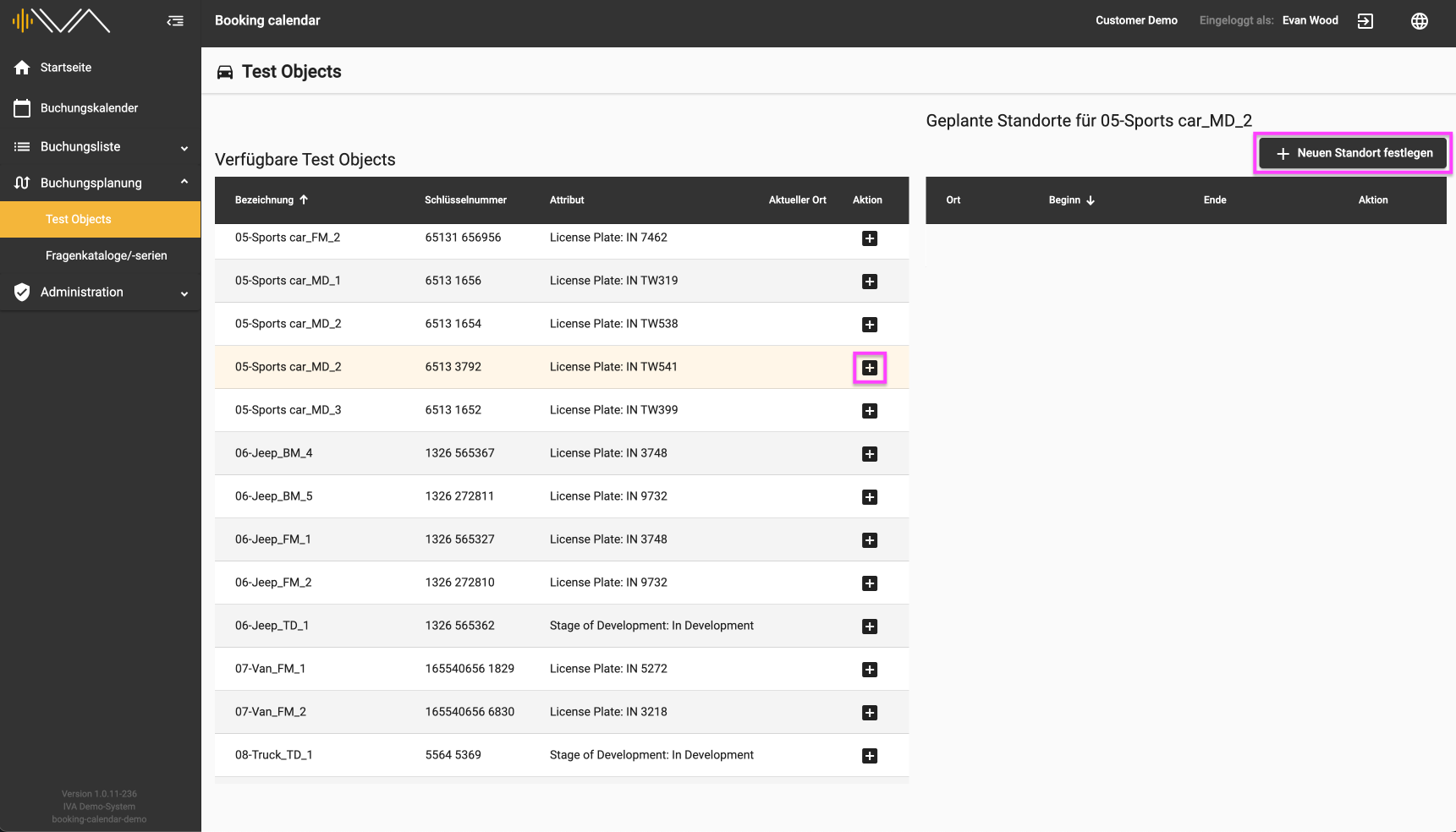
<span data-contrast="auto">Under the menu item “Test objects” you will find two tables. On the left is a table with “Available test objects”. </span><span data-ccp-props="{"201341983":0,"335559739":0,"335559740":240}"> </span>

<span data-ccp-props="{"201341983":0,"335559739":0,"335559740":240}">[![4.1-IVA-Buchungskalender-Buchungsplanung-Testobjekte-Standorte.png](https://manual.ivaluate.de/uploads/images/gallery/2024-07/scaled-1680-/QPY4-1-iva-buchungskalender-buchungsplanung-testobjekte-standorte.png)](https://manual.ivaluate.de/uploads/images/gallery/2024-07/QPY4-1-iva-buchungskalender-buchungsplanung-testobjekte-standorte.png)</span>

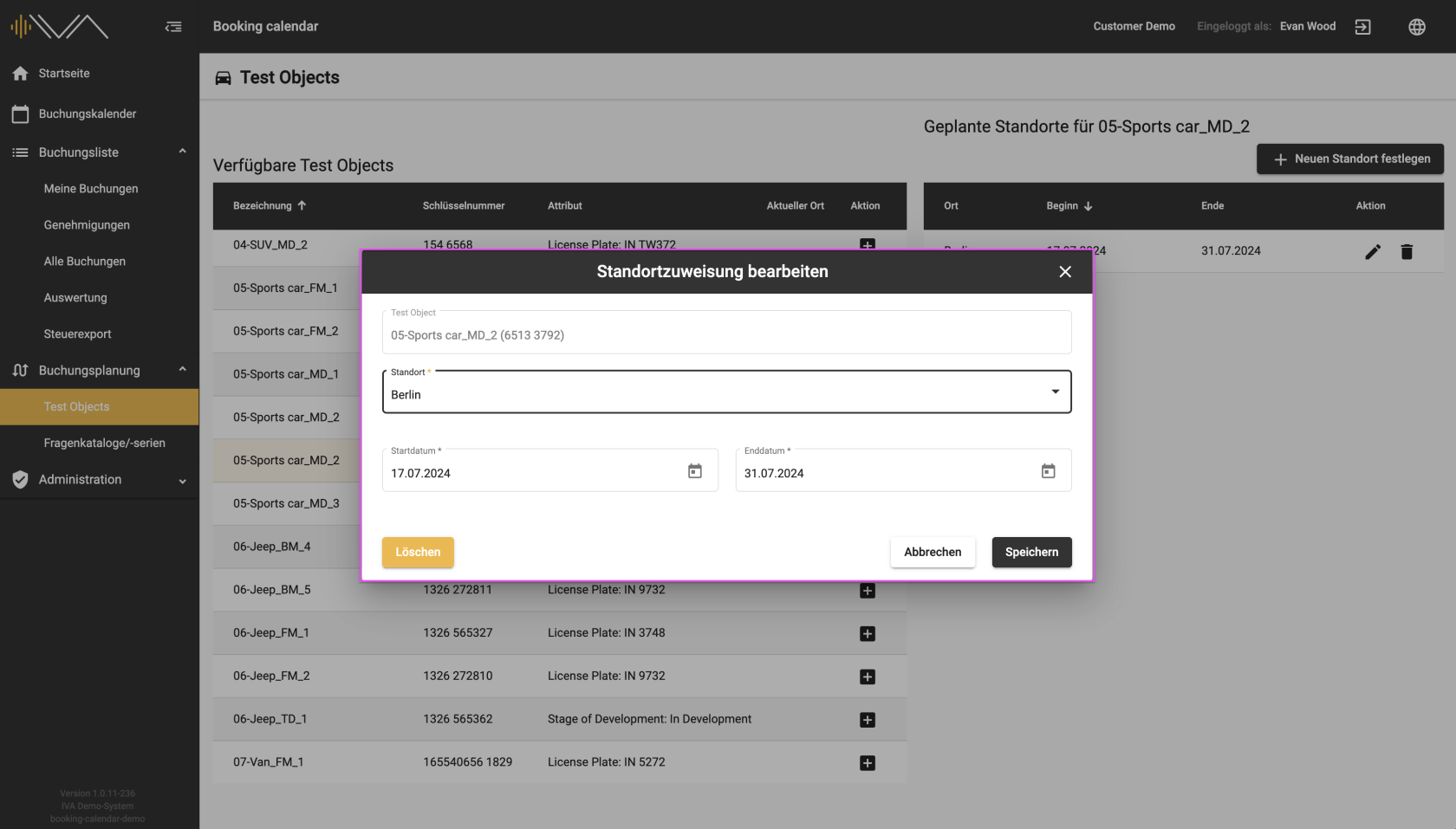
<span data-contrast="auto">If you click on a row with a test object, the tile is colored light yellow and you can perform an action by clicking on the “+” icon or by clicking on the “+ Set new location” button at the top right. A new window then appears in which you can assign the “Location” and the “Start” and “End date” to the corresponding vehicle.</span><span data-ccp-props="{"201341983":0,"335559739":0,"335559740":240}"> </span>

<span data-ccp-props="{"201341983":0,"335559739":0,"335559740":240}">[![4.1-IVA-Buchungskalender-Buchungsplanung-Testobjekte-Standortzuweisung-bearbeiten.png](https://manual.ivaluate.de/uploads/images/gallery/2024-07/scaled-1680-/4-1-iva-buchungskalender-buchungsplanung-testobjekte-standortzuweisung-bearbeiten.png)](https://manual.ivaluate.de/uploads/images/gallery/2024-07/4-1-iva-buchungskalender-buchungsplanung-testobjekte-standortzuweisung-bearbeiten.png)</span>

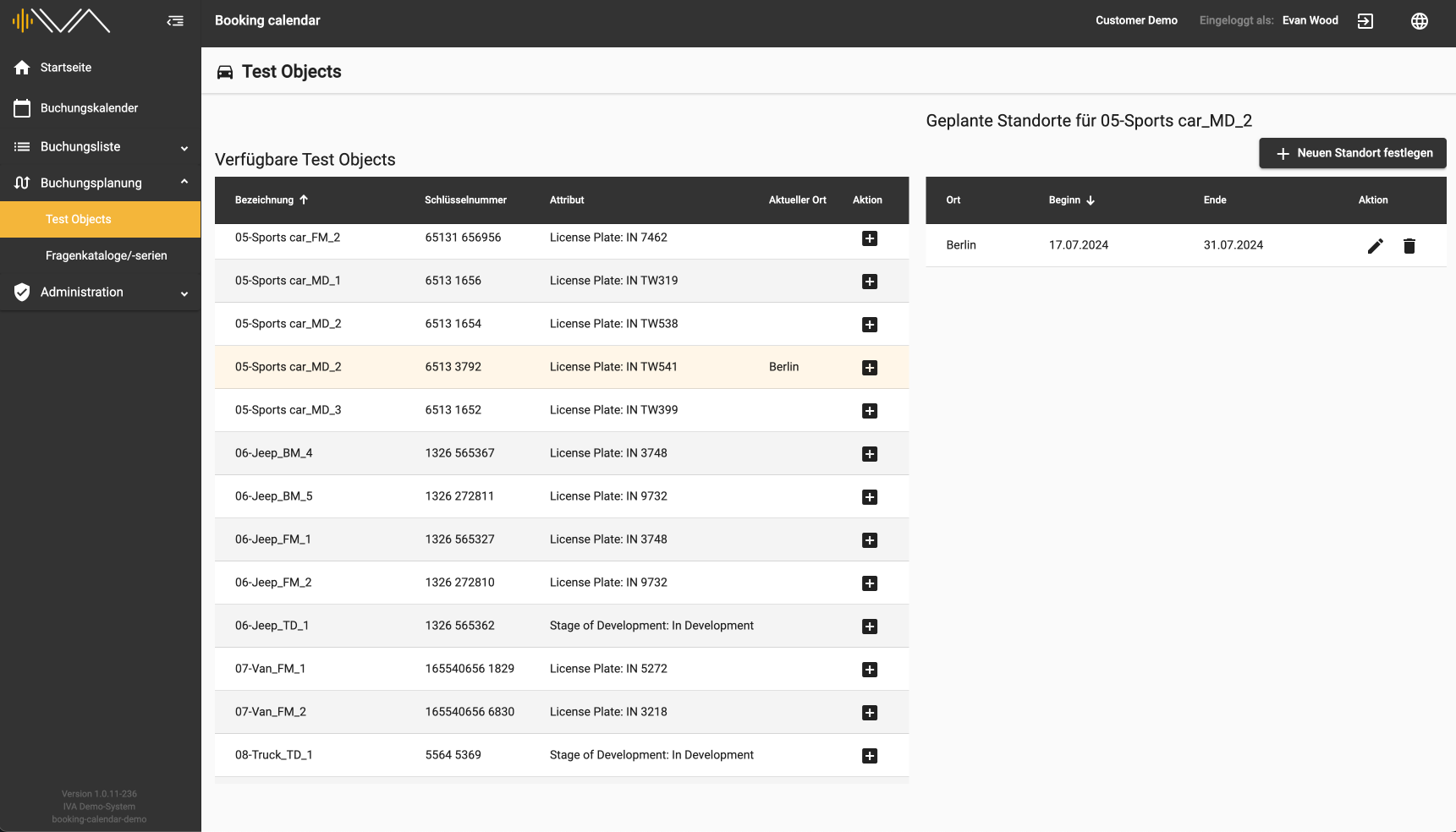
<span data-contrast="auto">A new row then appears with the location, start and end dates, which you can edit or delete.</span><span data-ccp-props="{"201341983":0,"335559739":0,"335559740":240}"> </span>

<span data-ccp-props="{"201341983":0,"335559739":0,"335559740":240}"><span style="font-family: Roboto;">[![4.1-IVA-Buchungskalender-Buchungsplanung-Testobjekte-Standorte.png](https://manual.ivaluate.de/uploads/images/gallery/2024-07/scaled-1680-/4-1-iva-buchungskalender-buchungsplanung-testobjekte-standorte.png)](https://manual.ivaluate.de/uploads/images/gallery/2024-07/4-1-iva-buchungskalender-buchungsplanung-testobjekte-standorte.png)</span></span>

<span data-contrast="auto">This allows you to assign “Planned locations” to each vehicle individually. These locations are automatically assigned in the booking calendar when creating a booking.</span><span data-ccp-props="{"201341983":0,"335559739":0,"335559740":240}"></span>